← Features·Bundle

Bundle products.
Sell more per buyer.

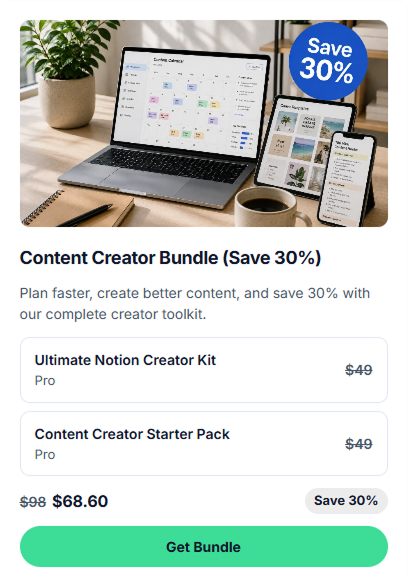
Package 2 or more digital products into one purchase with a discount. Buyers grab the whole pack in one Stripe charge — 0% commission, you keep every cent.

No card 14 days 0% commission
9:41●●●
Creator & Coach
Jason Miller
MVP product strategy for founders.
Get the Complete Bundle!
📦
Pricing Playbook PDF
$19 $5.52
📄
Notion Templates Pack
$12 $3.48
$9 $31 SAVE 71%
What it is

How to bundle digital products with a discount

Every Bundle on CreatorStore follows the same 3-step flow: pick 2 or more digital products from your catalog, set a bundle price below the sum, publish the bundle page. When a buyer checks out, they get instant delivery on every item inside — one Stripe charge, one confirmation email, every download link generated within seconds.

What you don't have to build: the "What's included" breakdown and savings-vs-buying-separately number generate automatically, an optional countdown timer creates urgency for launch campaigns, and inventory sync means editing a product in your catalog auto-updates every bundle it's in. No coupon codes, no cart plugin, no discount math — you keep 100% of the bundle price.

What you can bundle

Mix any 2+ digital products from your store.

Combine PDFs, courses, templates, ebooks, audio, video — any digital product in your catalog. Bundle for upsell, launch, or limited-time campaign. Calendar products (1:1 calls, session packs, service bookings, webinars) are not included.

Music · samples + presets
Studio Starter Kit
Sample pack + Serum presets · $99 $150
Get the bundle

Sample packs + presets

Music producers: combine a lo-fi sample pack with Serum / Ableton / MIDI presets. Buyer gets the sounds AND the synth settings — same drop, double the value.

Course + workbook
Notion Course Bundle
Course + 3 workbooks · $79 $120
Get the bundle

Course + companion files

Pair your course with workbooks, templates, cheat-sheets. Makes the package feel complete, often justifies a higher anchor price.

Mega bundle
Creator's Complete Toolkit
8 products · $149 $340 –56%
Get the bundle

Mega bundle (5+ products)

Bundle your whole catalog for power-users. Big discount, big perceived value, one checkout. Great Black Friday / launch play.

Fitness · program + plan
Beginner's Transformation Kit
Workout PDF + Meal Plan video · $79 $128
Get the bundle

Workout program + meal plan

Fitness coaches: pair your training PDF with a meal plan video, mobility routine, or macros template. One funnel offer that solves "how to train" AND "how to eat" — proven IG bio-link play.

Limited launch
Black Friday Mega Bundle
All products · 48h only · $99 –70%
⏱ 23h 14m left

Limited-time launch bundle

Combine all products at deep discount for 24–72 hours. Countdown timer creates urgency. Best for Black Friday, anniversaries, milestone launches.

Design · SVG + fonts
Spring Crafter's Bundle
3 SVG packs + font pair · $59 $108
Get the bundle

SVG packs + fonts

Print-on-demand designers: combine seasonal SVG bundles with matching fonts and a Cricut workflow guide. Same files, 0% commission, your own checkout.

Built to bundle

Auto math, urgency timer, single Stripe charge.

Auto-discount math, countdown timer, "What's included" breakdown. Everything you need to launch a bundle today — built into one tool.

Bundle pricing
Original total$31
Discount (71%)–$22
✓ Auto-recalculates as you change products

Auto-discount math

Set discount % or fixed price — system shows original total, savings, and final bundle price. Add/remove products, math updates live. Buyers see the deal in plain numbers.

Limited-time offer
Enable expiry date✓ ON
Offer ends atJun 10, 13:02
⏱ Countdown shown 07d 23h 59m 29s
✓ Auto-hides after expiry

Countdown timer

Set an expiry date for your bundle. Countdown (days / hours / min / sec) shows on the storefront card. Bundle auto-hides after expiry — no manual cleanup.

What's included
📦 Pricing Playbook PDF$19 $5.52
📄 Notion Templates Pack$12 $3.48
✓ Each item shows pre-bundle + bundle price

"What's included" breakdown

Every bundle shows a list of included products with original price (crossed out) and bundle price. Buyer sees exactly what they're getting — no math, no surprises.

Bundle pricing mode
Discount70%
Final bundle price$9.30
✓ Or switch to Fixed price mode anytime

% discount OR fixed price

Two pricing modes: By discount % (set 30% off → system calculates) OR Fixed price (set $9 → system shows savings). Switch between modes any time.

Single Stripe charge
Buyer pays$9.00
Stripe fee~$0.56
You keep$8.44
✓ One transaction · 0% CreatorStore fee

Single Stripe charge

Buyer pays once for the bundle — no multi-cart, no separate transactions. Stripe charges the total, you get the net. 0% commission to us.

Thumbnail style
Button
Callout ✓
Preview
✓ Pick how the bundle appears on your store

Thumbnail style options

Three card styles for the storefront: Button (text-only CTA), Callout (image + title + subtitle), Preview (inline mini-card). Pick what fits your design.

Your admin panel

Every bundle. Every sale. One dashboard.

Bundle sales flow through your existing Income, Analytics, and Customers pages — filtered, attributed, ready for tax export. No new dashboard to learn.

Income · bundle revenue

Bundle sales appear in your Income page with status, payout schedule, net amount. Stripe handles deposits — each transaction tagged and tax-ready. Export CSV anytime.

Analytics · funnel + traffic

Bundle pages tracked separately: visits, product views, checkout starts, purchases. Spot which bundles convert and which leak buyers. Traffic source attribution included.

Customers · who bought what

Every bundle sale = new entry in My Customers. Name, email, last purchase, total spent — auto-collected. Filter, export CSV, message buyers directly.

Setup

Pick products, set discount, publish.

Two steps. No new tools to learn, no Zapier glue, no app subscription. Bundle ships in minutes.

Step 1 · Select products
Pricing Playbook PDF$19
Notion Templates Pack$12
Strategy Course$249
✓ Only digital products with a price are eligible

Pick from your existing store

Open the bundle editor — every paid digital product in your store appears as a checkbox. Tick the ones to include. PDFs, courses, templates, ebooks, audio, video — any digital product works.

Step 2 · Bundle price
By discount %
Fixed price ✓
Bundle price$9
Savings$22 · 71%
✓ Switch modes anytime · math auto-updates

Discount % or fixed price

Two ways to price: By discount % (set "30% off", system calculates) OR Fixed price (set $9, system shows savings). Switch anytime. Math always live.

How it works

From editor to sale — in 4 steps.

Build the bundle once. Buyers see savings clearly. Stripe handles the rest.

01
Pick

Select products

Open the bundle editor, check boxes next to existing digital products in your store. PDFs, courses, templates, audio, video — mix freely.

02
Discount

Set bundle price

Choose "By discount %" or "Fixed price". System calculates savings live — original total, discount, final price all visible to buyer.

03
Urgency

Add a timer (optional)

Enable expiry date. Countdown shows on the storefront card. Bundle auto-hides when timer hits zero.

04
Sell

One checkout

Buyer pays the bundle price in one Stripe transaction. All digital files delivered instantly — no card, no waiting.

Pricing modes

Two ways to price a bundle.

Match how you think about discounts. Both modes are live in the editor — switch any time.

Mode 1

By discount %

Set a percentage off. System auto-calculates the final price from the sum of products. Best when you think "I'll give 30% off everything".

  • Auto-adapts as products change
  • Buyer sees "% off" badge
  • Great for percentage-based promos
Mode 2

Fixed price

Set a custom bundle price (e.g. $9). System shows savings vs sum. Best for round-number pricing like "$9 Launch Bundle".

  • 0% commission — keep every cent
  • Round-number psychology
  • Auto-calculated discount % shown
FAQ

Bundle questions, answered.

Anything else? Reach out — we reply within 24 hours.

Which products can I include in a bundle?
Any paid digital product in your store — PDFs, ebooks, courses, templates, audio, video, presets, downloadable files. Bundle is digital-products-only: 1:1 calls, session packs, service bookings, and webinars can't be added (those have separate booking and scheduling logic). Free products aren't eligible either — no bundling math possible.
What's the difference between "Discount %" and "Fixed price" modes?
Discount % — you set the percentage (e.g. 30%), system calculates the final price from the sum of products. Auto-adapts if you add/remove items. Fixed price — you set a specific bundle price (e.g. $9), system shows savings vs sum. Best when you want round numbers. Switch between modes anytime in the editor.
How does the countdown timer work?
Enable expiry date and pick a date/time. Countdown (days / hours / minutes / seconds) shows on the storefront card and the bundle page. After the timer hits zero, the bundle auto-hides — no manual cleanup. Great for limited-time promos like Black Friday or product launches.
Does the buyer get all products instantly?
Yes — instantly. Bundle = digital products only, so all files unlock immediately after the single Stripe charge. Buyer gets download links + library access in their confirmation email. No waiting, no scheduling, no manual delivery.
Can I edit a bundle after it's live?
Yes. Swap products in/out, change the discount, extend or remove the timer, edit description. Existing buyers keep what they bought (per the version they purchased). New buyers see the updated bundle.
Can I run multiple bundles at the same time?
Yes. Run a $9 mini-bundle for cold leads AND a $149 mega-bundle for power-users simultaneously. Each is its own product page. Same products can appear in multiple bundles at different prices.
How is this different from session packs?
Session Pack = N sessions of the SAME service (e.g. 5 coaching calls). Bundle = N DIFFERENT digital products mixed together (e.g. 1 PDF + 1 course + 1 templates pack). Use Pack for recurring same-format engagement with services. Use Bundle for cross-product digital upsell.
Do I pay extra to sell bundles?
No. CreatorStore takes 0% commission on every bundle sale — you only pay Stripe or PayPal's standard processing fee (~2.9% + $0.30) on the single bundle transaction. See pricing for plan details.
What tools does this replace?
For most creators bundling digital products: Shopify Bundles app, SamCart order bumps, ThriveCart funnels (for bundling & checkout) + Deadline Funnel, manual coupon codes (for urgency). One platform, one plan — see pricing.
Who's the Merchant of Record? Who handles EU VAT and sales tax?
You are the merchant of record. CreatorStore connects your Stripe (or PayPal) account directly — buyers pay you, the processor takes its fee, you keep the rest. That means VAT, sales tax, and tax reporting are your responsibility in your jurisdiction. EU creators typically enable Stripe Tax in their Stripe dashboard to automate VAT collection (one click, no extra setup on our side). If you need native Merchant-of-Record handling (Lemon Squeezy / Paddle style — where the platform collects and remits VAT for you), drop us a note: it's on our roadmap and we prioritize by demand.
Start now

Bundle your products.
Sell more per buyer.

Auto-discount math, countdown timer, single Stripe charge. 0% commission on every bundle sale.

✓ 0% transaction fees · ✓ Auto-discount math + countdown timer · ✓ Cancel anytime