
Build Your Creator Store for Digital Products & Services
Create a digital products store for guides, templates, and downloads, alongside paid consultations and workshops. Share one storefront with your audience and manage offers and customer contacts in CreatorStore.
Example stores built with CreatorStore
Explore example stores from different creator niches. Open any store to see its products, pricing, design, and sales pages.
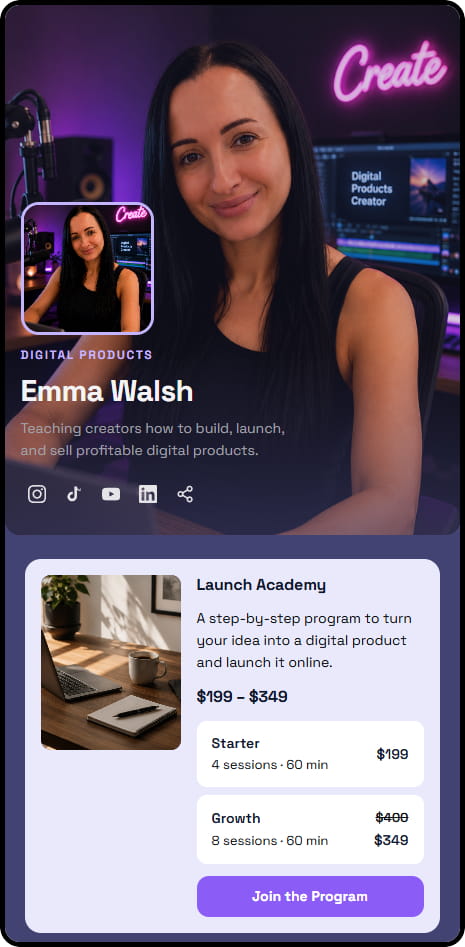
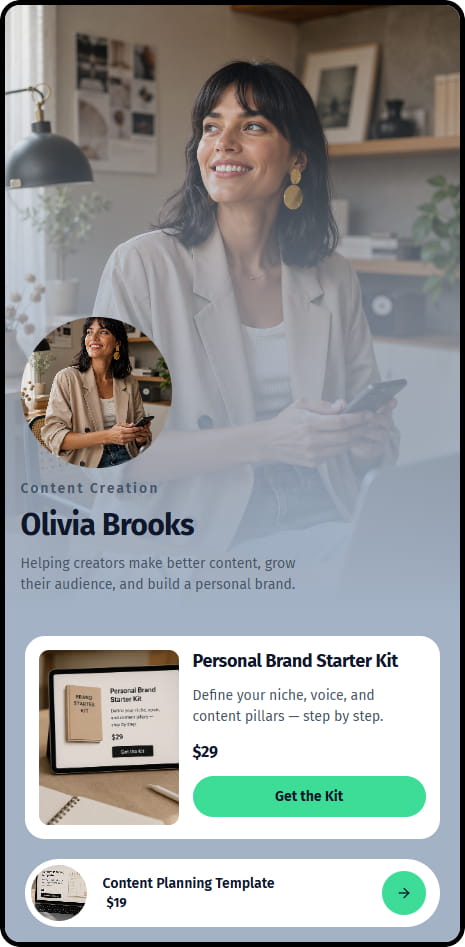
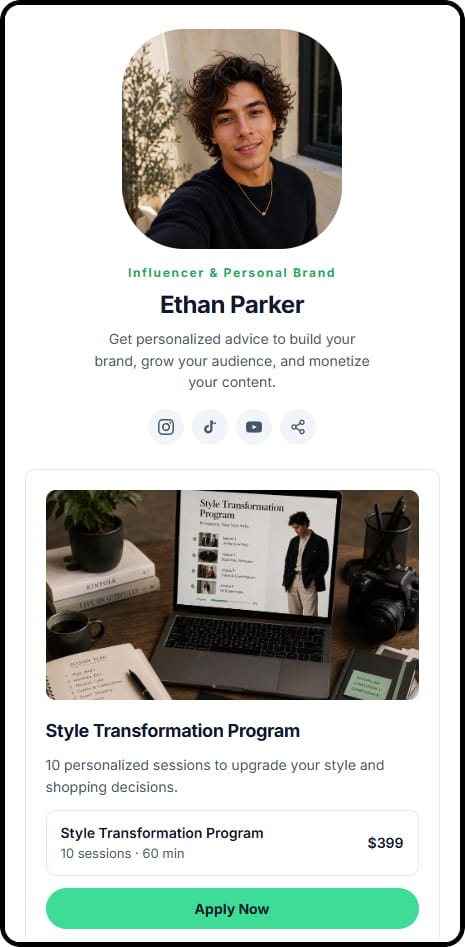
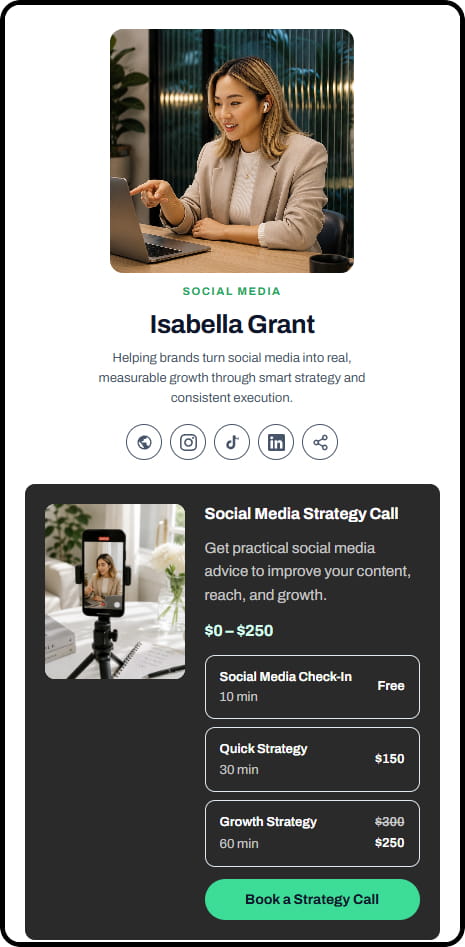
Example stores across coaching, consulting, education, and digital product niches
Sell digital products, consultations & workshops
Sell digital products, coaching, services, webinars, and more from one CreatorStore.
Digital products
Sell PDFs, templates, presets, guides, audio, Notion templates, and other digital products with automatic delivery after payment.
1:1 coaching calls
Sell 1:1 coaching and consulting with online booking and Google Meet.
Session packs
Sell coaching packages and multi-session programs, such as 5-session mentorships or 6-week programs.
Custom services
Sell custom work, audits, reviews, design, and other services. Accept deposits or installment payments with Service Booking.
Webinars
Sell webinars, workshops, and group sessions with scheduling and seat limits.
Lead magnets & newsletter
Collect email addresses with a file, link, promo code, or other lead magnet.
From one idea to something people can buy
The first product takes an afternoon. Everything after it goes into the same store, behind the same link.
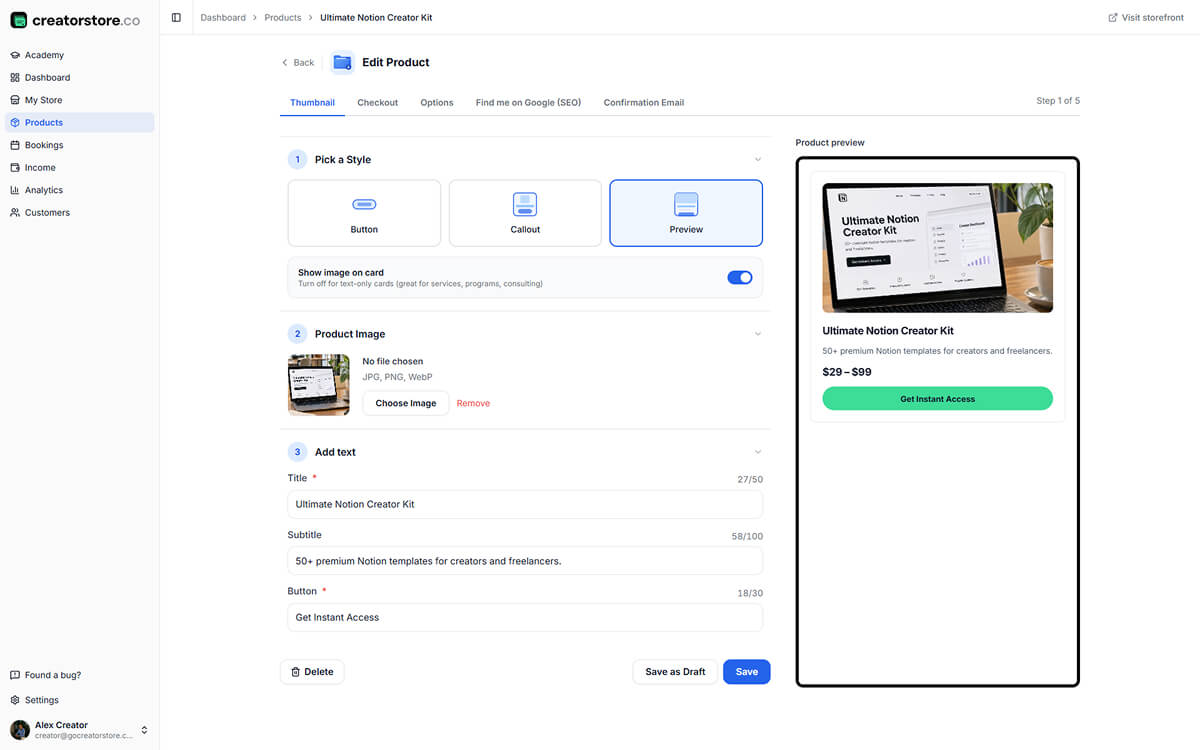
A cover, a title, a price — that is the product
No launch, no funnel, no landing page to commission. Upload the file, write what it is, pick what the button says. The offer exists and can be sold the same day you make it.
- Digital file, a bookable call, or a service
- Your own card style and cover image
- Free offers work the same way, for list building
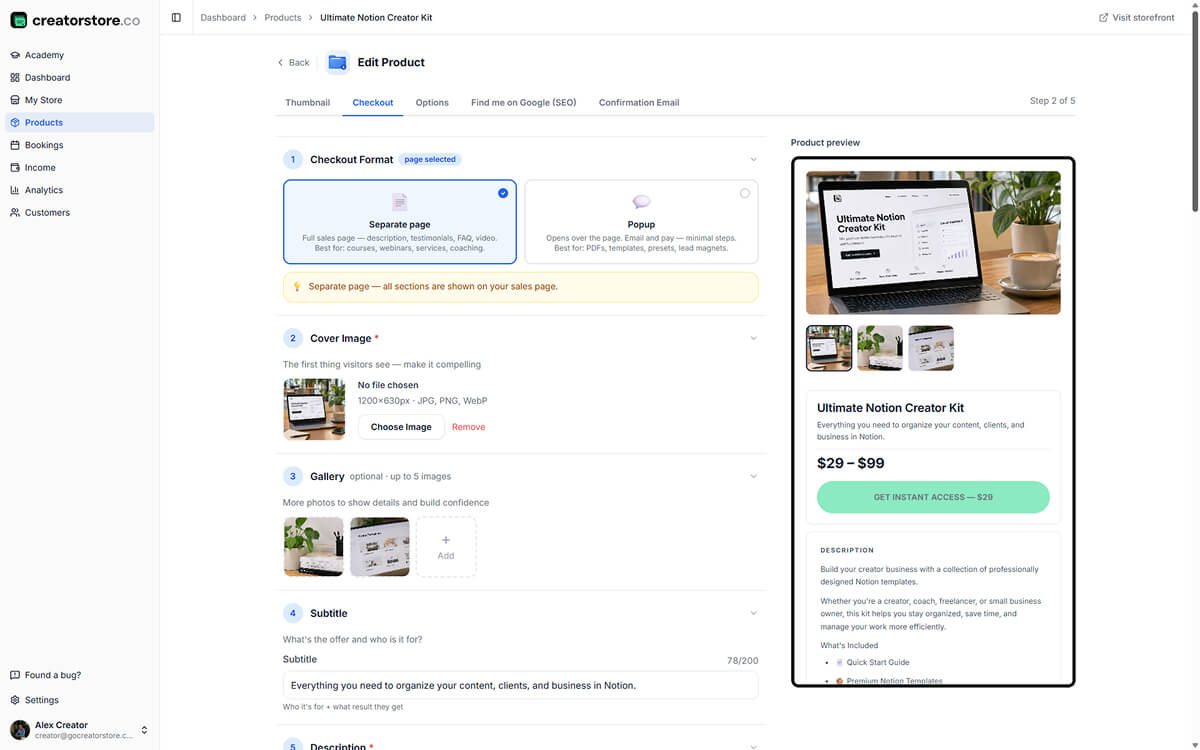
The page that does the convincing
A product that costs real money needs more than a title. Add the gallery, the demo video, the testimonials you already have in your DMs, and the three questions everyone asks before buying.
- Gallery, video, and full description
- Testimonials and a guarantee block
- Its own FAQ, so you stop answering it by hand
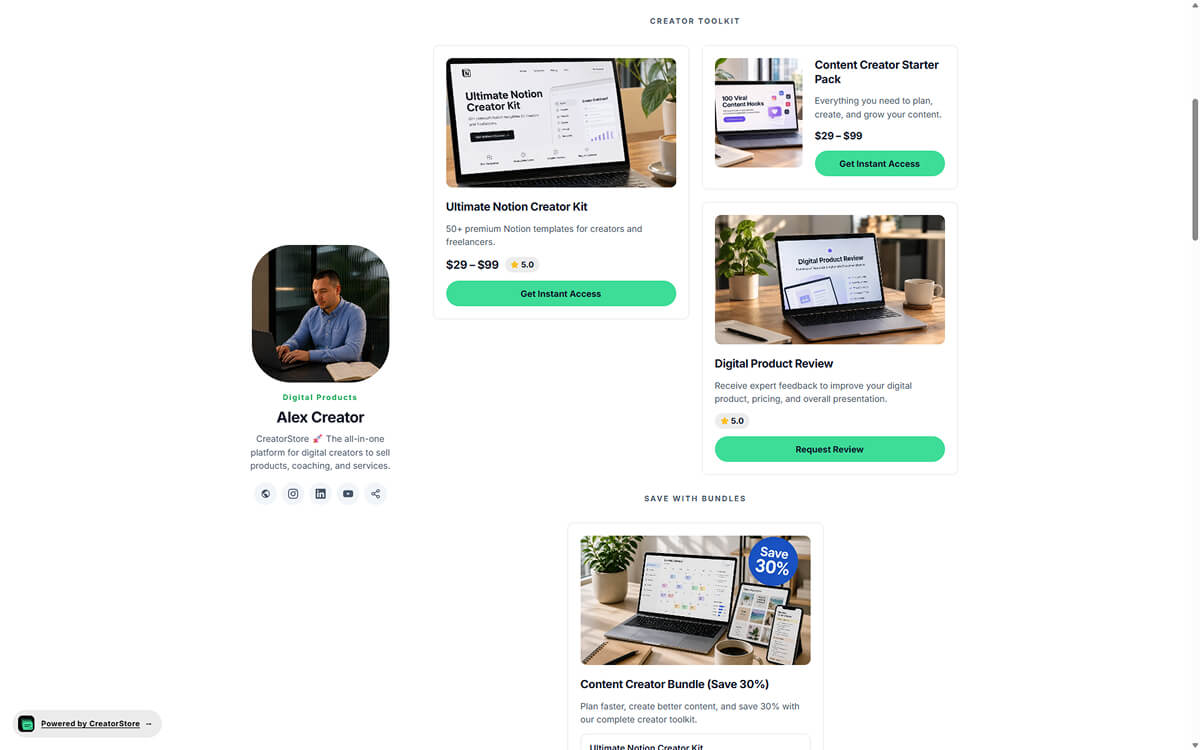
One link in the bio, everything behind it
The products sit on your store as cards. You share one address — in the bio, in a video description, in a DM — and it keeps working when you add the second product and the third.
- One link for every offer you add later
- Your own domain instead of a marketplace URL
- Buyer contacts land in your dashboard
Create a digital products store for your audience
Start with one useful offer that your audience understands.
A creator storefront works best when it starts with a problem the audience already asks you to solve. For a designer, that may be a reusable template; for a marketer, a practical checklist or guide; for an expert creator, a short paid consultation. You do not need a large catalogue on day one. One specific offer with a clear result is easier to explain and share than a collection of unrelated products.
Give each digital product a useful title, preview and description of what the buyer receives. Templates, ebooks, presets and downloadable guides fit naturally into a digital products store; consultations and workshops can sit alongside them when followers want direct help. Keep the difference between a file purchase and a bookable service obvious, so customers know what happens after checkout.
Share the same storefront from your social profile, newsletter or video description rather than creating a new link for every launch. Explore how to sell digital products or use your link in bio to organise offers. The store can grow with the audience while each product remains clearly described. Avoid promising earnings based on follower counts alone: demand and the offer still matter.
CreatorStore for different types of creators
What sells changes with the platform and the craft. The store does not — products, bookings, and one shareable link cover all of them.
Instagram creators
Sell digital products from your Instagram bio link with a direct checkout.
TikTok creators
Sell products, services, and workshops from your TikTok bio link.
YouTube creators
Sell your own products from YouTube video descriptions.
Twitch streamers
Sell overlays, sound packs, bootcamps, and other products to your Twitch audience.
LinkedIn creators
Sell audits, ghostwriting, consulting, and other services to your LinkedIn audience.
Podcasters
Sell premium episodes, coaching, courses, and workbooks from your podcast.
Newsletter writers
Sell digital products and services to your newsletter subscribers.
Authors
Books, audiobooks, courses, and coaching from one link, with instant delivery.
Artists
Digital art, brushes, custom commissions, and tutorials from your own studio.
Musicians
Beats, sample packs, drum kits, mixing, and 1:1 mentoring from your own store.
Photographers
Session bookings, gallery delivery, and preset sales in one dashboard.
Everyone else
The setup does not depend on the platform. If you have an audience and something worth paying for, the same store covers it.
Manage products, bookings, and customers in one dashboard
Products, bookings, payments, and customers in one dashboard.
- ✕Link-in-bio tool
- ✕Separate website
- ✕Digital products tool + booking app
- ✕Payment processor + email capture
- ✕Analytics tool + customer management
- ✓One store for products, bookings, and services
- ✓One link to share with your audience
- ✓Checkout and customer management in one dashboard
- ✓Your own domain, with customer data you can export
- ✓0% platform commission on sales
Choose an offer your audience can act on
A creator storefront works best when visitors can immediately understand what they can buy: a downloadable resource, time with you, or access to a workshop.
Start with the most specific outcome
Choose an offer that solves a recognizable problem. A guide, session, or resource should have a clearly stated buyer and result.
Connect offers instead of repeating them
A short guide can introduce an expert consultation; a standalone consultation can lead to a package when the buyer needs follow-through.
Make the next step transparent
Explain what buyers receive, how delivery or booking works, and which payment options are available to their account.
Creator website — frequently asked questions
Common questions about selling products, coaching, and services with CreatorStore.
Can I sell digital products and coaching together?
Do I need my own website before I start?
Can I use CreatorStore with Instagram, TikTok, and YouTube?
Can I connect my own domain?
Do I keep my customer data?
How does the 0% commission work?
Can I sell multiple types of products?
Can I accept customer payments immediately?
How are digital products delivered after purchase?
Create your store for products and services
Sell your products, coaching, and services from your own store, on your own domain, with your own customer data.
✓ 0% platform commission · ✓ Your own domain