
Digital product delivery — sell and deliver files online
Sell PDFs, ebooks, templates, presets, audio, video and other digital files from your CreatorStore. Upload your product, set the price and publish it. After payment, the buyer receives access to the files automatically.
- Automatic digital delivery after payment
- Multiple pricing options with different files
- Product pages with images, video, FAQ and other content
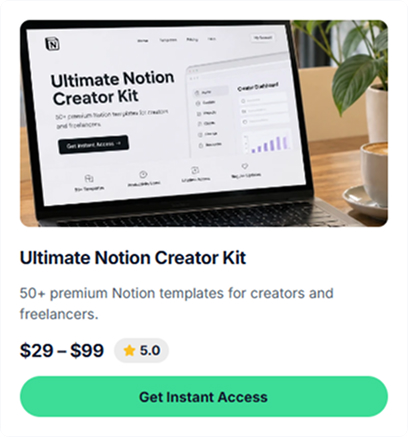
What digital products can you sell online?
Upload the digital products you already create, add the product details, set a price and publish them in your store. After a successful payment, the buyer can access the files immediately.
Sell ebooks online
Sell ebooks, guides, scripts, magazines, photo books, recipe collections and workbooks as downloadable products.
Sell templates online
Sell templates for Notion, Figma, Canva, Word, Excel, Google Docs, Photoshop, After Effects and other tools.
Sell Lightroom presets and digital presets
Offer Lightroom presets, Capture One styles, LUTs, mobile filters and other color presets as downloadable files.
Sell audio files online
Sell music tracks, sample packs, beats, sound effects, podcast episodes and other audio files.
Sell video products online
Sell tutorials, masterclasses, stock footage, animations, motion graphics packs and other video files.
Sell workout and meal plans
Offer workout programs, meal plans, spreadsheets, video guides and exercise resources as digital products.
Sell fonts, icons and design resources
Sell font files in OTF, TTF or WOFF formats, icon packs in SVG or PNG and other downloadable design resources.
Sell digital product bundles
Combine several digital products into one Bundle with a single price. For example, you can include a PDF, video and spreadsheet in the same purchase.
How to set up digital product delivery
Create your product, add the files, set the price and connect your payment account. You can also add product images, SEO details, pricing options and a custom confirmation email.
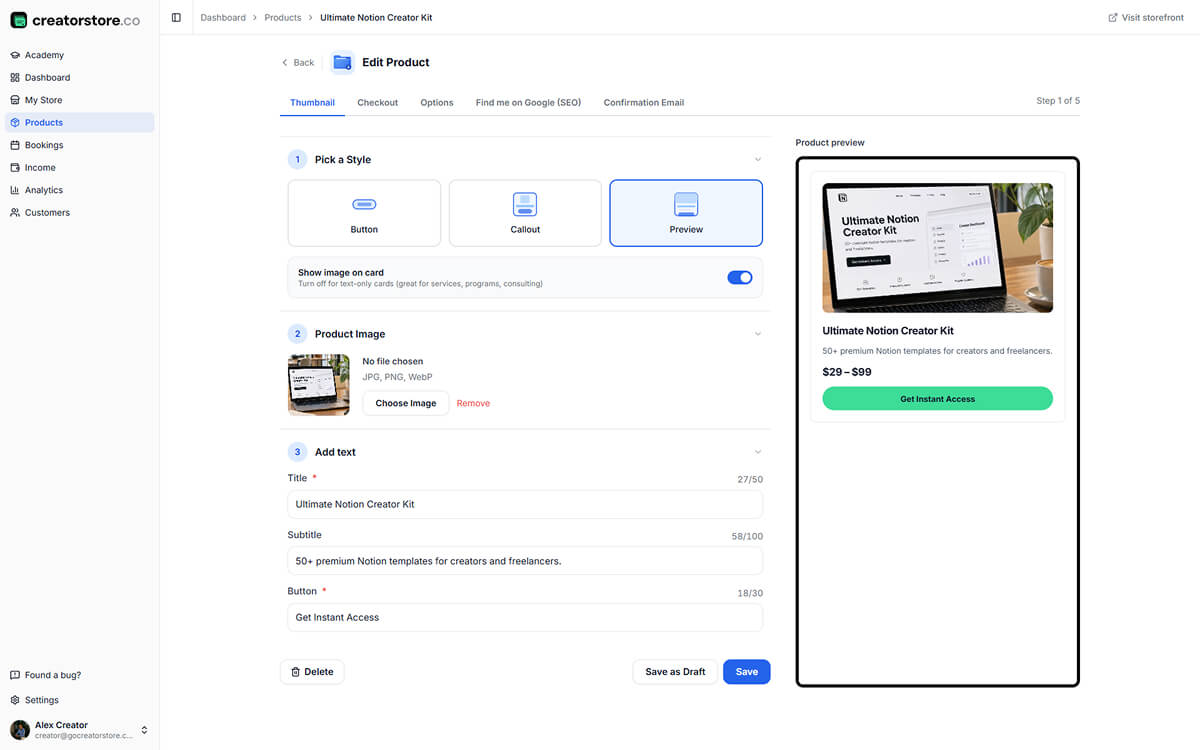
Choose your product card style
Upload the image for your product card and choose how it should appear in your store. If you have additional images, you can add them to a gallery.
- Three card styles and an option to show the image
- Live storefront preview
- Character counters for the title, subtitle and button
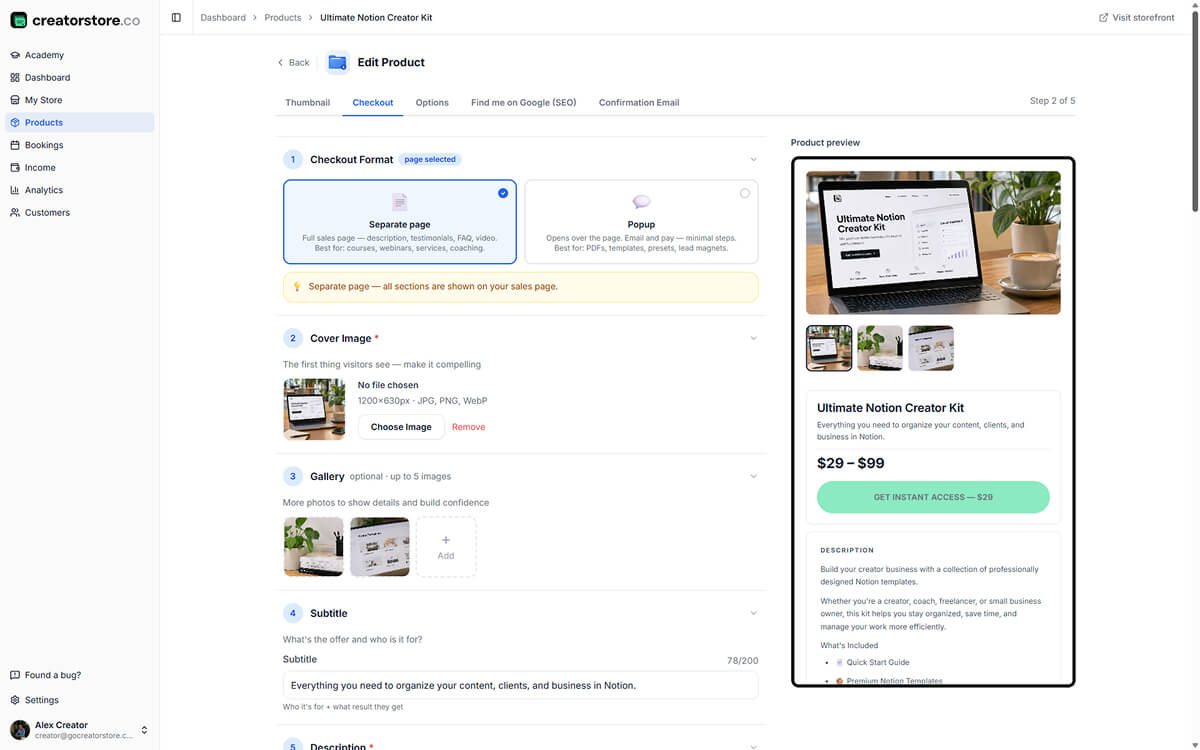
Create your product page and payment options
Connect your payment account and choose the currency for your product. Available payment options depend on your location.
- Product page or popup checkout
- Testimonials with ratings
- FAQ sections for product information
- Custom checkout fields for each product
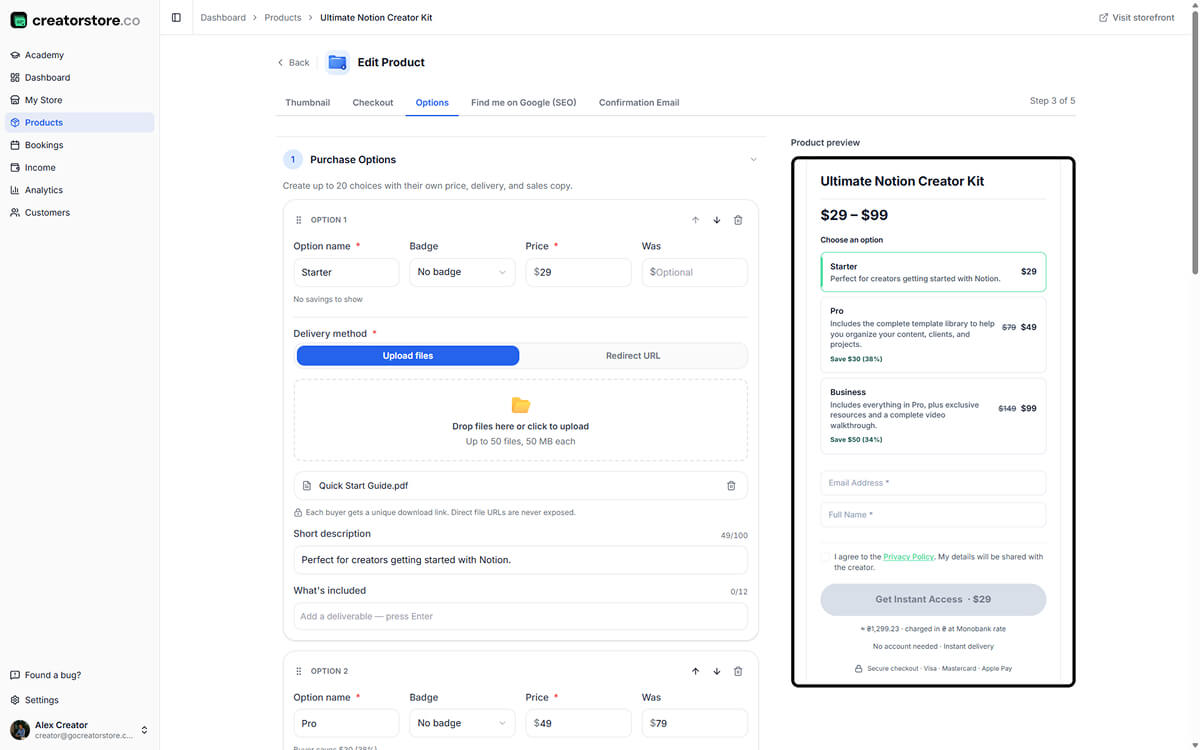
Offer multiple pricing options
Create several versions of the same digital product with different prices and files. Buyers can compare the available options and choose the version they want.
- Multiple pricing options per product
- Different files for each option
- Free pricing option where supported
- Automatic display of savings for discounted options
- Multi-currency support
- Option to provide files through external storage
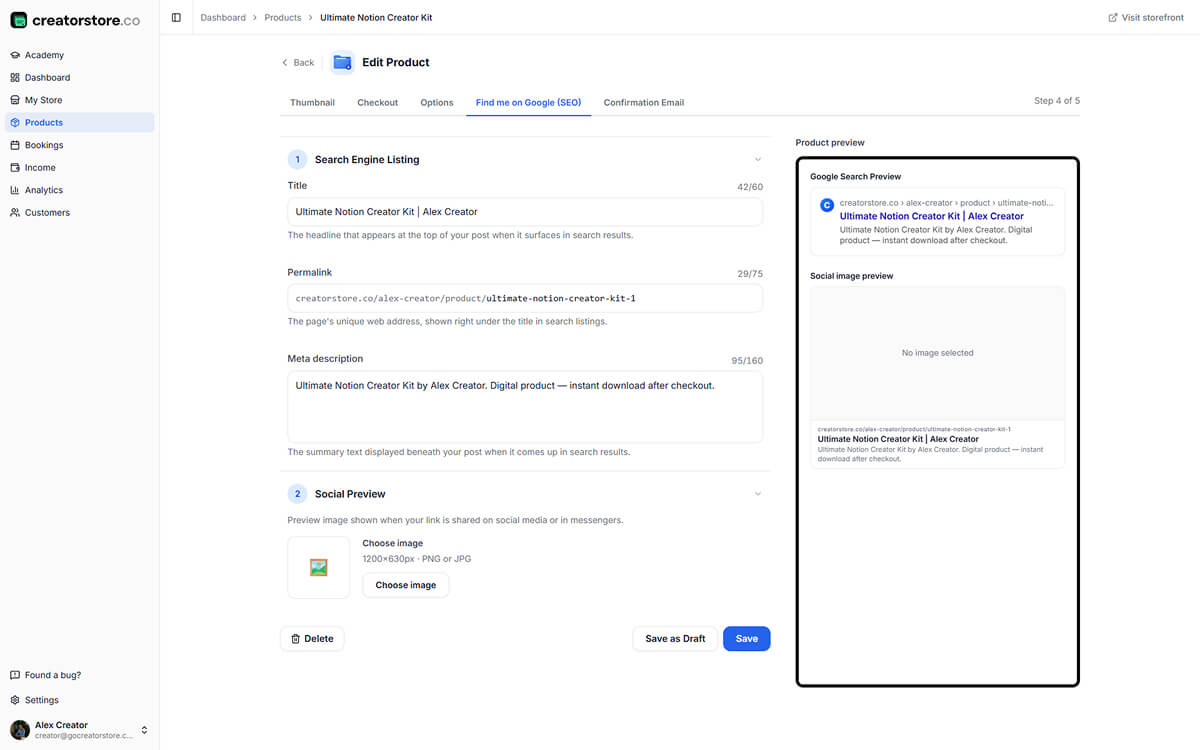
Optimize your digital product page for search
Add an SEO title, meta description and URL for your digital product page. You can also preview how the page may appear in search results and social sharing.
- Google search snippet preview
- Social image preview for platforms such as Facebook and LinkedIn
- Automatically generated product URL
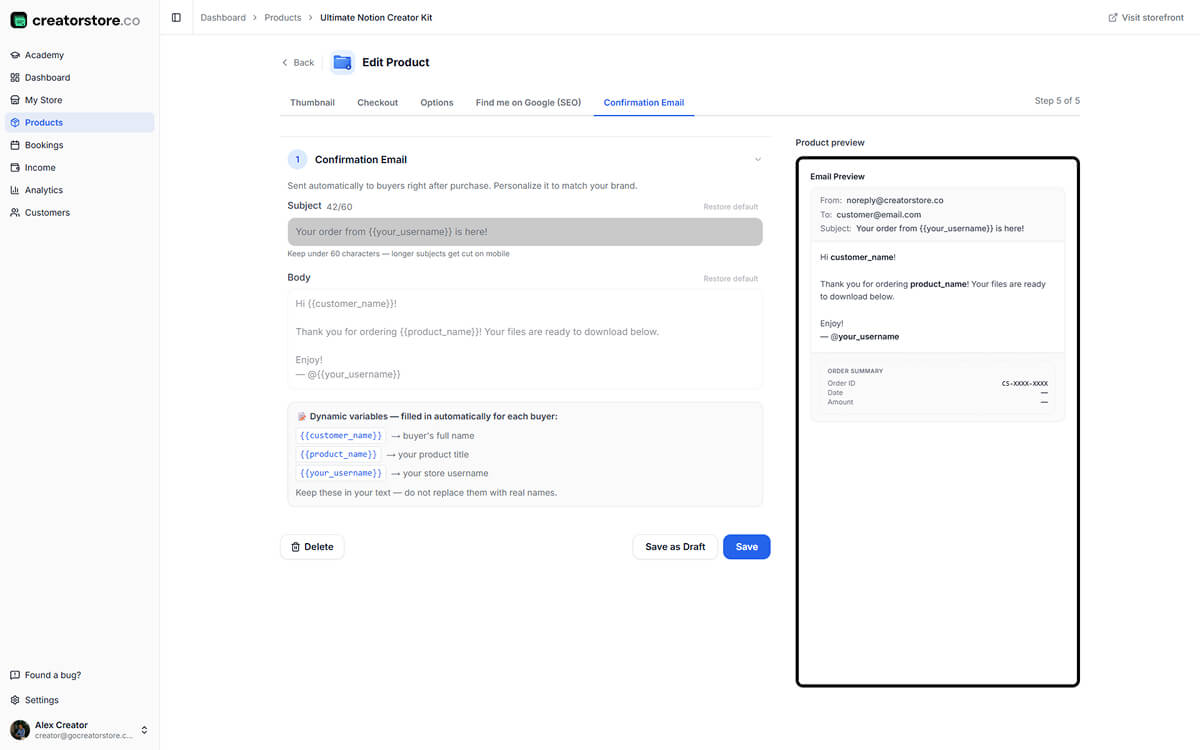
Customize the confirmation email
Customize the email buyers receive after purchasing your digital product. Add your own message alongside the order and download information.
- Dynamic order information
- Email preview with order summary
- Download link included automatically
Free plan · Check current registration and payment-card requirements
“What happens after I publish my digital product?”
Once your product is ready, the process is straightforward: create the product, upload the files, connect payments and publish it. After that, purchases and digital delivery are handled through your store.

Once published, your product is ready to accept payments.
You upload the file once. After the buyer completes payment, CreatorStore provides the download link and records the order in your dashboard.
You don't need to send the file manually for each order.
Each option can have its own price and files, so buyers can choose the version that fits their needs.
You manage the product and sales from your CreatorStore, while digital files are delivered to buyers after payment.
How buyers see your digital product
Your product can appear as a card in your CreatorStore and have its own product page. If you offer multiple pricing options, buyers can review the available versions before making a purchase. Real example: creatorstore.co/@alex-creator.
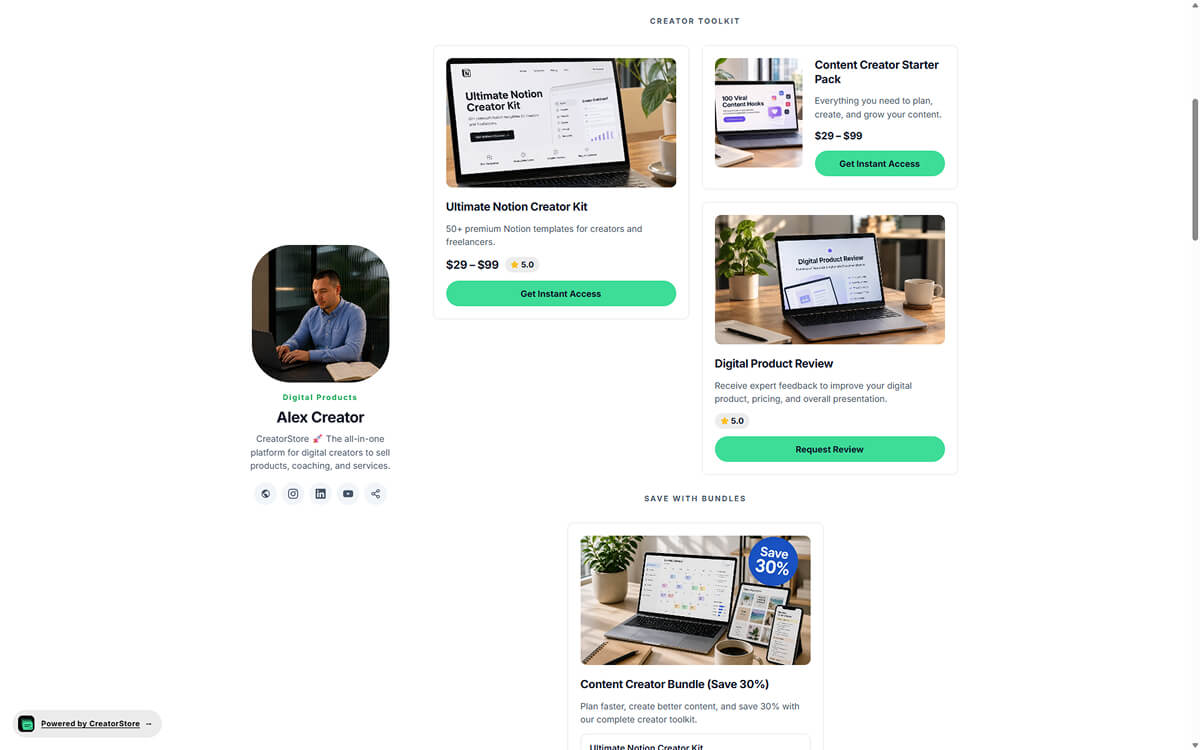
Your digital product as a store card
Display your digital product in your CreatorStore with an image, title, subtitle, price and purchase button. Buyers can open the product page or continue to purchase it from your store.
- Three card styles: Preview, Callout and Button
- Product price displayed on the card
- Product displayed directly in your store
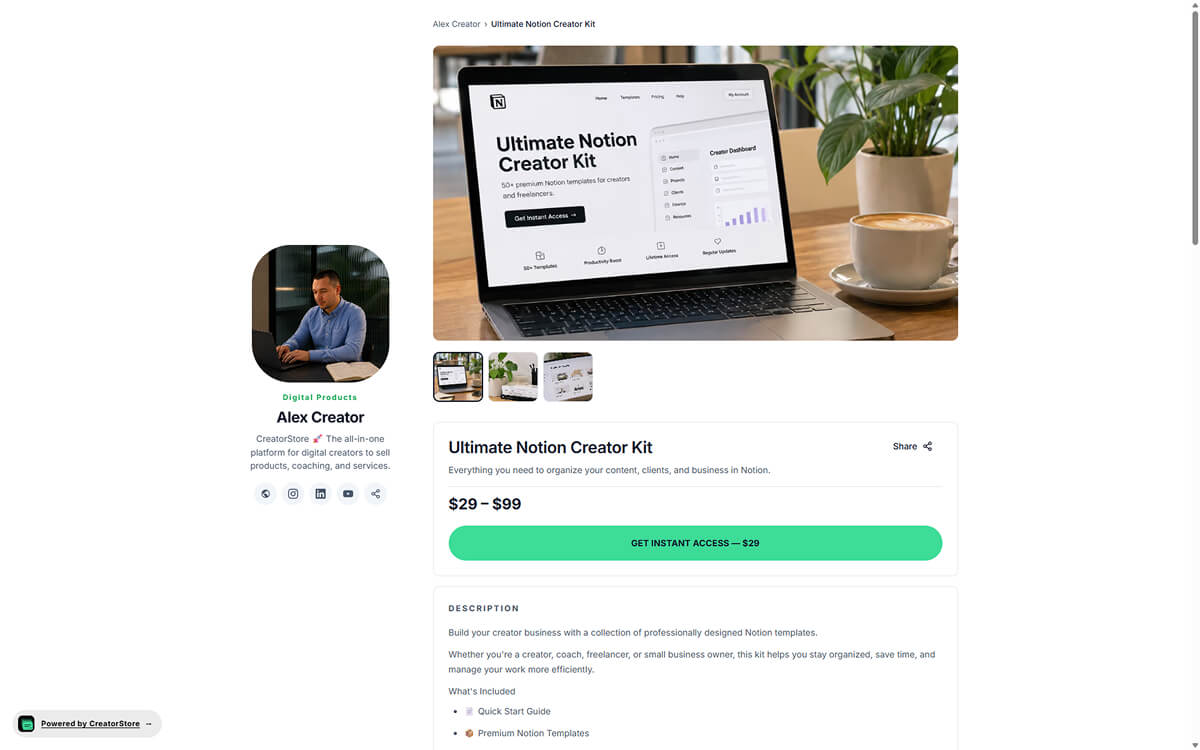
A dedicated digital product page
Give buyers the information they need before purchasing. Add a cover, images, video, description, FAQ, pricing and other product details to your page.
- Dedicated product URL
- Custom SEO title and meta description
- Gallery, video, testimonials, FAQ and other product content
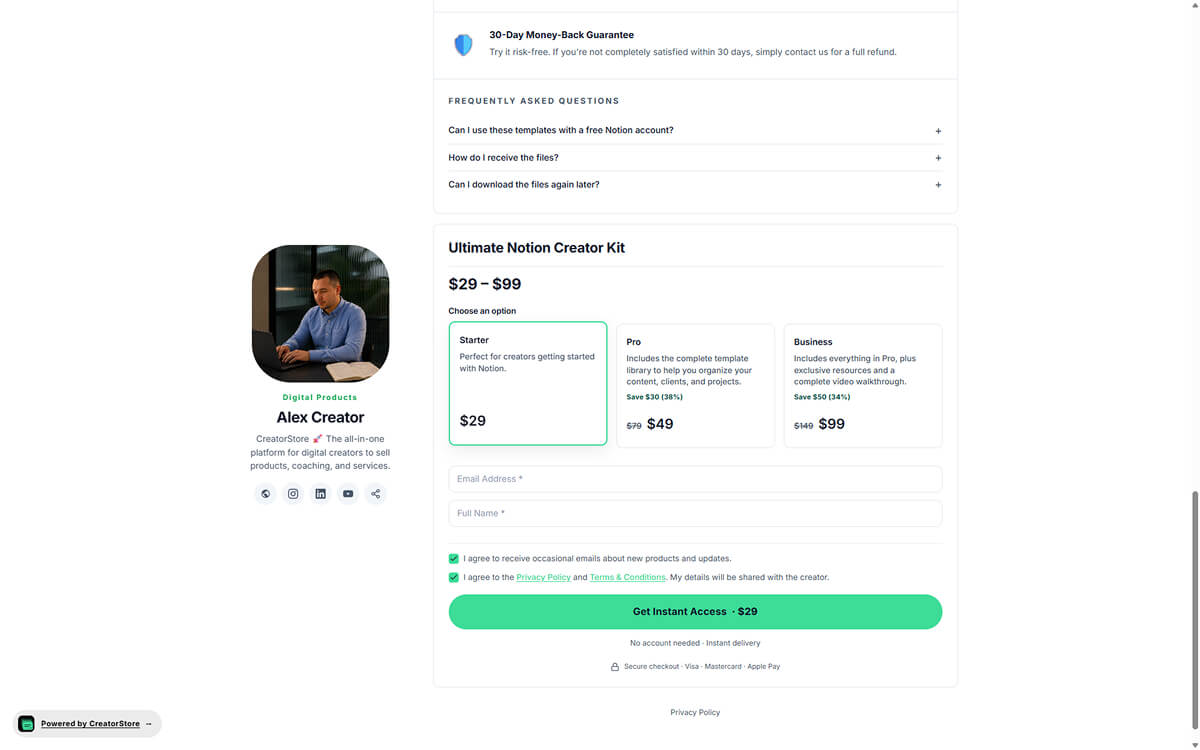
One digital product, multiple pricing options
Offer different versions of the same digital product with separate prices and files. Buyers can compare the available options on the same page and choose the version they want. If an option includes a discount, the savings can be displayed automatically.
- Multiple pricing options on one product page
- Different files for each option
- Automatically calculated savings
- Optional pricing badges such as “Most popular” or “Best value”
Example store — click around to see how digital products actually work
“What does the buyer see before and after payment?”
Buyers can view your product information, pricing options and purchase details before payment. After a successful payment, they receive access to the digital files automatically.
You can send people directly to the product page or let them discover it through your store.
This gives buyers the information they need before they purchase.
The order and customer information are also available in your CreatorStore dashboard.
Buyers can compare the available options on the same product page and choose the version they want. If you add a discount, the savings can be displayed automatically.
Digital product delivery — frequently asked questions
Common questions about selling and delivering digital products online.
How does digital product delivery work on CreatorStore?
Who can sell digital products on CreatorStore?
What file types can I sell on CreatorStore?
How quickly do buyers receive their digital files?
Can I control access to the download link?
Does CreatorStore charge a commission on digital product sales?
How much can I earn selling digital products?
How should I price a digital product?
Can I update a digital product after publishing?
How do refunds work for digital products?
Do I need to pay taxes on digital product sales?
What digital products can I sell?
Sell and deliver digital products online
Upload your files, set your price and publish your product. CreatorStore handles digital delivery after payment, with multiple pricing options and 0% platform commission.