
Build a Consultant Website for Audits & Strategy Sessions
Present your services, offer bookable consultations, and sell audits or project-based work from your own store. Clients can book a consultation online, with booking and payment options supported by CreatorStore.
Example stores for consultants
Explore stores built for different consulting use cases. Open an example to see its services, booking flow, and product pages.

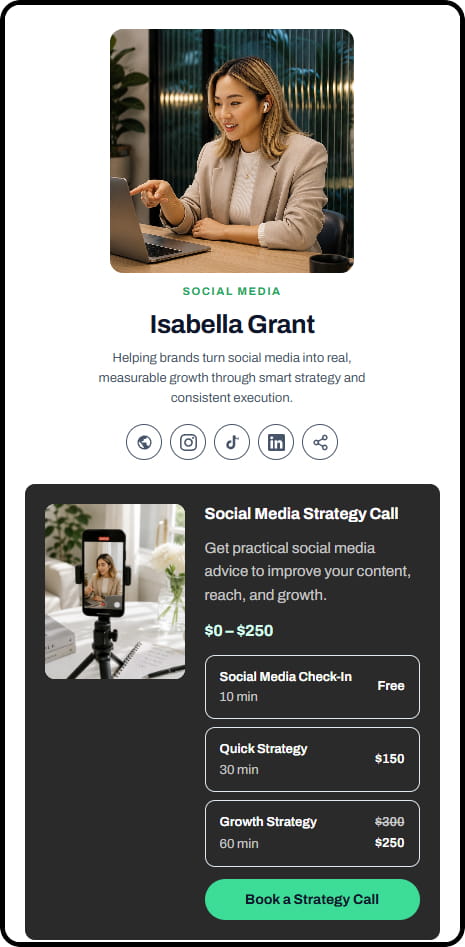
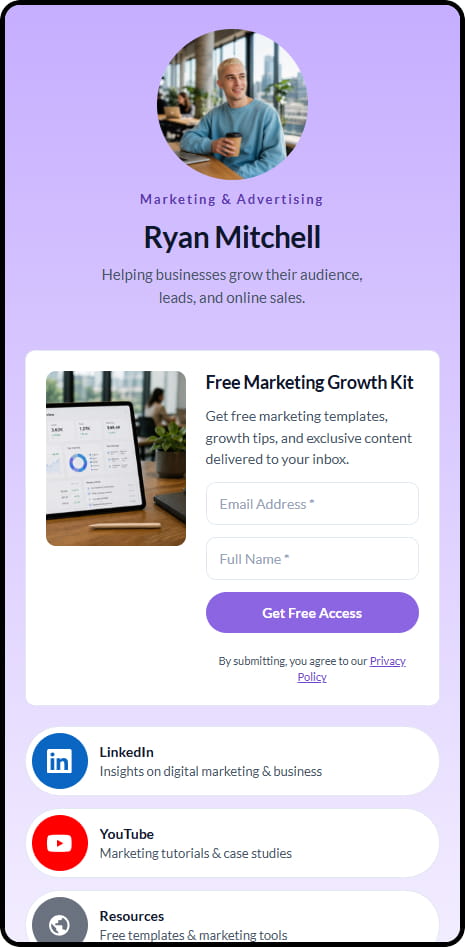
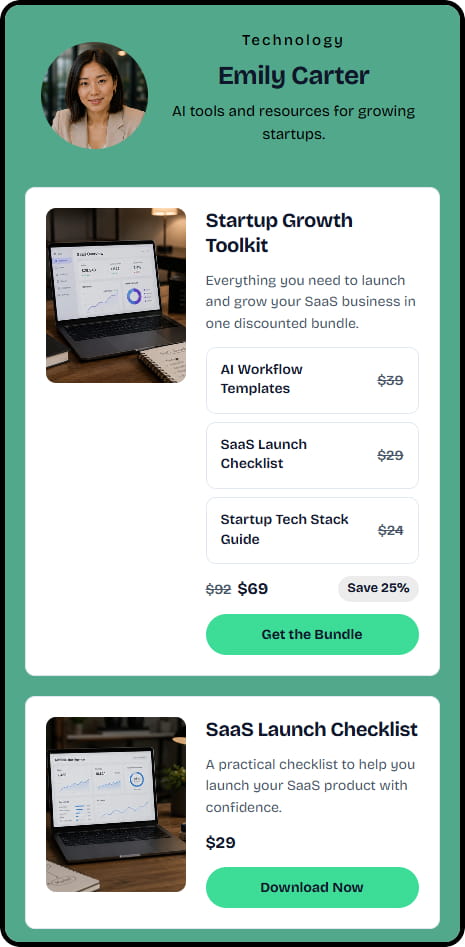
Example stores across coaching, consulting, education, and digital product niches
What consultants can sell through CreatorStore
Use one store for advisory calls, audits, projects, workshops, and digital resources. Each offer can have its own page, price, and payment or booking flow.
Consulting calls
Clients choose an available time, pay online, and join through Google Meet or your own video-call link. Set your price, availability, and buffer between sessions.
Audits & diagnostics
Sell fixed-scope audits and diagnostics as Custom Products. Add the scope, deliverables, price, and other project details to the product page.
Consulting packages
Use Session Packs for advisory offers that include multiple sessions. Clients purchase the package and book individual sessions from your available times.
Custom projects
Sell custom consulting projects with a client brief, a quote, and a deposit or installment schedule through Service Booking.
Playbooks & frameworks
Sell playbooks, templates, checklists, frameworks, and other reusable resources as digital products. Buyers receive the product after payment.
Team workshops
Offer live workshops and masterclasses. Set the schedule and participant limit, then let people register through your store.
From a scoped offer to a signed-off, paid project
The same flow covers a one-off audit and a six-month advisory engagement — the client never leaves your store.
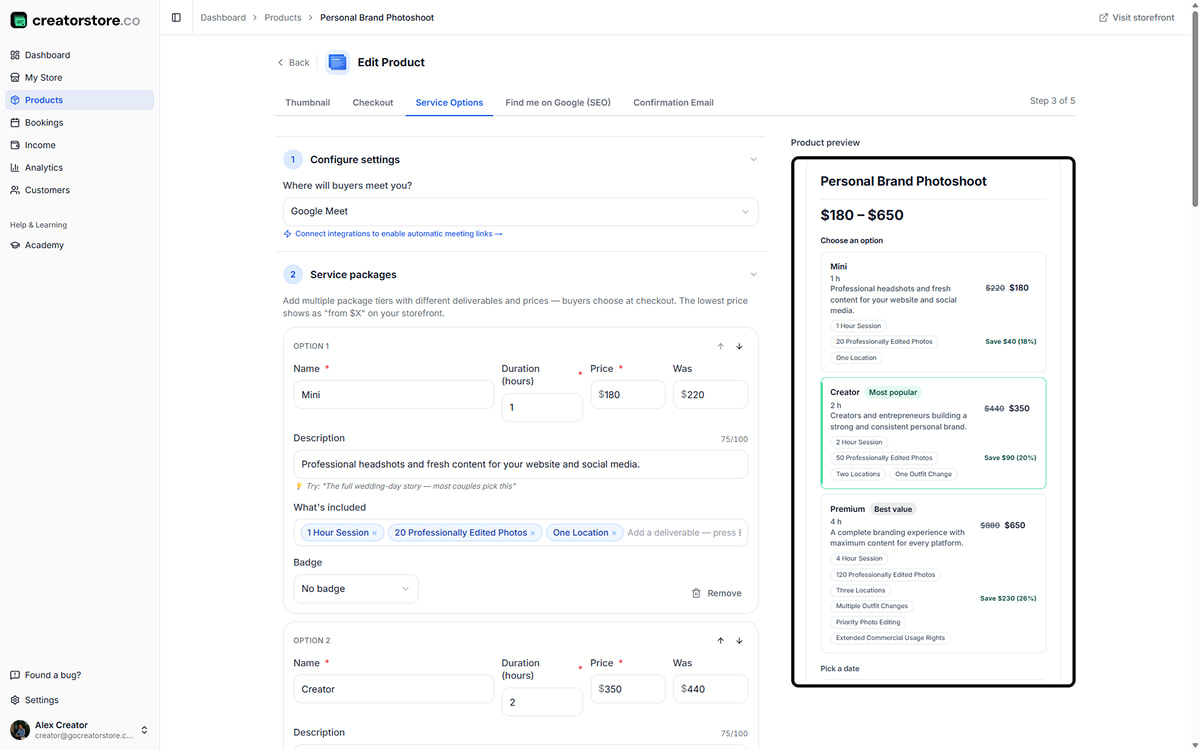
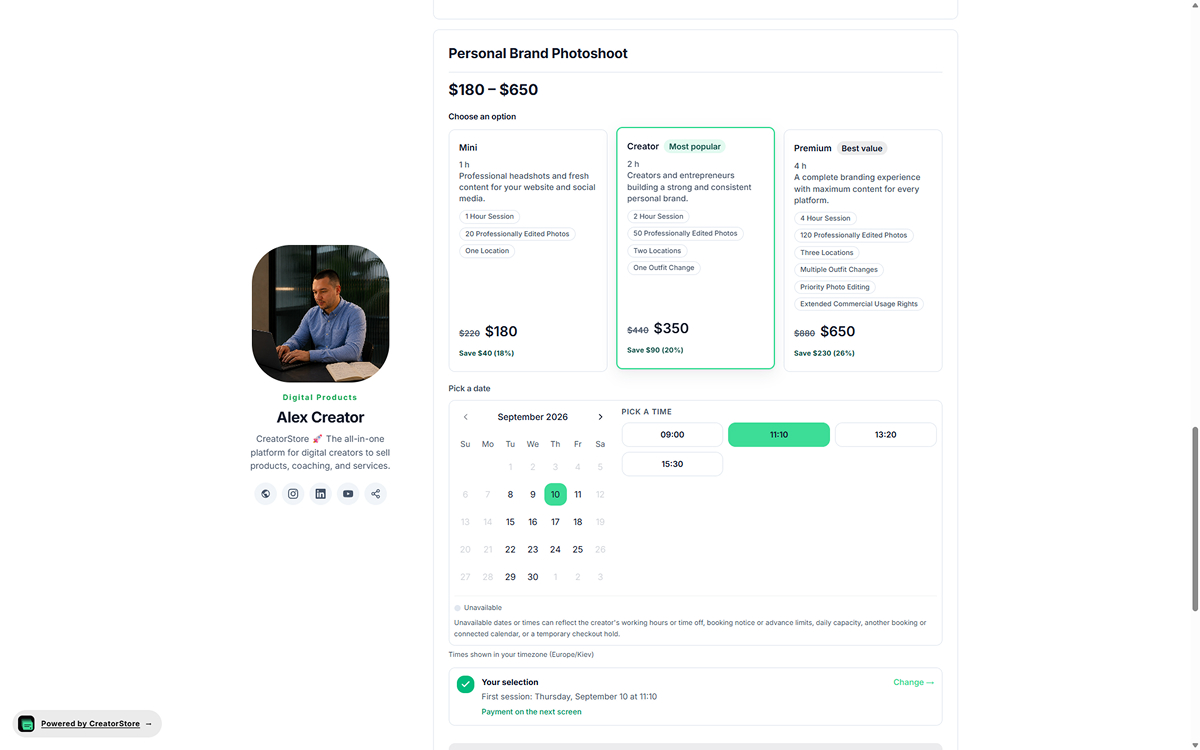
Tiers that say what is and is not included
Price the same service at two or three depths — a quick diagnostic, a full audit, an audit plus a working session. Scope tags on each tier stop the conversation that starts with “I assumed that was included”.
- Two or three tiers inside one service
- Scope tags listed on every tier
- A “most popular” badge where you want the eye to land
The brief arrives with the request, not after it
You decide what you need before quoting — the site URL, the deadline, the budget range, the files. The client fills it in while the intent is still warm, and the request lands in your dashboard complete.
- Brief fields you define per service
- File uploads attached to the request
- Consent captured before anything is sent
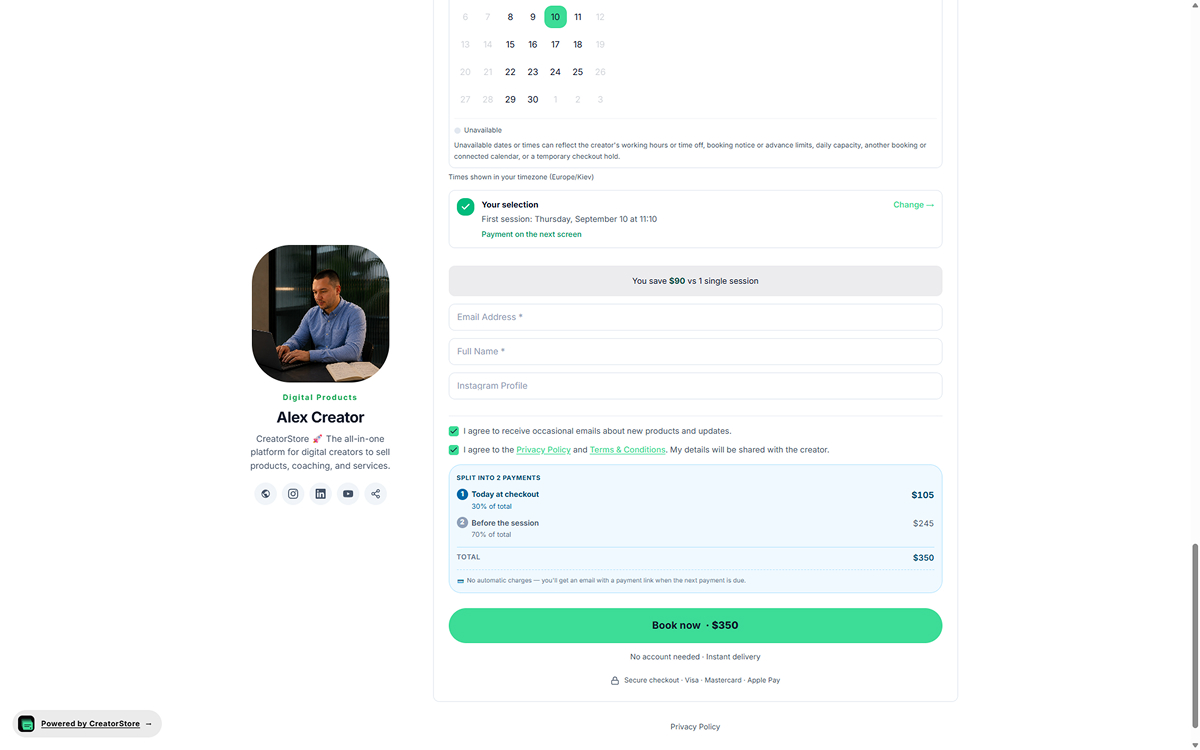
A quote they can pay, not a PDF they can sit on
Send back a total, a deposit, and a split schedule. The client approves and pays the first instalment in the same screen — no invoice chase, no separate payment link.
- Deposit up front, balance on the schedule you set
- Instalments for engagements that run over months
- Payment status visible on the booking
Full detail on tiers, briefs, quotes, deposits, and instalments
Sell consulting services, audits and strategy sessions online
Give prospective clients a clear path from their problem to the right engagement.
Consulting clients do not always start with a full project. They may want a one-off strategy session, a marketing audit or a second opinion on a specific business problem. A consultant website should make these options easy to understand: the result clients will receive, the scope of the work and whether the first step is a booking or a project request.
Use separate service pages to distinguish a bookable consultation from an audit that requires a brief. For fixed-scope services, a prospect can describe what they need before you confirm the deliverables and price. Consulting packages can group related advisory sessions, while larger assignments may need custom terms and staged payments where the selected provider and offer support them.
Instead of hiding every detail behind “Contact me”, give visitors enough information to decide whether you are a fit. See how to sell consulting services or use Service Booking for scoped work. Clients can then take the appropriate next step without confusing a paid consultation with a project proposal. Available payment methods vary by provider and account.
A consultant website for your kind of consulting
The offer mix changes with the specialization. The store does not — the same tiers, briefs, quotes, and deposits cover all of them.
Business consultants
Operational audits, market assessments, advisory retainers, and fixed-scope projects with a written recommendation at the end.
Marketing consultants
Channel audits, acquisition plans, and campaign reviews sold as deliverables rather than as coaching sessions.
Social media consultants
Profile and content audits, content calendars, and channel diagnoses — narrower and faster than a full marketing engagement.
Strategy consultants
Market entry reviews, planning workshops, and business assessments priced per engagement, not per hour.
Sales consultants
Pipeline audits, sales process reviews, and advisory projects aimed at a measurable change in the funnel.
Brand consultants
Brand audits, positioning workshops, and messaging deliverables for teams that already have a product and need a story.
HR and operations consultants use the same setup — policy reviews, people-ops audits, process mapping, and operating reviews all fit the tier-and-brief flow.
Manage services, bookings, and clients in one dashboard
Use CreatorStore for service pages, payments, bookings, and client contacts from one dashboard.
- ✕A separate booking tool for calls
- ✕Separate tools for proposals, contracts, or invoices
- ✕A payment service and separate tools for project delivery
- ✕Separate tools for client contacts and email
- ✕Extra integrations between services
- ✓Consulting calls, audits, and advisory packages
- ✓Custom projects with briefs, quotes, and deposits
- ✓Client contacts in your dashboard, exportable as CSV
- ✓Your own domain instead of a marketplace URL
- ✓0% platform commission on sales
How to make consulting services easier to evaluate
Define one clear engagement
Explain the client problem, scope, expected deliverables and what happens after an initial conversation.
Separate discovery from paid advisory
Use an introductory call to establish fit; sell paid strategy sessions when there is a specific outcome and deliverable.
Make your next step obvious
Give visitors one primary action for a consultation or scoped service, and make payment availability clear before checkout.
Related: Sell consulting services · Review current pricing
Selling directly to consulting clients — frequently asked questions
Answers about audits, advisory sessions, project payments, client contacts, domains, and CreatorStore fees.
Can I take a deposit and offer a payment plan?
Can I sell an audit or diagnostic as a service?
How is an audit different from an advisory call?
Does CreatorStore handle proposals or contracts?
Can I sell individual advisory sessions?
Can I sell several advisory sessions as one package?
Do I keep my consulting client contact information?
What's the commission?
Can I accept customer payments immediately?
How can clients book a consultation online?
Start selling directly from your consultant website
Sell advisory calls, audits, packages, and custom projects through your own CreatorStore. Manage payments, bookings, and client contacts in one dashboard.
✓ 0% platform commission · ✓ Your own domain