
Service booking software for online services
Let clients choose a service, share the details you need, select an available date when relevant, and pay according to the payment structure you set.
- Collect client details with fields tailored to the service
- Set availability, booking rules, and approval requirements
- Accept full payment, a deposit, or split payments

How to set up online service booking
Create the service page, define the options clients can choose, set your availability and payment rules, then add search and social details if you want a dedicated page for the offer.
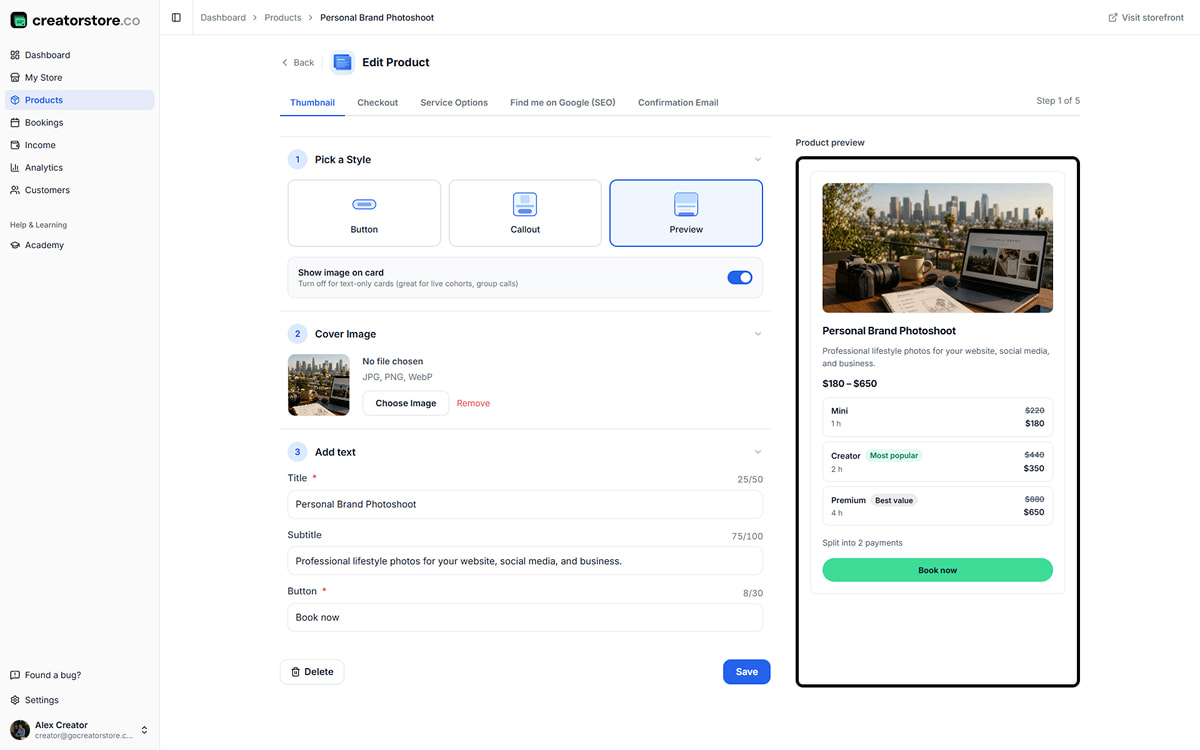
Choose how your service shows up
Choose a card style, add the cover, title, subtitle, and button text, then use the preview to check how the service appears in your store.
- Choose from the available card styles
- Add a cover, title, subtitle, and button label
- Preview the service card while editing
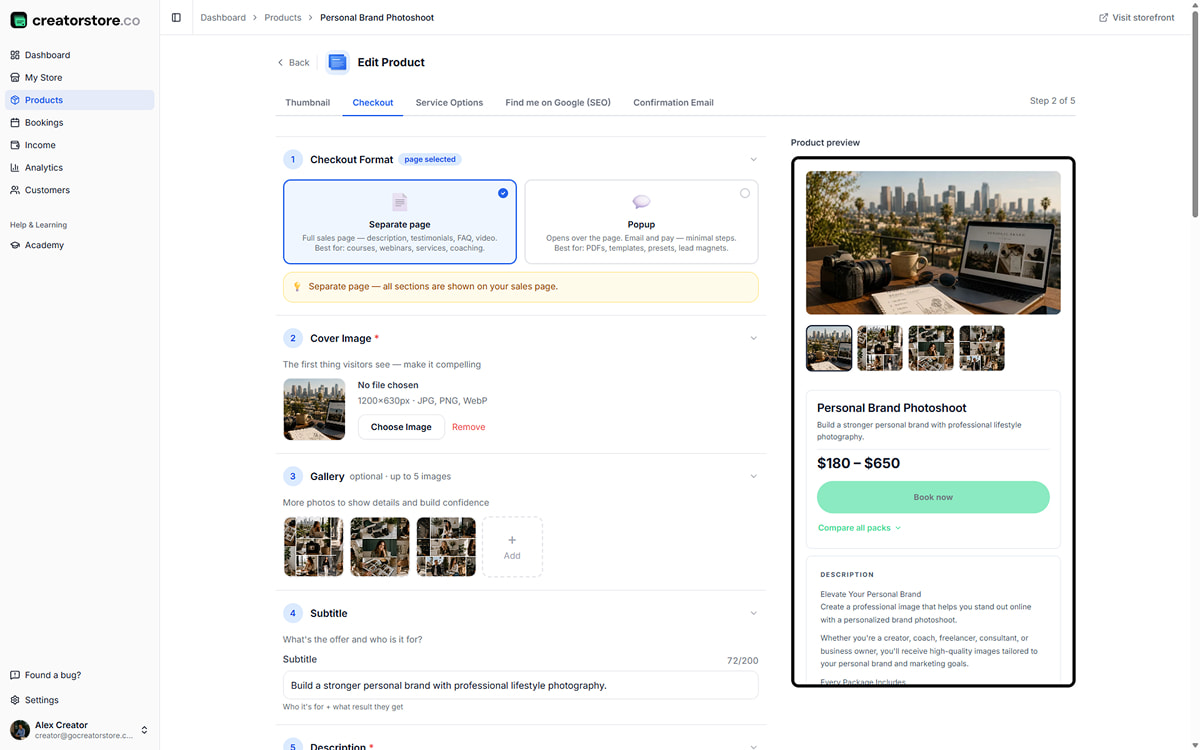
Build the sales page for your service
Add the information a client needs before booking: cover and gallery images, a clear description, optional video, testimonials, FAQ, and your service terms. Choose whether the offer opens as a dedicated page or a checkout flow.
- Dedicated page or checkout format
- Cover, gallery, description, and optional video
- Testimonials, FAQ, and service terms where relevant
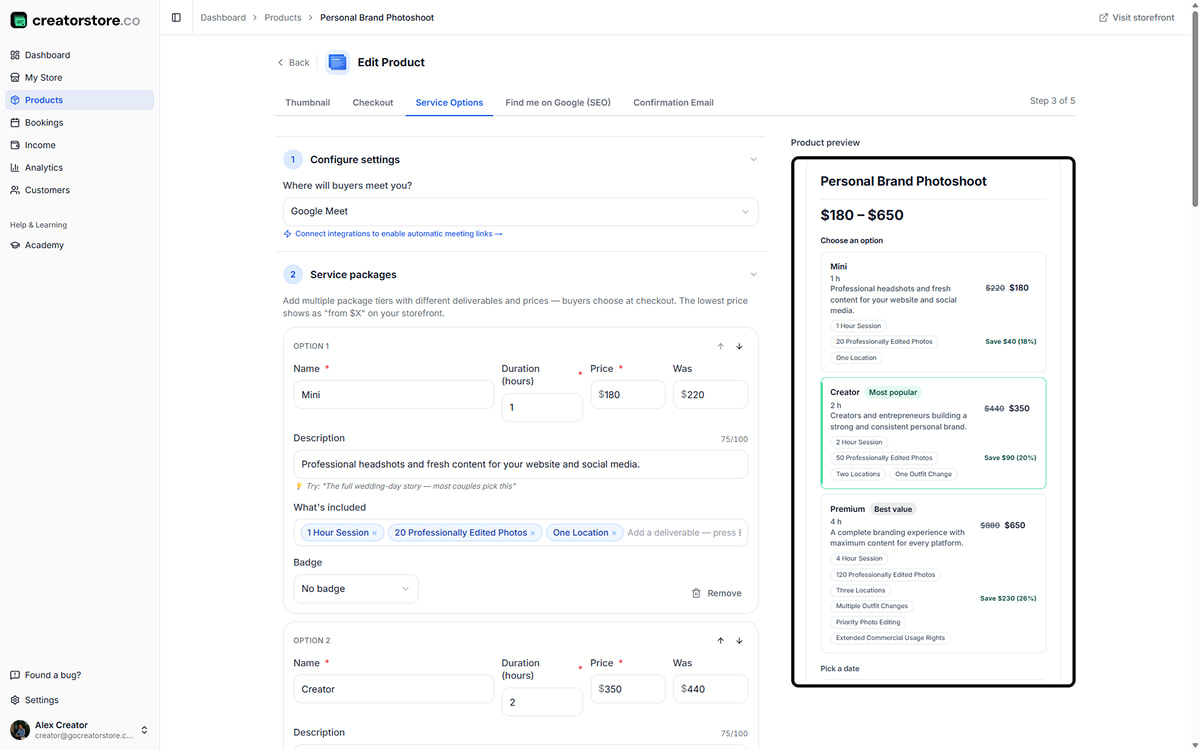
Offer one service with different options
Create several options on the same service page when clients need different scopes or formats. Give each option its own name, duration when relevant, price, description, and included items. You can also connect Google Meet or provide your own meeting link for services that include a call.
- Several service options on one page
- Name, duration, price, description, and included items per option
- Optional labels and discount display
- Google Meet integration or your own meeting link
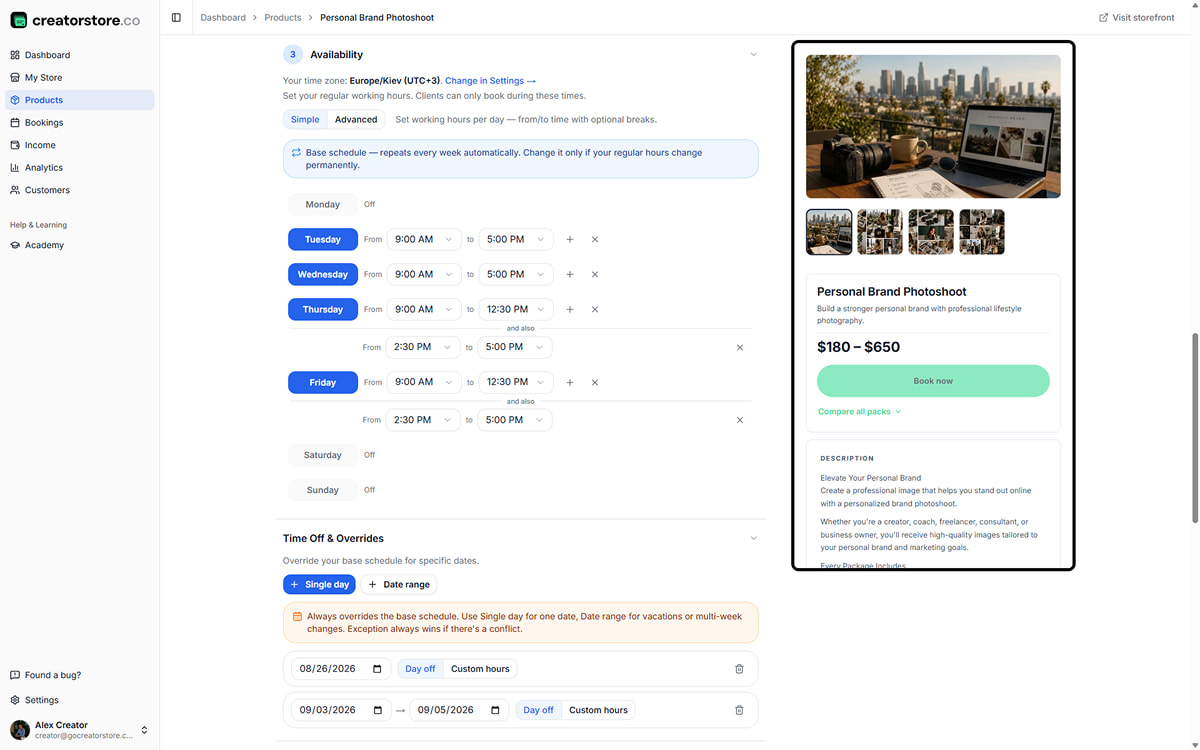
Set your weekly hours and time off
Set regular availability for each day, add breaks when needed, and block individual dates or longer periods without rebuilding the weekly schedule. Clients see available times in their own timezone.
- Weekly availability by day
- Multiple working periods within a day when needed
- Time off and date-specific overrides
- Timezone-aware availability for clients
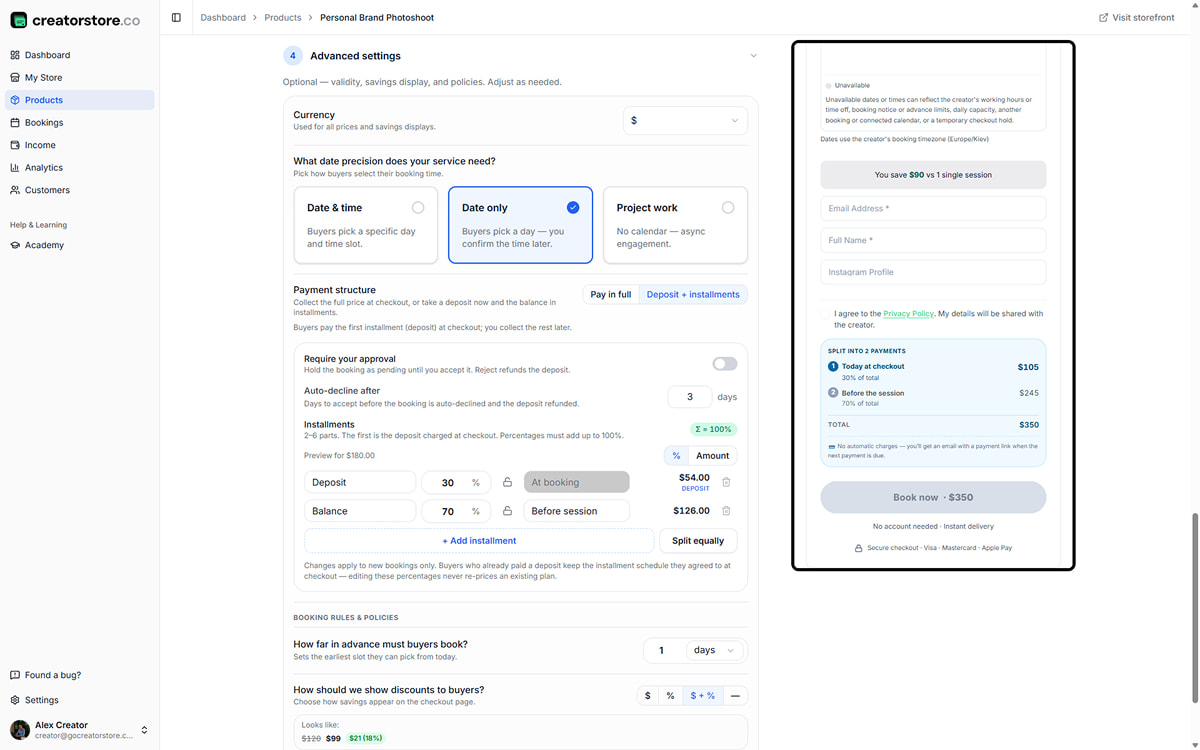
Choose booking and payment rules
Choose whether the client books a specific time, selects a date, or submits a project without a calendar. Set full payment or a deposit with split payments, require manual approval when needed, and control how far ahead clients can book.
- Date and time, date-only, or project-work modes
- Full payment or deposit with split payments
- Optional approval before a booking is confirmed
- Booking window and other availability rules
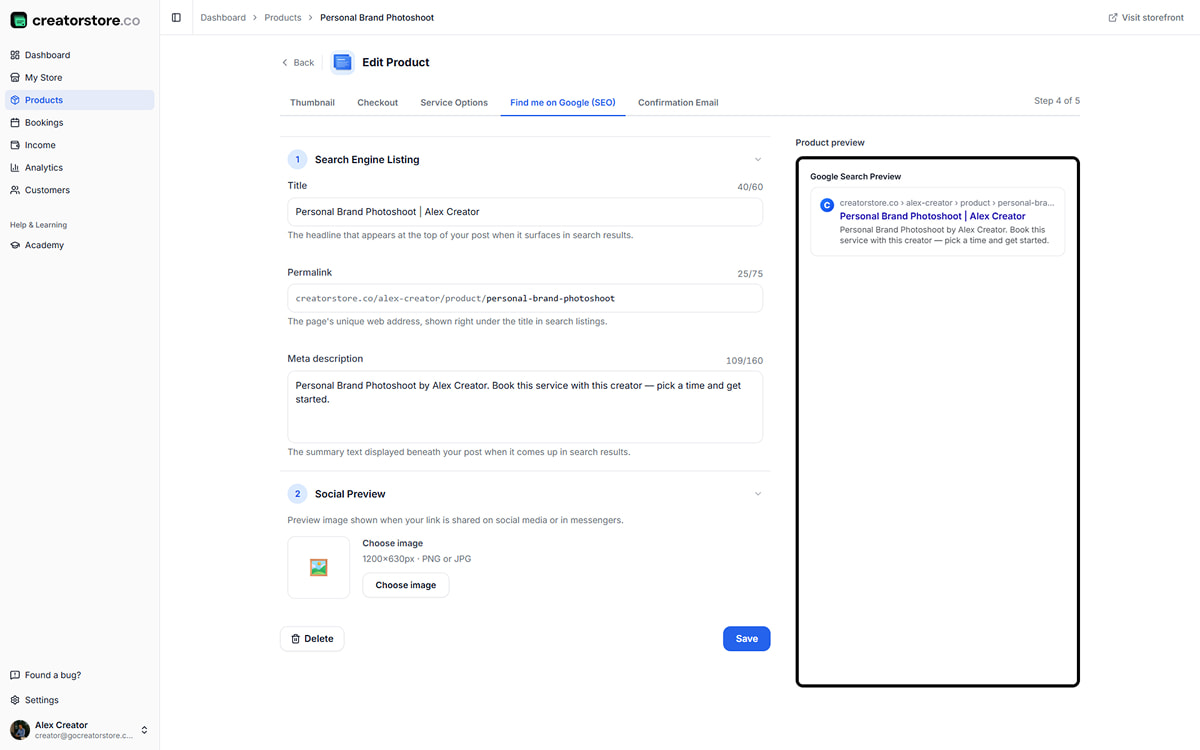
Set search and social details for the service page
Edit the page title, permalink, meta description, and social preview image. The preview helps you check how the information may appear before you publish.
- Editable page title, permalink, and meta description
- Search snippet preview while editing
- Social preview image and card preview
- Editable permalink generated from the title
0% platform commission
How your service looks on your creator store
The service can appear as a card in your store and open into a dedicated offer or booking flow. Depending on your setup, clients choose an option, select an available date, enter their details, and complete the required payment.
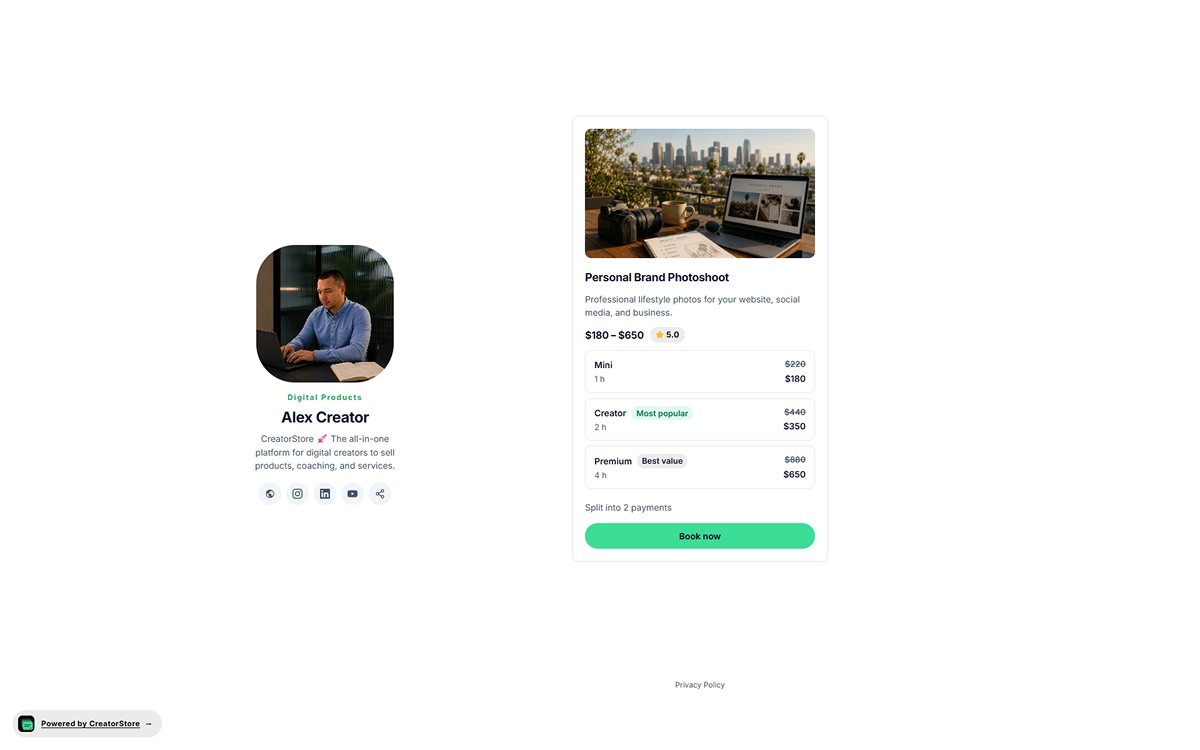
Show the service directly in your storefront
Use the service card to show the cover, title, short description, pricing information, and booking action. If the service has several options, clients can review the available choices before continuing.
- Cover, title, description, and pricing information
- Service options can be shown for comparison
- Optional ratings or labels when you use them
- Booking action opens the configured service flow
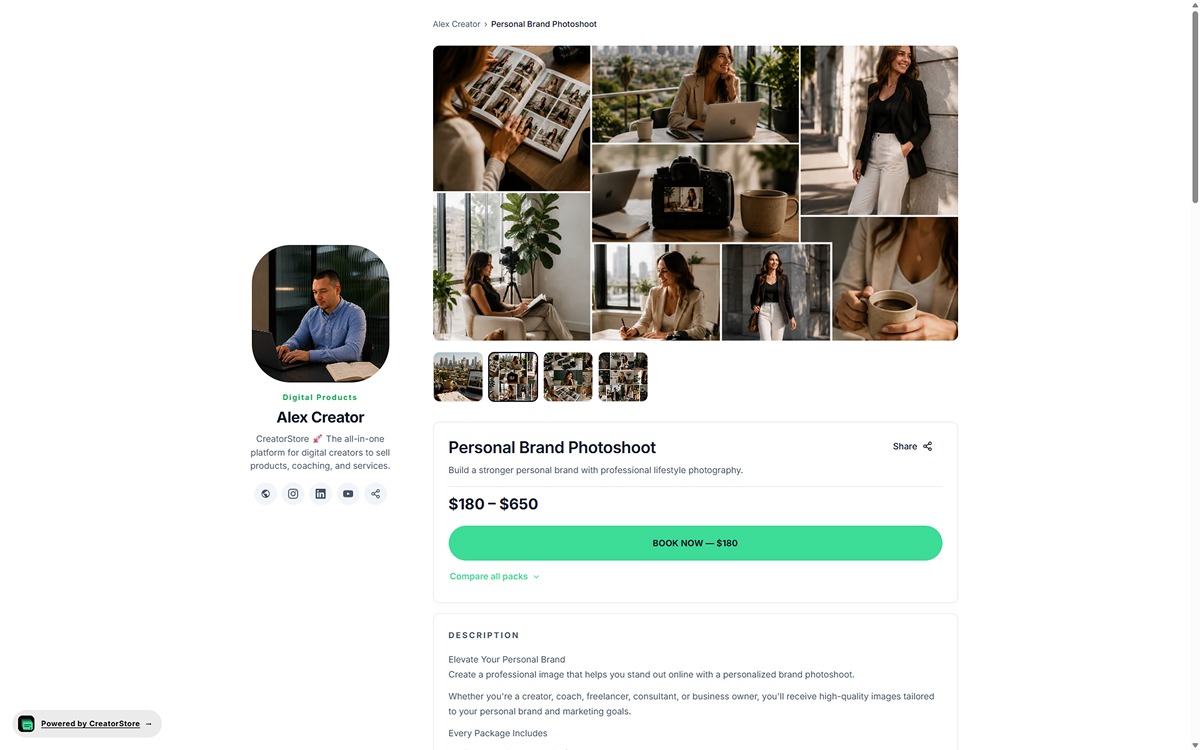
Give the service its own page
A service can have its own URL with a cover or gallery, title, description, pricing information, and booking action. You can also edit the page title and meta description so search engines have page-specific information to crawl.
- Dedicated URL for the service
- Cover or gallery, description, and booking action
- Editable page title and meta description
- Page content can be crawled and considered for indexing by search engines
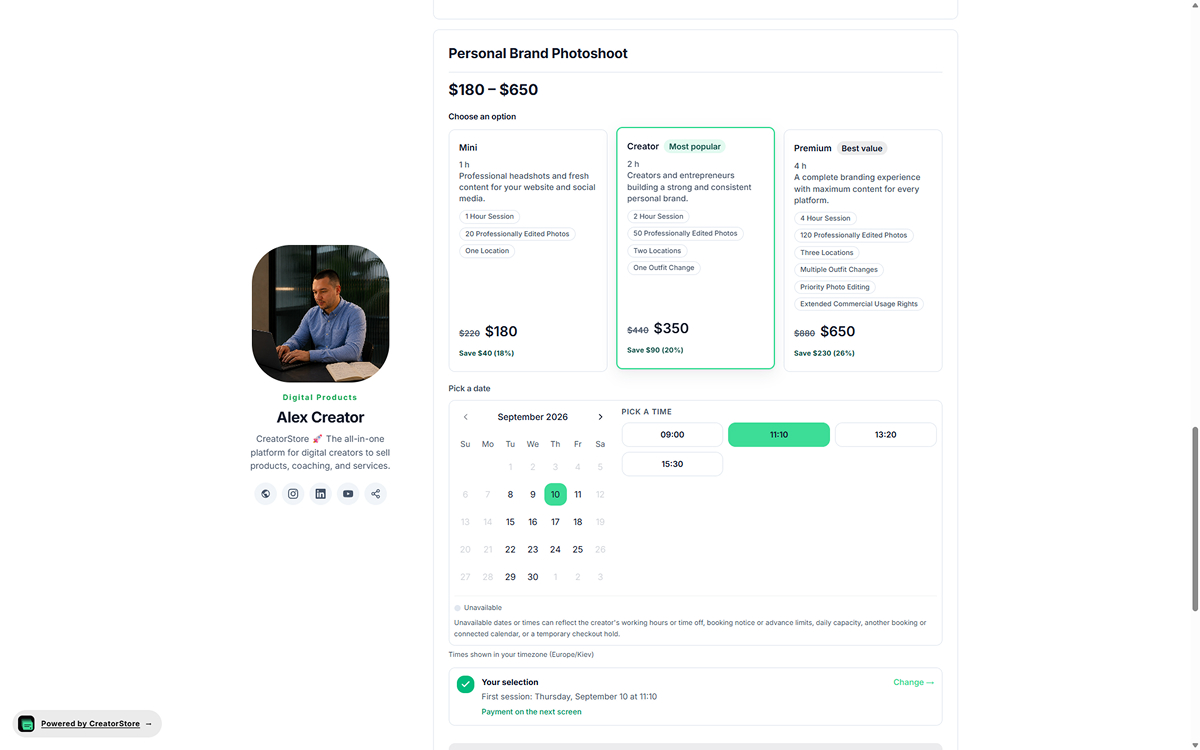
Client chooses the service option and available time
When the service uses scheduled booking, the client selects an option, chooses from your available dates and times, and reviews the selection before continuing to checkout. Availability is shown in the client’s timezone.
- Choose from the service options you created
- Select an available date and time
- Availability shown in the client’s timezone
- Review the selection before checkout
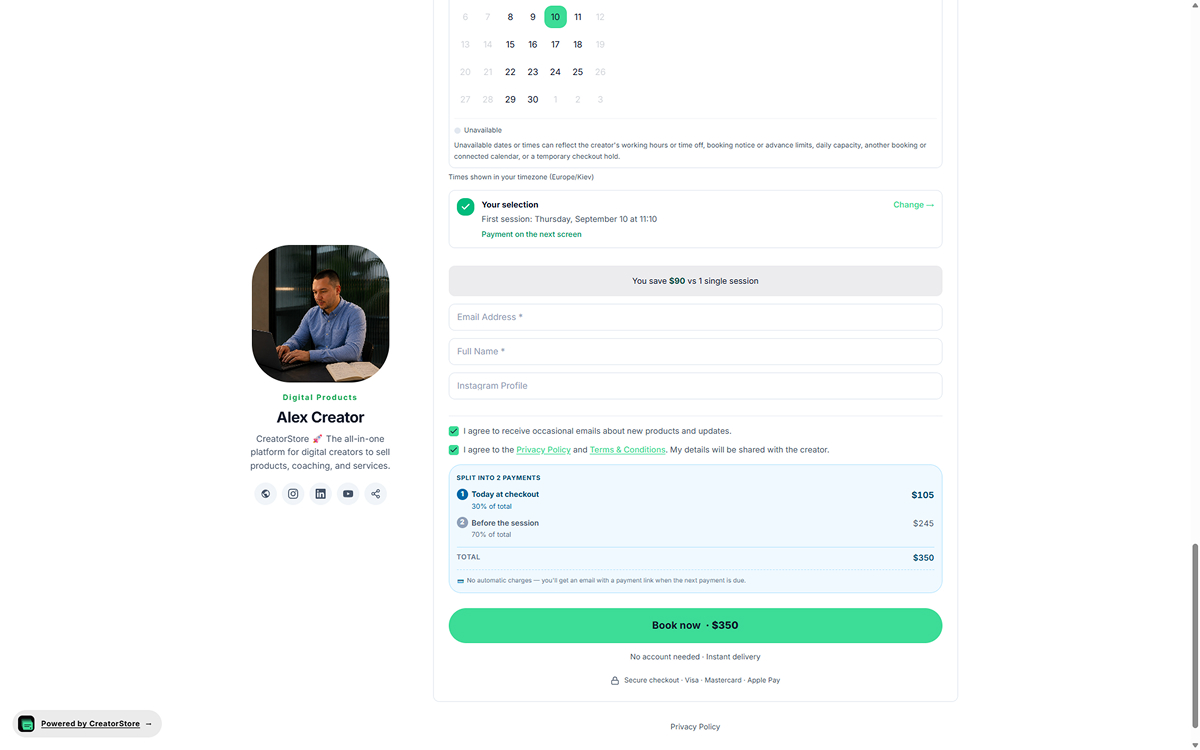
Client enters details and completes the required payment
The checkout shows the selected service and collects the client details you require. Depending on the payment structure you set, the client can pay in full or make the required deposit and follow the split-payment schedule.
- Selection summary carried into checkout
- Client contact details and custom fields
- Full payment, deposit, or split-payment structure
- Your legal terms can be presented before payment
Example store — click around to see how service booking actually works
What services you can sell with online booking
Use service booking for work that needs client details, scheduling, a defined scope, or staged payment. The setup can differ by service.
Photographers
Collect shoot details, set availability, and take the payment structure you require.
For photographers →Events & workshops
For group sessions and events, use webinar tools with dates and seat limits.
See webinars →Teaching & coaching
Offer consultations, coaching sessions, reviews, or other scheduled expert services.
See coaching →Consulting & audits
Collect project details and sell consulting, audits, and advisory work with clear terms.
Sell consulting →When to use service booking instead of a custom service request
Book time for a defined appointment
Use scheduling when a meeting has a clear duration, agenda and client outcome.
Use custom enquiries for variable projects
If the work needs a detailed brief and quote, collect requirements before inviting a client to book.
Explain availability and payment conditions
Show accurate scheduling expectations and only describe payment methods confirmed as active in the store.
Related: Sell services online · Review current pricing
Service booking FAQ
Common questions about setting up and managing service bookings in CreatorStore.
How is service booking different from a digital product?
What information can I collect from a client?
Can clients choose a date and time?
Can I offer a service without a calendar?
Can I require approval before confirming a booking?
Can I collect a deposit for a service?
Does CreatorStore charge a commission on service bookings?
Can a service have its own page and SEO settings?
Can I create different options for the same service?
Add service booking to your CreatorStore
Create the service page, set availability and payment rules, and let clients complete the booking from your store.