
Create Your Educator Website for Lessons & Learning Materials
Sell tutoring sessions, live workshops, downloadable workbooks, and access links to externally hosted courses. Let students explore offers and book available lessons through your CreatorStore.
Example stores for educators
Explore stores that sell learning materials, programs, and sessions. Open an example to see how the offers and checkout are presented.
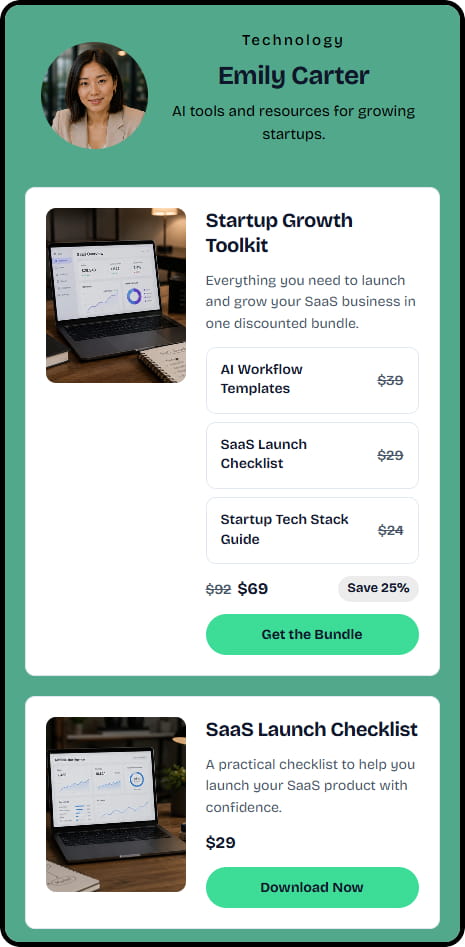
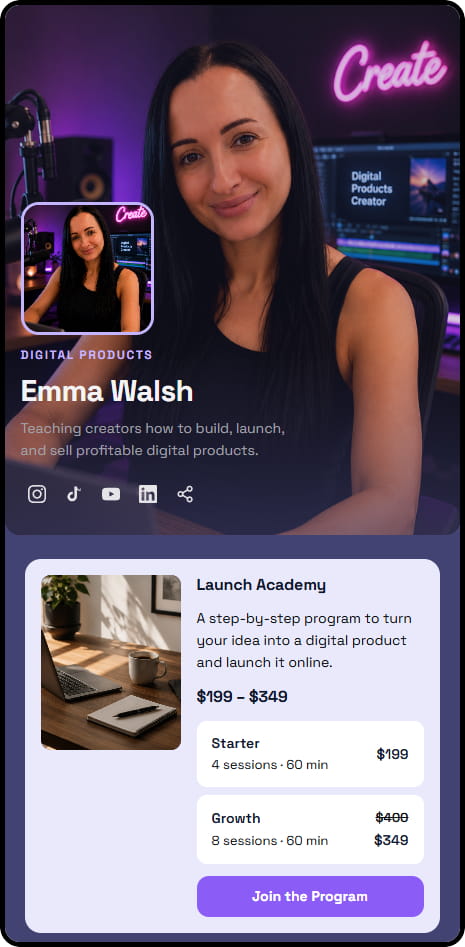
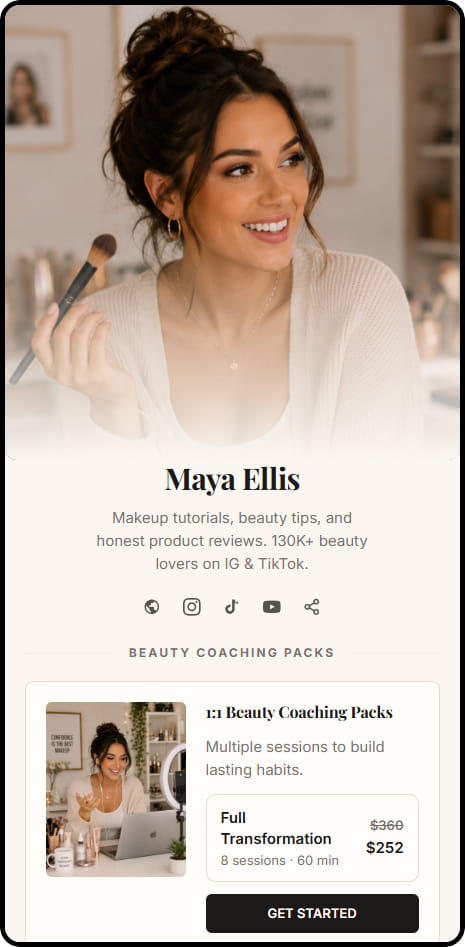
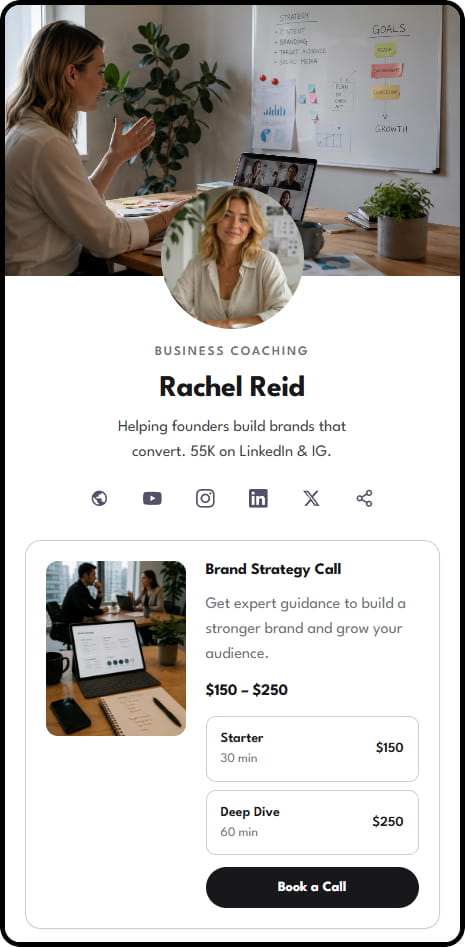
Example stores across coaching, consulting, education, and digital product niches
What educators can sell through CreatorStore
Use one store for course materials, workbooks, tutoring, cohort programs, and live sessions. Each offer can have its own product page, price, and delivery or booking flow.
Online courses
Use a Digital Product for downloadable course materials or content delivered through a private access link. CreatorStore can deliver the file or access link after payment.
Workbooks & guides
Sell workbooks, worksheets, study guides, textbooks, and other downloadable learning materials as digital products. Students receive the file after payment.
Live cohorts
Use Session Packs for cohort programs or other offers that include multiple live sessions. Students can book individual sessions from your available times after purchasing the package.
Group masterclasses
Live webinars, workshops, and group sessions, free or paid. Set the date, price, and seat limit, then let students register through your store.
Online tutoring sessions
Offer 1:1 tutoring or consultation sessions with online booking. Students choose an available time, pay online, and can join through Google Meet or your own video-call link.
Curriculum bundles
Combine course materials, a workbook, tutoring, or other products into one bundle and sell them as a single offer.
Sell access without moving your course content
Your videos and lessons stay on the tools you already use. CreatorStore handles the page, the payment, and the delivery.
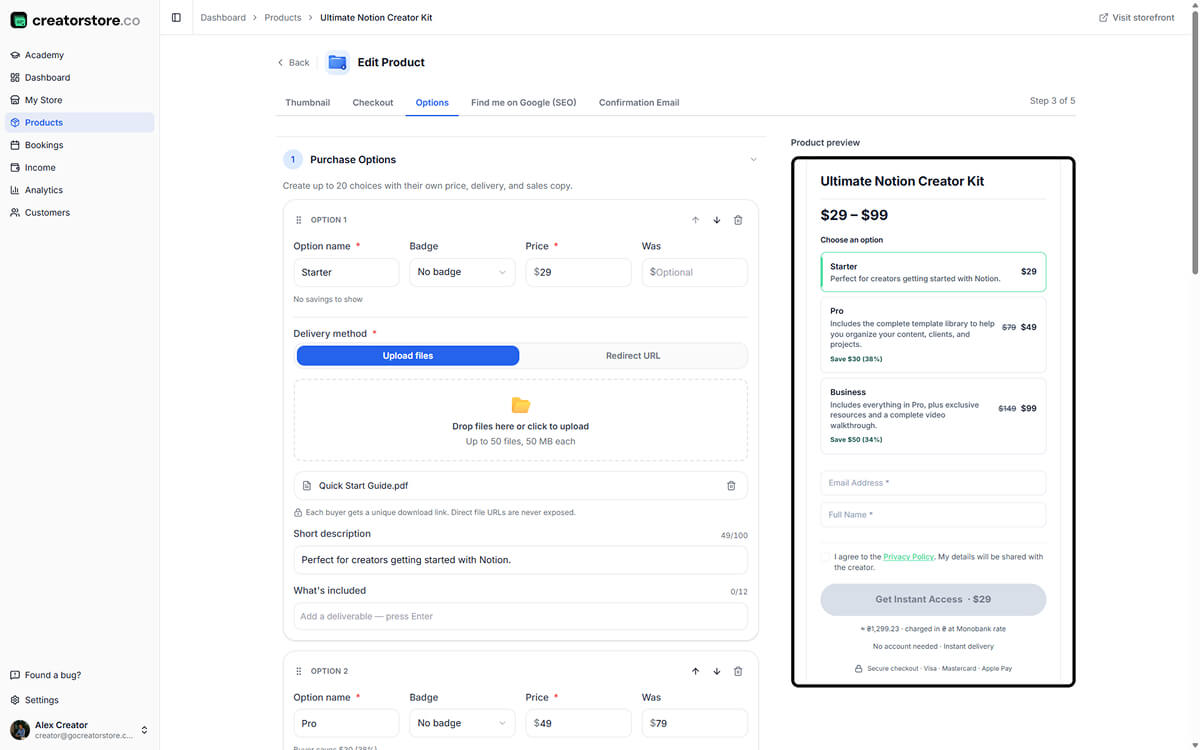
The same material at two or three depths
Attach the file to the offer — or the link, if the lessons live somewhere else. One material can be sold as a sample, a full workbook, and a workbook plus a session, each with its own files.
- Several tiers inside one product
- Different files attached to different tiers
- A free tier to collect student emails
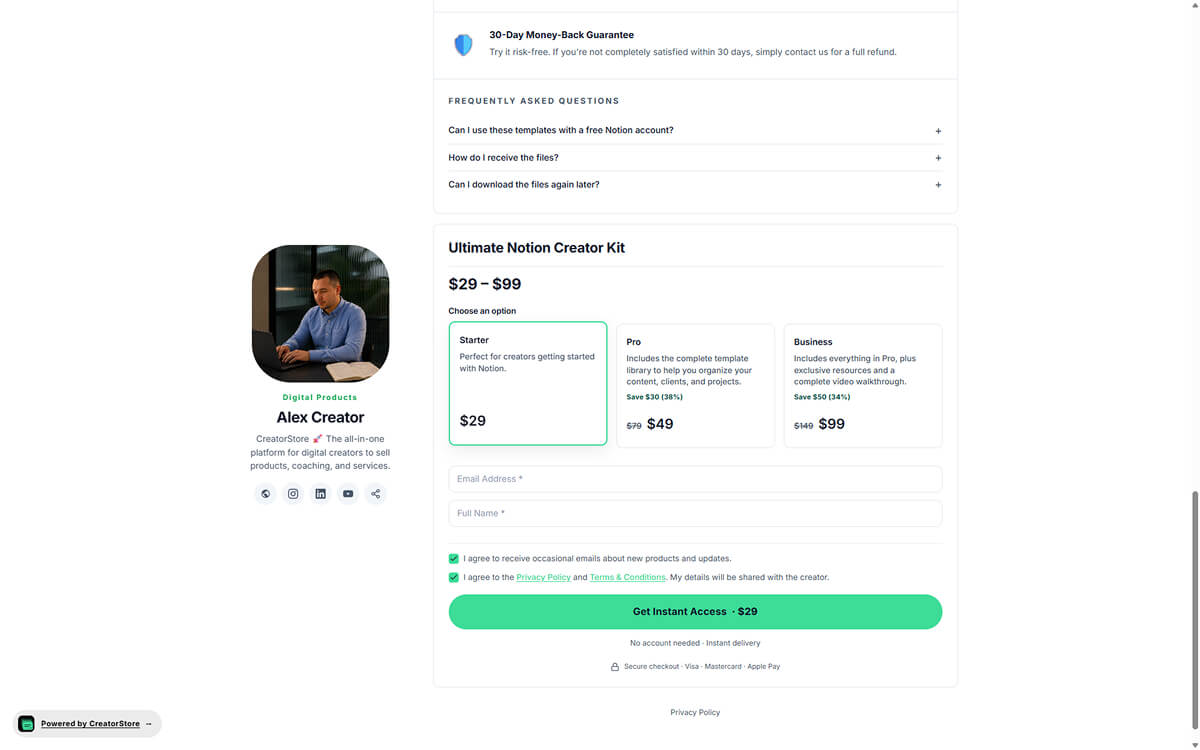
The student sees the options side by side
No pricing page to hunt for, no email to ask what is included. The tiers sit next to each other with what each one contains, and the student picks the one that matches how serious they are.
- What is included listed per tier
- Payment taken at the moment of purchase
- Works the same for a cohort seat or a tutoring slot
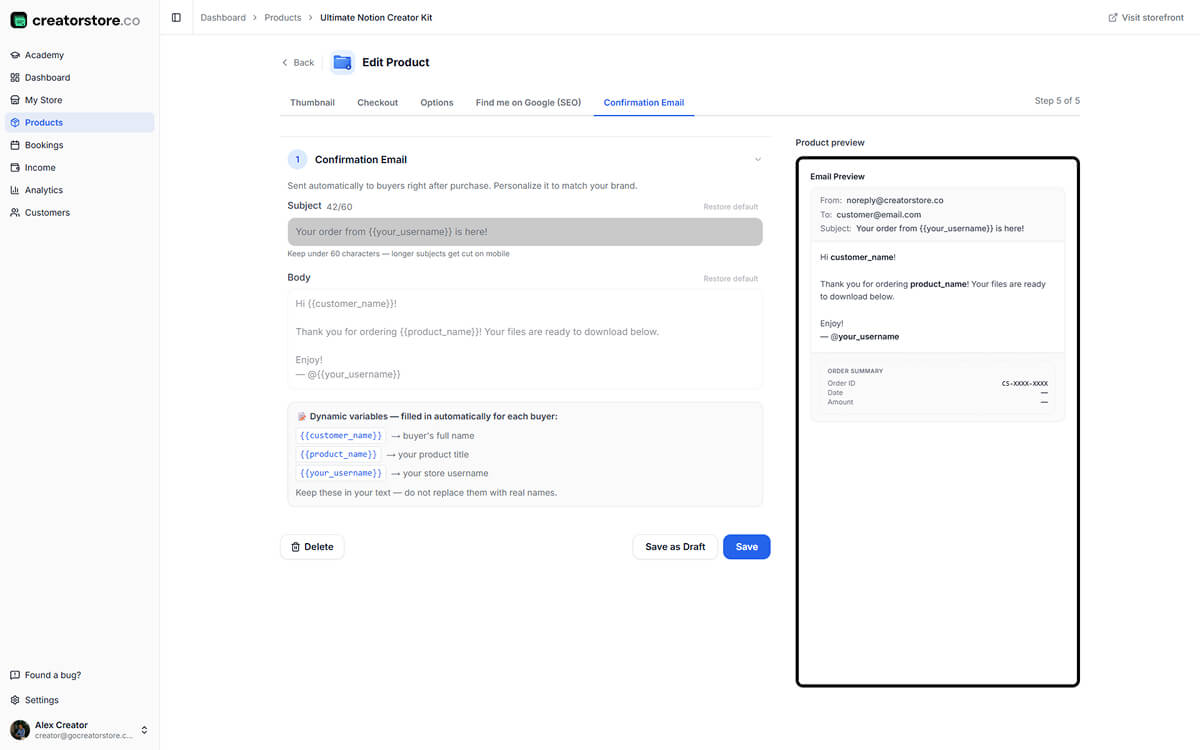
The file or the link arrives without you
The confirmation email goes out on payment, with the file or the access link inside. You write it once; after that it runs at 2am on a Sunday without you touching anything.
- Subject and body you control
- Access link or file attached automatically
- The student contact lands in your dashboard
CreatorStore is not a learning platform — it sells and delivers access to yours
Create an educator website for tutoring and learning materials
Help students choose between a live lesson, a workshop and a resource they can use anytime.
An educator website should help learners understand what they can book today and what they can study on their own. A language tutor may offer individual lessons and a ten-lesson pack; a workshop instructor may run a scheduled live class and sell supporting worksheets. Those offers have different expectations, so each needs a clear description of the format, timing and what students receive.
CreatorStore lets educators organise bookable sessions, workshop signups and downloadable resources on a single storefront. For tutoring, explain lesson length, audience level and the booking process. For a workbook or lesson plan, describe the file format and how students receive it. If a course is hosted elsewhere, the storefront can present the offer and provide files or a link to that separate learning environment.
This distinction matters: selling access to a course is not the same as running a full learning management system. CreatorStore is not a replacement for lesson hosting, grading or assignment tracking. Start with bookable sessions for live teaching, or review ways to sell online courses and materials when content is delivered as downloads or external access.
An educator website for how you actually teach
What you sell changes with the format. The store does not — materials, bookings, and live sessions use the same setup.
Online course creators
Course materials and access links sold from your own page, with the lessons staying on the platform you already use.
Online tutors
Single lessons, trial sessions, and lesson packs booked against your calendar in the student's timezone.
Workshop creators
Paid seats for live workshops with a date, a seat limit, and the joining details sent on registration.
Language tutors
Recurring lessons, conversation practice, and multi-lesson packs for students who come back every week.
Online trainers
Professional skills training sold as sessions, packs, or scheduled group programs with the materials attached.
Corporate trainers
Paid team workshops and training days, booked and paid for by the company rather than by individual students.
Manage products, bookings, and students in one dashboard
Use CreatorStore for product pages, payments, bookings, and student contacts while keeping your teaching content on the tools you already use.
- ✕A separate platform for course content
- ✕A separate booking tool for tutoring
- ✕Separate tools for payments and cohort programs
- ✕A separate tool for student contacts
- ✕Extra spreadsheets or integrations to connect the workflow
- ✓Course materials, workbooks, and digital products in one store
- ✓Tutoring, cohort programs, and webinars
- ✓Student contacts in your dashboard, exportable as CSV
- ✓Your own domain instead of a marketplace URL
- ✓0% platform commission on sales
Choose the right format for your teaching offer
One-to-one lessons
Offer a clearly defined lesson with a subject, learner level and expected outcome. Explain availability and scheduling before a learner books.
Materials students can revisit
Package workbooks, guides or templates as downloadable materials. Describe exactly what the learner will receive.
Live workshops and cohorts
For a shared live experience, state the event format, schedule, attendance limit and meeting-link delivery before asking for registration.
Selling directly to students — frequently asked questions
Answers about course delivery, cohort programs, tutoring, student contacts, domains, and CreatorStore fees.
Where do students access my course content?
Does CreatorStore include its own learning platform?
Can I sell a live cohort?
Can I take a deposit or offer installment payments?
Can students book 1:1 tutoring on my calendar?
Can I offer a free lesson as a lead magnet?
Do I keep my student email list?
What's the commission?
Can I accept customer payments immediately?
Can I sell lesson plans online?
Start selling directly from your educator website
Sell course materials, workbooks, tutoring, cohort programs, and live sessions through your own store. Manage payments, bookings, and student contacts in CreatorStore.
✓ 0% platform commission · ✓ Your own domain