← Sell·Digital products

Sell digital products direct. Keep every dollar.

Any file — PDFs, videos, audio, ZIPs, templates, presets, code — sold from your own store with instant delivery. Own your customer list. No marketplace commission. The direct path from creator to buyer.

0% platform commission Instant delivery Any file type Own your buyer list
What buyers see

See what your product looks like — without a marketplace logo.

Three views: on your storefront, on its own product page, and inside the multi-tier pricing box. Real example: creatorstore.co/@alex-creator.
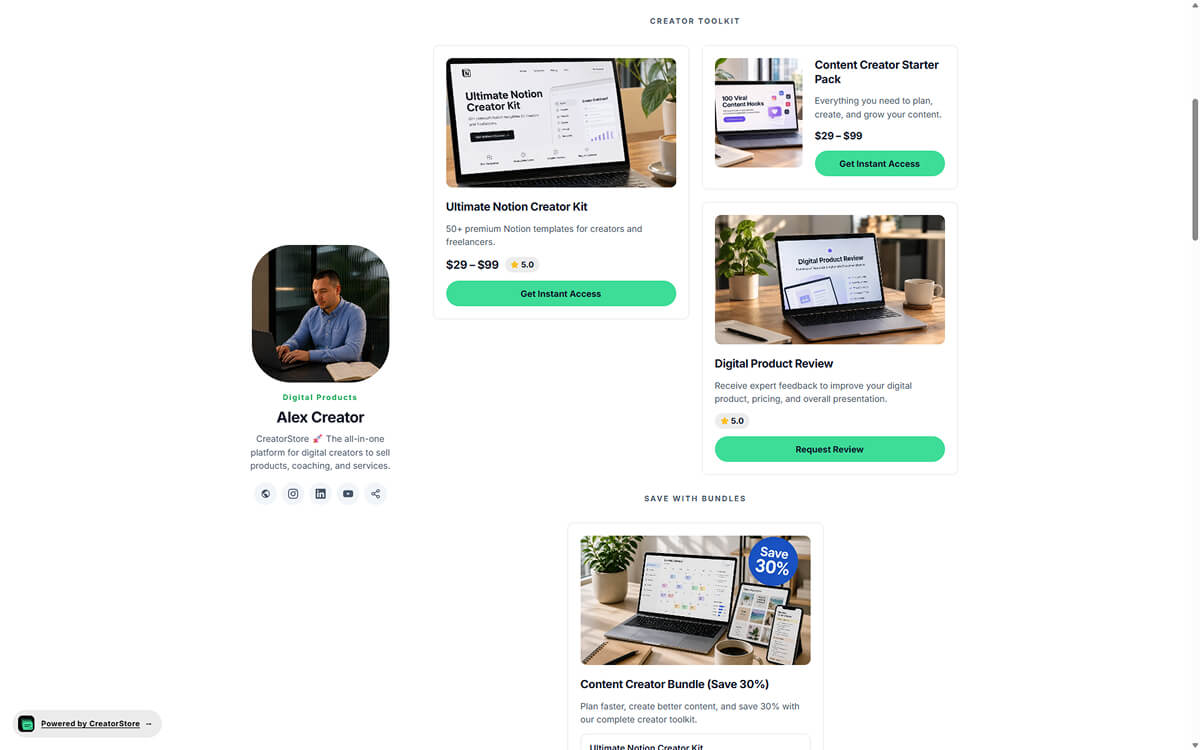
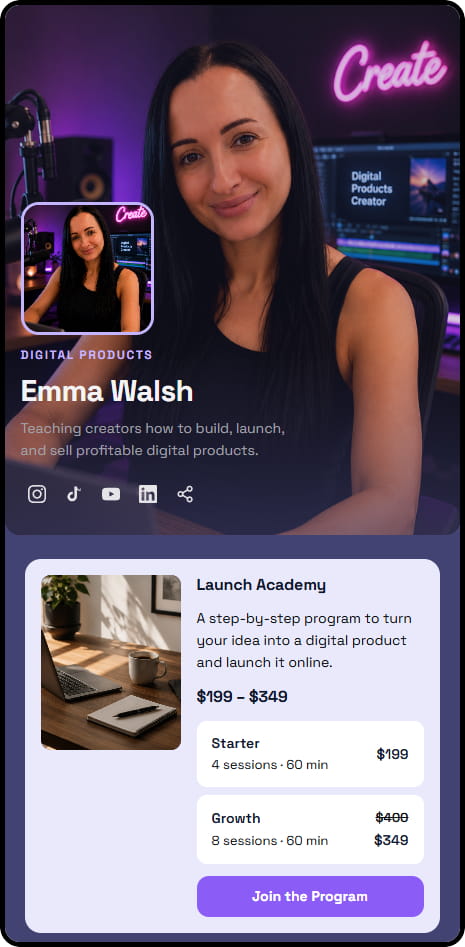
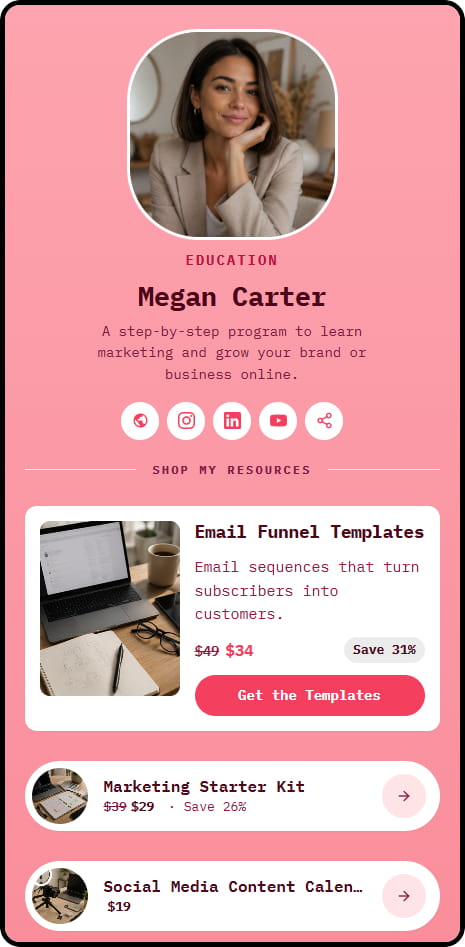
Creator storefront — profile on the left, products with prices on the right, save-with-bundles section at the bottom
View 01 · On your storefront

First impression — it's YOU, not a marketplace logo

Buyers land and see YOU right away — photo, name, socials, offer. Not a marketplace logo. Not a grid with 10,000 other sellers. One page = your entire portfolio in one place: the more products side by side, the stronger the «serious expert» impression. And the bundle section at the bottom upsells for you — buyers see a pack is a better deal and buy more without you asking.

  • Your brand front and center — buyers remember YOUR name, not the platform's
  • Portfolio in a grid — proof of a «serious shop» without a word said
  • Automatic upsell through the bundle section — higher average order value
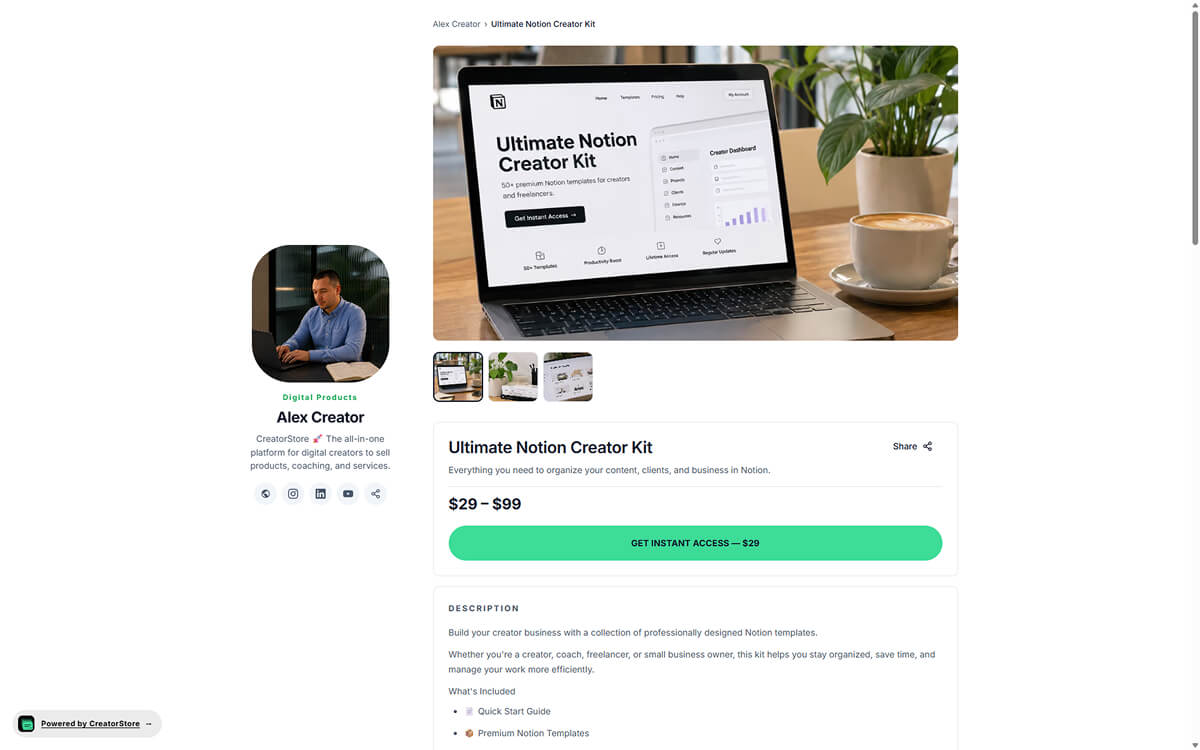
Dedicated product page — hero image, gallery thumbnails, title, description, price, Get instant access button, and What's included list
View 02 · Product page

One page with everything a buyer needs to decide

At decision time, a buyer shouldn't be opening 5 tabs. Big hero image, gallery from different angles, short description, price, «Get instant access» — all above the fold. Below — a detailed DESCRIPTION and «What's included» checklist that removes the last uncertainty («what will I actually get?»). Result for you: fewer doubts → more conversions + fewer refund requests after purchase. Plus Google indexes the page on YOUR URL — the traffic works for you, not the marketplace.

  • Everything for the decision in one place — the buyer doesn't get lost in navigation
  • «What's included» removes uncertainty BEFORE purchase — fewer refund requests
  • The product looks premium: 3+ angles, not a compressed thumbnail
  • SEO equity accrues to your own domain — the traffic works for you
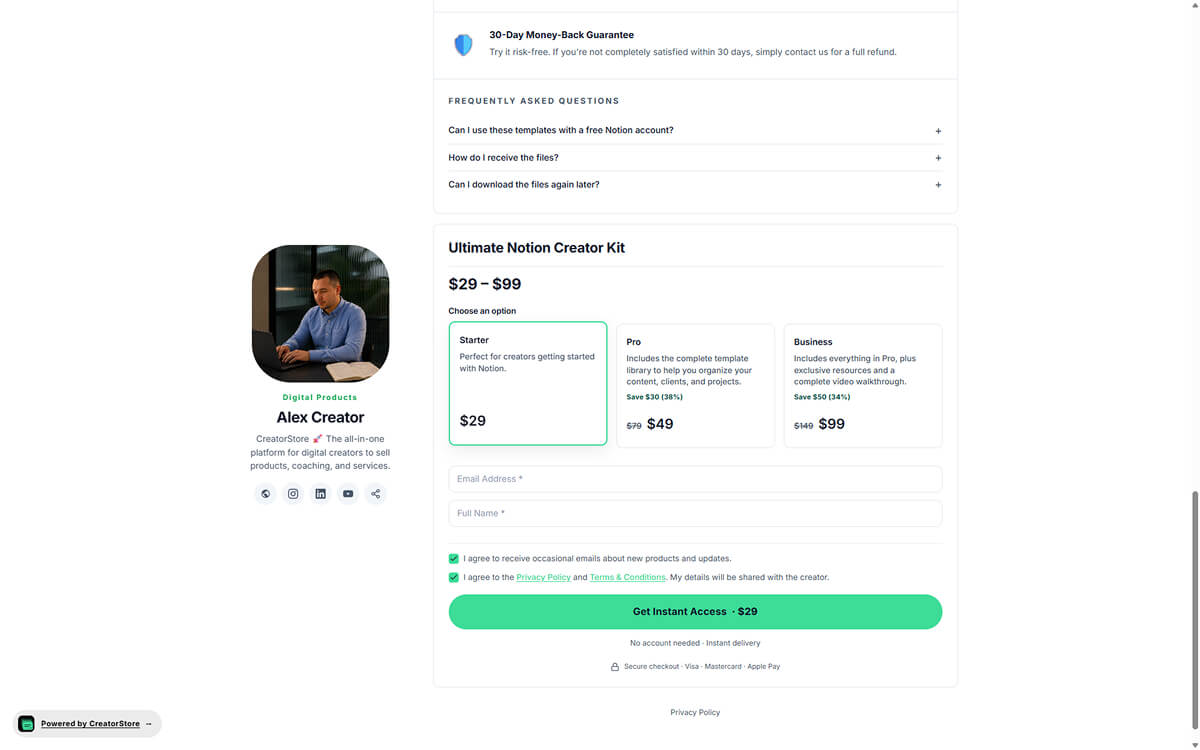
Multi-tier pricing and checkout on one page — Starter/Pro/Business tiers, 30-day guarantee, FAQ, and purchase form
View 03 · Multi-tier pricing + checkout

You control the entire path from choice to purchase

Three tiers side by side = you catch buyers with different budgets from one product ($29 for newcomers, $99 for the ones who want everything). Old prices get struck through automatically — the «discount» psychology kicks in without any work on your side. On top — a 30-day money-back guarantee and FAQ that close the last doubts BEFORE the buy button. The checkout form is on the same page: buyers don't «get lost» in a redirect to a separate screen, where 10-30% of them typically drop off.

  • Three tiers catch buyers across budgets — one product, more sales
  • Old price struck through automatically — the «discount» mechanic works on its own
  • 30-day guarantee + FAQ in the visible zone — doubts get closed BEFORE checkout
  • Checkout on the same page — no redirect, no lost buyers
See a live example →

A real creator store on their own domain — click around

Every digital format

Any file. One store. Instant delivery.

If you can save it as a file, you can sell it. Upload once, sells 24/7, delivered the second payment clears.

PDFs & ebooks

Guides, workbooks, playbooks, ebooks, cheat sheets. The universal digital format — sold direct with instant download.

Video & audio

MP4 courses, mini-videos, podcast archives, audio tracks, music packs. Instant download links, no streaming host needed.

Templates

Design templates, spreadsheets, Notion templates, resume templates. Deliver the file, buyer applies it — zero fulfillment.

Presets & filters

Lightroom presets, LUTs, VST plugins, color grading packs. Small file, high margin — direct sales keep every dollar.

Self-paced courses

Bundle multiple videos + PDFs + worksheets into one course. Sold as a Digital Product with a single access link.

Code, scripts & systems

Boilerplates, Figma files, scripts, GPT prompts, workflows. Sold as ZIPs or hosted files — instant download after checkout.

Any file, any size — CreatorStore hosts it, the buyer downloads it, you keep 100%. How Digital Products work →

Advice from a friend 👀

«I want to sell digital products. But what exactly?»

Don't start from «what's trending right now?». Start from what people already come to you for.

👀
I don't know what to sell. Everything I can think of, someone's already doing.
Reader
CreatorStore
Look at your last 20–30 messages. If people ask about the same thing a few times — that's a good signal.

Questions about your work, a template, an instruction or a process can easily turn into a digital product.
Alex, from CreatorStore
👀
And if I don't have many messages yet? I'm just starting out.
Reader
CreatorStore
Then start with what you've already made for yourself.

For example: a Notion system, a presentation template, a checklist, a PDF guide, a spreadsheet, or a prompt library.

If it saves you time or helps you get a result — chances are others would pay for it too.
Alex, from CreatorStore
👀
But what if my niche already has hundreds of similar products?
Reader
CreatorStore
Don't sell «a template for productivity». Sell a specific solution for a specific person.

For example: «Notion CRM for freelance designers» is way clearer than «a business template».

The more specific the problem, the easier it is to explain the product's value.
Alex, from CreatorStore
👀
OK. And how do I actually sell it after that?
Reader
CreatorStore
Upload the file, add a description and a price — and publish.

The buyer pays → gets the file automatically → the order shows up in your dashboard.

You don't have to send the file manually after every purchase.
Alex, from CreatorStore
Your dashboard

Every dollar, every buyer, every transaction — in YOUR dashboard, not the marketplace's.

4 screens in one dashboard: Analytics, Visitor Journey, Customers, Income. Buyer list, domain, prices, checkout — all yours. Export CSV, portable to any platform via API — CreatorStore doesn't lock you in.

Analytics overview — Revenue, Sales, Customers, Page Views, Average Order Value, Payout Balance
Screen 01 · Analytics

Your revenue and sales — on one screen

Every metric that matters — Revenue, Sales, Customers, Page Views, Free downloads, Average Order Value, Payout Balance — as cards at the top. A bar chart shows Store Visits & Purchases over 30 days. You see your real numbers, not what a marketplace decided to show you.

  • 8 metric cards with trend arrows
  • Store Visits & Purchases chart (last 30 days)
  • Time filter: All time · 7/30/60/90 days · custom range
  • Per-product breakdown: revenue, sales, free claims
Visitor Journey funnel plus Traffic Sources and Top Pages
Screen 02 · Visitor Journey

Where traffic comes from — directly, no black box

Three tables on one screen. Visitor Journey — a funnel: Views → Product → Checkout → Purchase. Traffic Sources breaks down Direct, Instagram, Facebook, LinkedIn. You see where the traffic comes from, not a marketplace algorithm that hides everything.

  • Funnel with drop-off percentage at each step
  • Traffic sources: Direct, Instagram, Facebook, LinkedIn, etc.
  • Top pages: which get the most views
My Customers — buyer table with name, product, order count, total spent
Screen 03 · Customers

Every buyer in YOUR list — export CSV anytime

Every buyer lands in «My Customers» — name, email, last purchase, product, product type, marketing status, order count, total spent. Filter by date, search. Add customers manually, export CSV to your email tool or CRM. This list is yours, not the marketplace's.

  • Customer table: name, email, purchase, product, orders, total
  • Search + filter by date, product type, subscription
  • Add customer manually + export CSV — no marketplace lock-in
Income view — Purchases table with date, customer, product, amount, status, payment provider
Screen 04 · Income

Every transaction — you control the money, not the marketplace

Every purchase across all products in one table — date, customer, product, amount, status, payment provider. Filter by date, search by customer or product. Stripe + PayPal in one view. Export CSV for accounting. Your cash flow, your visibility.

  • Purchases table: date, customer, product, amount, status, provider
  • Date filter (All time · 30/60/90 days · custom)
  • Multi-provider: Stripe + PayPal in one view
  • Export CSV for accounting
Advice from a friend 👀

«I know what to sell. But how much do I ask for it?»

Don't set the price by the number of pages or the file size. Set it by the value of the result to the buyer.

👀
Say I made a Notion template for freelancers. How much should I ask for it?
Reader
CreatorStore
Think about what it saves or improves.

If the template saves a few hours of work — $19–49 can be a fair starting price.

If it's already a full system for managing clients — $49–99 makes more sense.

Don't sell the file. Sell the result it helps to get.
Alex, from CreatorStore
👀
And how do I know if people are actually willing to pay that much?
Reader
CreatorStore
Look at what they already pay for.

Find 5–10 similar products in your niche and compare:
— what they sell;
— at what price;
— what's included in the package;
— who they sell it to.

Then set your price at a level you can honestly justify.
Alex, from CreatorStore
👀
What if I'm just starting out and don't have much expertise yet?
Reader
CreatorStore
You don't need to make yourself out to be an «expert».

Start with a product that actually solves a specific problem, and honestly show what's inside.

The product's value matters more than a loud title next to the author's name.
Alex, from CreatorStore
👀
And are discounts and bundles worth using?
Reader
CreatorStore
Yes, when you already have a few products.

For example: three templates at $19 each individually, or a Bundle of all three for $39.

The buyer gets a better deal, and you raise the average order value.
Alex, from CreatorStore
👀
Can I show the buyer several price options at once?
Reader
CreatorStore
Yes. Create multiple tiers of the product — for example, Basic at $19 and Full at $49.

The buyer sees the difference and the savings right away, and picks the option that fits.
Alex, from CreatorStore
FAQ

Frequently asked questions

Questions creators ask before moving from a marketplace to direct sales.

Why are digital products the closest thing to passive income?

Build once — sell forever. A PDF costs nothing to duplicate; a template downloads at the same speed for one buyer or a thousand. Sell a $19 template — 50 sales a month = $950 from a file you built once. No shipping, no inventory, no refund handling. Downside: more work up front. A tight, specific product for a real audience sells — a vague «guide» doesn't.

Digital products vs. services vs. physical goods — where do digital products win?

Time: digital — heavy build up front, near-zero delivery cost. Services — zero build, real time on every order. Physical — production + inventory + shipping every time. Scalability: digital scales infinitely (10 sales or 10,000, same effort). Services cap at your hours. Physical caps at warehouse and logistics. Digital products are the natural start for anyone with knowledge that fits into a file.

Zero to first sale — how long does it really take?

If you already have an audience — first sale can happen on day one. First orders usually come within 24–72 hours if the product is specific («Notion CRM for founders, $19») rather than vague. By month 2–3 with consistent posting — $500–3,000/month. Full-time income ($5–15K/month) — 6–12 months + a strong niche + repeat purchases across several products. Specificity wins.

What file types can I sell?

Any downloadable file: PDF, MP4, MP3, WAV, ZIP, PSD, XD, Figma files, Notion exports, Lightroom preset packs (XMP/DNG), Excel, Google Sheets templates, code archives — anything. Buyers get a download link after payment.

Can I sell digital products for free?

Yes. Starting is free — you don't pay a thing until you have sales. CreatorStore takes 0% commission; you only pay the standard Stripe or PayPal fee on paid sales. Free products work as lead magnets — the buyer «pays» with an email address.

Is there a file size limit?

Yes, the file size limit depends on your plan. If a file is larger than your plan's limit — upload it to your own storage (Google Drive, Dropbox, S3, etc.) and add the download link inside the product. The buyer gets that link right after payment.

How is delivery handled?

The moment payment clears, the buyer gets an email with a secure download link. Links can be time-limited or unlimited — your setting. No manual fulfillment — 100% automated.

What if a buyer asks for a refund?

You handle refunds through Stripe or PayPal per their standard policy. CreatorStore adds no refund fee. If Stripe waives its processing fee on refunds (per their current policy), you get that back too.

Can I sell to buyers worldwide?

Yes — CreatorStore takes 0% regardless of where the buyer is. Stripe or PayPal may charge their standard cross-border processing fee (typically ~1% extra), which goes to them.

Do I need to issue invoices for VAT?

CreatorStore issues receipts on every sale that meet Stripe's standard tax record requirements. For business buyers who need a formal invoice or VAT handling, create a Custom Product with the extra invoice information.

Can I sell multiple digital products from one store?

Yes — unlimited paid products on Starter and above. Sell a $9 template, a $99 course, and a $499 preset pack from the same store, with one checkout.

Do I keep every buyer's email?

Yes — 100% yours. Every buyer's email is in your customer dashboard. Export CSV anytime. Email them about product #2 without paying anyone to reach them again.
Start now

Launch your digital product store today.

Upload the file, write the page, connect payments, share the link. Every sale is 100% yours from sale #1.

✓ 0% commission · ✓ Instant delivery · ✓ Own your buyer list · ✓ 14 days free

Digital product card on storefront Dedicated digital product sales page Multi-tier pricing Analytics overview Visitor Journey funnel My Customers table Income — Purchases table