← Features·Text Block

Tell your story.
About me, announcements, FAQ.

Add an About Me bio, Announcement banner, or expandable FAQ — all from one block. Rich text, 5 color themes, up to 20 FAQ items. Free forever.

Free forever No watermark Unlimited
9:41●●●
Creator & Coach
Jason Miller
MVP product strategy for founders.
Flash sale: 40% off the MVP Playbook
Use code FLASH40 at checkout. Ends Sunday at midnight.
Jason Miller
Founder · 8 years building MVPs
I help indie founders skip the 12-month roadmap — idea to MVP in 30 days, not a year.
FAQ
How do I access the MVP Playbook?
PDF download link arrives by email within seconds of checkout.
Is there a money-back guarantee?
Is this for pre-revenue founders?
What it is

What is a Text Block (About, Announcement, FAQ)?

Every Text Block on CreatorStore follows the same flow: pick a mode (About Me, Announcement, or FAQ), type the copy, format inline. Switch modes on the same block without losing content — an FAQ list becomes a bio paragraph with one toggle. Rich-text formatting (bold, italic, links, headings) works across all three modes.

What you don't have to build: an announcement banner with 5 preset color themes (info, warning, success, promo, urgent), an FAQ accordion with keyboard navigation, and an About Me block with automatic reading-time estimate — all included. Every mode renders as indexable HTML, so Google can find your About Me bio and FAQ answers. No custom HTML, no separate FAQ plugin, no character limit.

Three widgets in one

Pick the widget. Same block, three jobs.

Text Block's three modes do completely different things. Switch the widget per block, mix multiple blocks across your storefront.

Widget 1

About Me

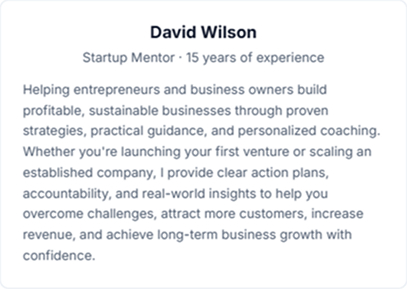
Creator bio with avatar (photo or auto-initials), name, role/tagline, and 500-char about text. The "about the author" widget every storefront needs.

Widget 2

Announcement

Eye-catching banner for flash sales, promo codes, holiday offers. Title + body, 5 color themes (yellow/blue/green/pink/lilac), emoji icon picker.

Widget 3

FAQ

Expandable Q&A accordion — up to 20 questions, each with a 1000-char rich-text answer. Toggle single-open or multi-open behavior.

What you can build

Six blocks you can ship today.

Same product, six common storefront patterns. Each takes 2 minutes to set up — switch widgets and content any time.

Creator bio

About Me widget — your avatar, role, and 2-3 sentences explaining who you are and who you help. Above-the-fold trust.

Flash sale banner

Announcement widget with yellow theme and ⚡ emoji. "40% off everything · code FLASH40 · ends Sunday." Above-the-fold urgency.

Product FAQ

FAQ widget — "How do I access my purchase?" / "Can I get a refund?" / "Is this right for me?" Cuts pre-sale support emails 60-80%.

Team introduction

About Me widget repurposed — your studio, your agency, your team. Tag-team founders, co-creators, collaborators with one bio block.

Refund & policy FAQ

FAQ widget — refund terms, shipping policy, cancellation rules. Rich text + links lets you point to full legal pages without leaving the FAQ.

Holiday promo banner

Announcement widget with lilac theme + 🎁 emoji. "Black Friday: Buy 2, get 1 free. Free shipping over $50." Seasonal urgency without dev work.

Built for text content

3 widgets, rich text, color themes.

Rich-text formatting, color themes, emoji picker, accordion mode, auto-initials avatars. Six tools' worth of features — free, in one block.

Rich text · per widget
B
I
🔗 Link
↩ Unlink
Use code FLASH40 at checkout. Ends Sunday at midnight.
✓ Bold · italic · clickable links

Rich text formatting

Each widget supports bold, italic, and clickable links in its text fields. Emphasize key phrases ("save 40%"), highlight terms, point to other product pages. Twitter-style markdown shortcuts work too.

Announcement · color themes
Flash sale: 40% off
Use code FLASH40. Ends Sunday.
✓ 5 themes · emoji icon picker

5 color themes + emoji

Announcement widget ships with 5 calm color themes — yellow (urgent), blue (info), green (success), pink (special), lilac (premium). Pair with any emoji as the icon. Themed without designer work.

FAQ · up to 20 Q&A
? How do I access my purchase?
? Can I get a refund?
? Is this right for me?
✓ Up to 20 Q&A · 1000-char answers

FAQ — up to 20 Q&A items

Each question gets a 1000-char rich-text answer with bold, italic, and links. Drag to reorder. Toggle accordion behavior: single-open (only one expanded at a time) OR multi-open (visitor expands all).

About Me · avatar options
OS
Auto initials
Photo upload
✓ Auto-initials default · upload anytime

About Me — auto-initials or photo

Default: 2-letter initials auto-generated from your name on a colored circle (Jason Miller → "OS"). Or toggle "Show photo" off entirely. Or upload a square photo (auto-cropped). Three ways to present yourself.

FAQ · accordion mode
Allow multiple open✓ OFF
When OFF, opening one Q closes the others (Apple-style FAQ).
✓ Or set to ON for multi-open behavior

FAQ accordion mode toggle

Toggle "Allow multiple open" in FAQ widget. OFF (default) = single-open accordion (Apple-style — opening Q3 closes Q1). ON = multi-open (visitor expands all they want). Single-open keeps focus; multi-open lets visitors scan.

Multiple blocks
👤 About Me blockHero
⚡ Announcement blockAbove products
❓ FAQ blockBelow products
+ Another blockUnlimited
✓ Stack multiple — different widgets, different positions

Stack multiple Text Blocks

Unlimited Text Blocks per storefront. Put an About Me at the top, an Announcement above products, an FAQ at the bottom. Each block is independent — different widget, different content, different position.

Setup

Pick widget. Write content. Publish.

Two minutes from blank to live. No subscription, no plugin install, no HTML.

Step 1 · Pick a widget
👤 About ✓
⚡ Announce
❓ FAQ
✓ Switch widgets anytime · each has its own content

Pick About Me / Announcement / FAQ

Three widget options per block. Each has different fields and different visual style. Switch later if you want — but content does NOT transfer between widgets (they store different data).

Step 2 · Write content
B / I / Link formattingPer field
🎨 Color / 😀 EmojiAnnouncement
+ Add Q&AFAQ (up to 20)
✓ Auto-saves · preview updates live

Write content, format inline

Type your text directly in the editor. Bold / italic / links available per field. For Announcement: pick color theme and emoji. For FAQ: add up to 20 Q&A items, drag to reorder. Auto-saves as you type.

How it works

From blank to live block — in 4 steps.

Widget. Content. Formatting. Publish. Live in minutes.

01
Widget

Pick About / Announcement / FAQ

Three completely different widgets. Each does a different job — bio, banner, or accordion.

02
Content

Write your text

Name + role + about (About Me) · Title + body (Announcement) · Questions + answers (FAQ). Auto-saves as you type.

03
Style

Format + customize

Bold, italic, links in every field. Pick color theme + emoji (Announcement). Toggle accordion mode (FAQ). Auto-initials or photo upload (About Me).

04
Publish

Live on storefront

Mobile-first responsive. Position the block where you want it. Stack multiple Text Blocks across your store — different widgets, different jobs.

FAQ

Text widget FAQ.

Anything else? Reach out — we reply within 24 hours.

What's the difference between the 3 widgets?
About Me — a creator bio with avatar, name, role, and 500-char about text. The "who I am" widget.
Announcement — a colored banner with title + body + emoji icon for flash sales, promos, urgency. The "look here NOW" widget.
FAQ — an expandable Q&A accordion with up to 20 questions. The "answers before you ask" widget.
Each widget stores different data — content doesn't transfer if you switch widgets.
Is Text Block really free forever?
Yes — Text Block is free forever. No watermark, no upsell, no trial expiry. All three widgets (About Me, Announcement, FAQ), rich-text formatting, color themes, accordion modes, and unlimited blocks per storefront are included at no cost. See full plan details on pricing.
Can I have multiple Text Blocks on one storefront?
Yes — unlimited. Typical setup: About Me at the top of your storefront, Announcement banner above your products, FAQ below your products. Each block is independent — different widget, different content, different position.
What rich-text formatting is supported?
Bold (**text**), italic (*text*), and clickable links. Available in every text field across all 3 widgets — About text, Announcement body, FAQ answers. Twitter-style markdown shortcuts also work as you type. No code, no HTML knowledge required.
How does "Allow multiple open" work in FAQ?
Default OFF = single-open accordion (Apple/iOS-style). When visitor opens Question 2, Question 1 collapses automatically. Keeps focus on one answer at a time. ON = multi-open. Visitor can expand all questions simultaneously. Better for FAQs visitors want to scan all of (e.g. comprehensive policy lists).
Can I customize the Announcement banner colors?
Pick from 5 pre-designed color themes — yellow (urgent/sale), blue (info/news), green (success/free shipping), pink (special/featured), lilac (premium/exclusive). Each theme includes text + background + border tuned for accessibility (WCAG AA contrast). Custom hex colors not yet supported — coming soon.
Photo vs initials for About Me — which builds more trust?
Photos build more personal connection — about 30% lift in trust scores in industry studies. But initials work well when: (1) you don't have a polished photo yet, (2) you want a clean minimal style, (3) you're a faceless brand or pseudonymous creator. You can also toggle "Show photo" off entirely for text-only.
Why character limits on the fields?
Character limits force focus. About text 500 chars = 2-3 strong sentences (vague essays don't convert). Announcement title 60 + body 500 = scannable banner that doesn't overwhelm. FAQ answer 1000 = enough for nuanced answers without becoming a wall of text. Limits are intentional UX guardrails, not restrictions.
When should I use Text Block FAQ vs Testimonials?
Text Block FAQ = your-questions answered (refund policy, how-to, what's-included). YOU write both Q and A.
Testimonials = customers' words about you (real reviews with star ratings, photos, names). THEY are the voice.
Use both: FAQ to remove pre-sale objections, Testimonials to provide social proof. Different jobs, complementary.
Start now

Add your bio, banner, or FAQ.
Three free widgets, one block.

Free forever · No watermark · Unlimited

✓ Free forever · ✓ No watermark · ✓ Unlimited