Selling digital products online has become one of the easiest ways for creators to monetize their knowledge, skills, and audience.
You can sell eBooks, PDFs, templates, guides, presets, audio, video, and other digital downloads without building a traditional e-commerce website from scratch.
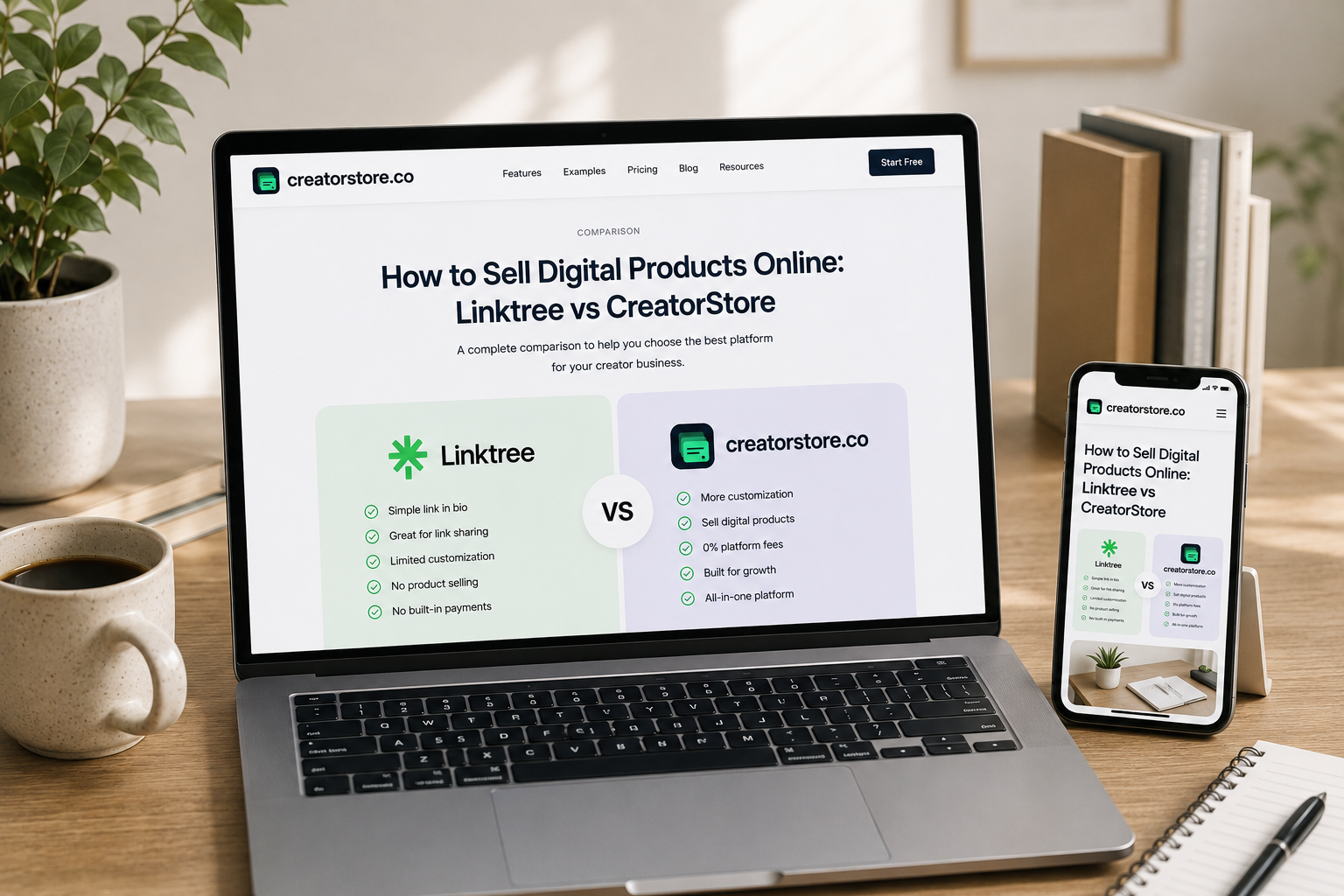
Platforms such as Linktree and CreatorStore allow creators to combine their online presence with digital product sales, audience growth, and monetization tools.
But the two platforms take a different approach.
Linktree is best known as a link-in-bio platform that has expanded into digital products, courses, bookings, audience growth, affiliate links, sponsored links, and other monetization features.
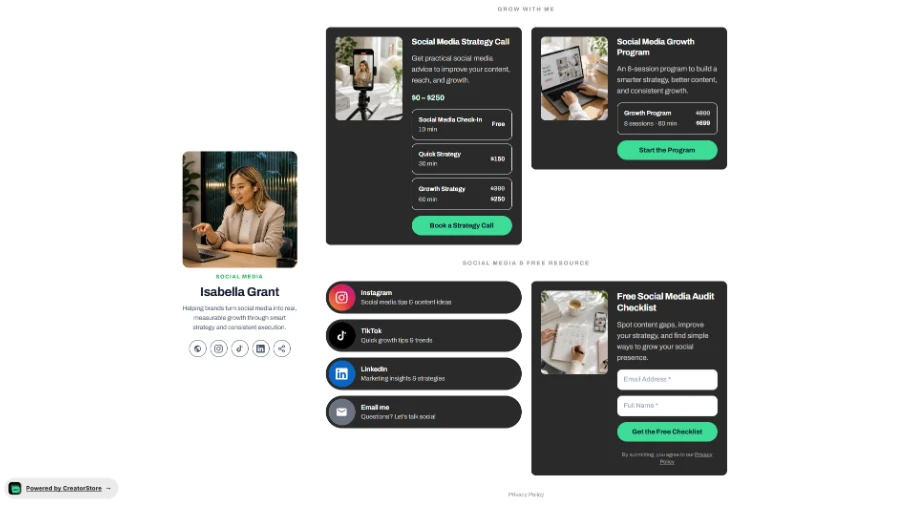
CreatorStore focuses on building a complete creator storefront where digital products, services, coaching, bookings, webinars, and content can live together.
In this guide, we'll compare Linktree vs CreatorStore and look at:
Digital product selling
Pricing
Platform fees
Free plans
Custom domains
SEO
Bundles
Coaching Calls
Session Packs
Service Bookings
Booking management
Landing pages
Audience management
Affiliate and sponsored links
Analytics
Link-in-bio features
The goal is not simply to decide which platform is "better," but to understand which one is the better fit for your creator business.
Linktree vs CreatorStore: At a Glance
Linktree is primarily a link-in-bio platform that helps creators organize their online presence, grow their audience, sell digital products, promote affiliate links, and monetize their content.
CreatorStore is a creator storefront that combines link-in-bio functionality with digital product sales, Bundles, Coaching Calls, Session Packs, Service Bookings, Webinars, custom domains, and product-level SEO.
The key difference is the overall approach.
Linktree is built around links, audience growth, social media, and monetization.
CreatorStore is built around a complete creator storefront where products, services, bookings, and content can live together.
Linktree vs CreatorStore: Quick Comparison
| Feature | Linktree | CreatorStore |
|---|---|---|
| Link-in-Bio Storefront | ✅ | ✅ |
| Sell Digital Products | ✅ | ✅ |
| Digital Downloads | ✅ | ✅ |
| Online Courses | ✅ | ❌ |
| Coaching / 1:1 Calls | ✅ | ✅ |
| Bookings | ✅ | ✅ |
| Booking Calendar | — | ✅ |
| Google Calendar Sync | — | ✅ |
| Google Meet Integration | — | ✅ |
| Session Packs | ❌ | ✅ |
| Service Bookings | ❌ | ✅ |
| Flexible Service Payments | — | ✅ |
| Webinars | — | ✅ |
| Email Collection / Forms | ✅ | ✅ |
| Audience Management | ✅ | ✅ |
| Analytics | ✅ | ✅ |
| Custom Store Design | ✅ | ✅ |
| SEO-Optimized Storefront | ✅ | ✅ |
| Product-Level SEO | ❌ | ✅ |
| Custom Domain | ❌ | ✅ |
| Landing Pages | — | ✅ |
| Digital Product Bundles | ❌ | ✅ |
| Affiliate Links | ✅ | ✅ |
| Sponsored Links | ⚠️ US only | ❌ |
| Platform Commission | Depends on plan | 0% |
| English Storefront | ✅ | ✅ |
| Ukrainian Storefront | — | ✅ |
| Free Plan | ✅ | ✅ |
| Free Plan Without Credit Card | ⚠️ | ✅ |
Feature availability can depend on subscription level, country, or current platform terms. Always check the latest official documentation before choosing a platform.
Linktree vs CreatorStore: Which Platform Is Right for You?
Before comparing individual features, it helps to understand the main difference between the two platforms.
| If you need... | Better fit |
|---|---|
| A link-in-bio page for social media | Linktree |
| Digital product selling | Linktree or CreatorStore |
| Affiliate Links | Linktree or CreatorStore |
| Sponsored Links | Linktree |
| A full digital product storefront | CreatorStore |
| Digital Product Bundles | CreatorStore |
| Custom Domain | CreatorStore |
| Product-Level SEO | CreatorStore |
| Coaching Calls | Both |
| Session Packs | CreatorStore |
| Service Bookings | CreatorStore |
| Multiple revenue streams in one storefront | CreatorStore |
| A storefront in English and Ukrainian | CreatorStore |
The main difference is therefore not that one platform can sell digital products and the other cannot. Both can.
The difference is what happens around the digital product.
Linktree combines digital products with a broad set of link-in-bio, social media, and audience-growth features.
CreatorStore combines digital products with a broader set of storefront, product, booking, coaching, and service-selling tools.
Linktree vs CreatorStore: Pricing and Fees
Pricing is one of the first things creators consider when choosing a platform.
However, the monthly subscription is only part of the total cost.
You should also consider:
Platform transaction fees
Payment processing
Which features are included in each plan
Whether you can use a custom domain
Whether you can sell multiple products
Whether the storefront remains available if you stop paying for a premium plan
Linktree Pricing
Linktree offers several subscription levels, including:
Free
Starter
Pro
Premium
The monthly pricing shown on Linktree's official pricing page is:
| Linktree Plan | Monthly Price |
|---|---|
| Free | $0 |
| Starter | $8/month |
| Pro | $15/month |
| Premium | $35/month |
Linktree also offers annual billing, but this comparison focuses on monthly pricing.
The exact features available for selling digital products and monetization depend on the selected plan.
Linktree also applies seller fees depending on the plan. Its pricing information indicates that the platform commission can be reduced or eliminated on higher plans.
This means that creators should compare both the monthly subscription and the percentage taken from sales when calculating the total cost of using Linktree.
CreatorStore Pricing
| CreatorStore Plan | Monthly Price |
|---|---|
| Free | $0 |
| Starter | $19/month |
CreatorStore also offers higher-tier plans with additional functionality.
One of the key differences is the platform commission.
CreatorStore charges 0% platform commission on sales.
Creators still pay the standard payment processing fees charged by their payment provider, but CreatorStore does not take a percentage of each sale.
For creators selling a significant volume of digital products, this can become an important difference over time.
Linktree vs CreatorStore: Platform Fees
Let's look at a simple example.
Imagine you sell $1,000 worth of digital products in one month.
If a platform takes:
10% → $100 platform fee
5% → $50 platform fee
0% → $0 platform commission
CreatorStore's model is based on 0% platform commission.
This means that as your sales grow, your platform commission does not increase with your revenue.
Payment processing fees may still apply.
For creators who are building a serious digital product business, this is an important factor to consider alongside the monthly subscription price.
Free Plan vs Free Trial
Another important difference is how you can start using each platform.
Linktree
Linktree offers a Free plan that is available without a paid subscription.
It also offers a free trial of selected paid features.
The Free plan allows creators to start building a link-in-bio page and use selected monetization tools.
CreatorStore
CreatorStore also offers a Free plan.
The platform allows creators to start without entering credit card information.
CreatorStore also offers a free trial of paid functionality without requiring a credit card.
This means a creator can explore the platform before entering payment details.
For creators who are still testing an idea or launching their first digital product, this can make the initial setup easier.
Link-in-Bio vs Full Digital Storefront
This is one of the biggest conceptual differences between Linktree and CreatorStore.
Linktree was originally built around a simple idea:
Put all your important links in one place.
Over time, the platform expanded this concept with digital products, courses, bookings, audience growth, affiliate links, sponsored links, and social media tools.
CreatorStore takes a more storefront-oriented approach.
Instead of treating the link-in-bio as a collection of links, the idea is to make it the central place where a creator can:
Showcase their work
Sell digital products
Create product pages
Sell Bundles
Offer Coaching Calls
Sell Session Packs
Accept Service Bookings
Host Webinars
Collect emails
Build landing pages
Showcase testimonials
Connect content and social profiles
In other words:
Linktree: Link-in-Bio + Audience Growth + Monetization
CreatorStore: Link-in-Bio + Digital Storefront + Products + Services + Bookings
This distinction becomes more important as a creator's business grows.
Sell Digital Products
Selling digital products is the core use case for both platforms.
Creators can sell products such as:
PDFs
eBooks
Templates
Guides
Presets
Audio
Video
Downloadable files
Linktree
Linktree supports digital product selling directly through the platform.
Creators can use Linktree to sell digital products while also connecting their audience to other destinations and monetization tools.
Linktree also supports online courses as part of its product ecosystem.
This makes it suitable for creators who want to combine digital products with audience growth and social media tools.
CreatorStore
CreatorStore allows creators to sell digital files with instant delivery and dedicated product sales pages.
Digital products can include:
PDFs
Templates
Presets
Audio
Video
Guides
Other downloadable content
Creators can sell individual products or combine multiple products into a Bundle.
This allows a creator to build a more structured digital product storefront.
Digital Product Bundles
Selling products individually is not always the best way to increase average order value.
CreatorStore allows creators to combine multiple digital products into a single Bundle.
For example:
Template A: $29
Template B: $29
Template C: $29
Bundle: $59
| Feature | Linktree | CreatorStore |
|---|---|---|
| Digital Product Bundles | ❌ | ✅ |
Bundles can be useful for:
Template collections
Design resources
Educational guides
Content packs
Business resources
Creator toolkits
This is particularly useful when a creator has several related products and wants to create a higher-value offer.
Custom Domain
A custom domain can be important for creators who are building a personal brand.
Instead of using a platform URL, a creator can use an address such as yourname.com.
This can make the storefront feel more like a personal website rather than simply another link in an Instagram bio.
| Feature | Linktree | CreatorStore |
|---|---|---|
| Custom Domain | ❌ | ✅ |
CreatorStore supports Custom Domain functionality.
For creators building a long-term brand around their name or business, this can be an important difference.
Instead of sending customers to a platform-branded URL, the creator can build their storefront around their own domain.
Product-Level SEO
SEO can help creators attract visitors from Google instead of relying entirely on social media traffic.
CreatorStore supports SEO customization at the individual page level.
Creators can customize elements such as:
SEO title
Meta description
Social preview image
This can be useful when selling products that people actively search for online.
For example:
Notion templates
Instagram content templates
Photography presets
Business guides
Online coaching
| Feature | Linktree | CreatorStore |
|---|---|---|
| SEO-Optimized Storefront | ✅ | ✅ |
| Product-Level SEO | ❌ | ✅ |
| Custom SEO Metadata per Product | ❌ | ✅ |
This gives creators an opportunity to treat individual product pages as potential search landing pages rather than relying only on traffic from Instagram, TikTok, YouTube, or other social platforms.
Landing Pages
A digital product often needs more than a simple purchase button.
A creator may want to explain:
What the product is
Who it is for
What is included
The benefits
Customer testimonials
Pricing
Frequently asked questions
CreatorStore allows creators to create dedicated landing pages.
This means you can create a separate page for a specific campaign or product.
For example:
Instagram Ad → Landing Page → Digital Product
Or:
Google Search → Product Landing Page → Purchase
This can be useful for creators running paid advertising or building SEO traffic.
Bookings and Coaching Calls
Both Linktree and CreatorStore support bookings.
Linktree includes a Bookings feature that allows people to book time with a creator, including paid or free bookings.
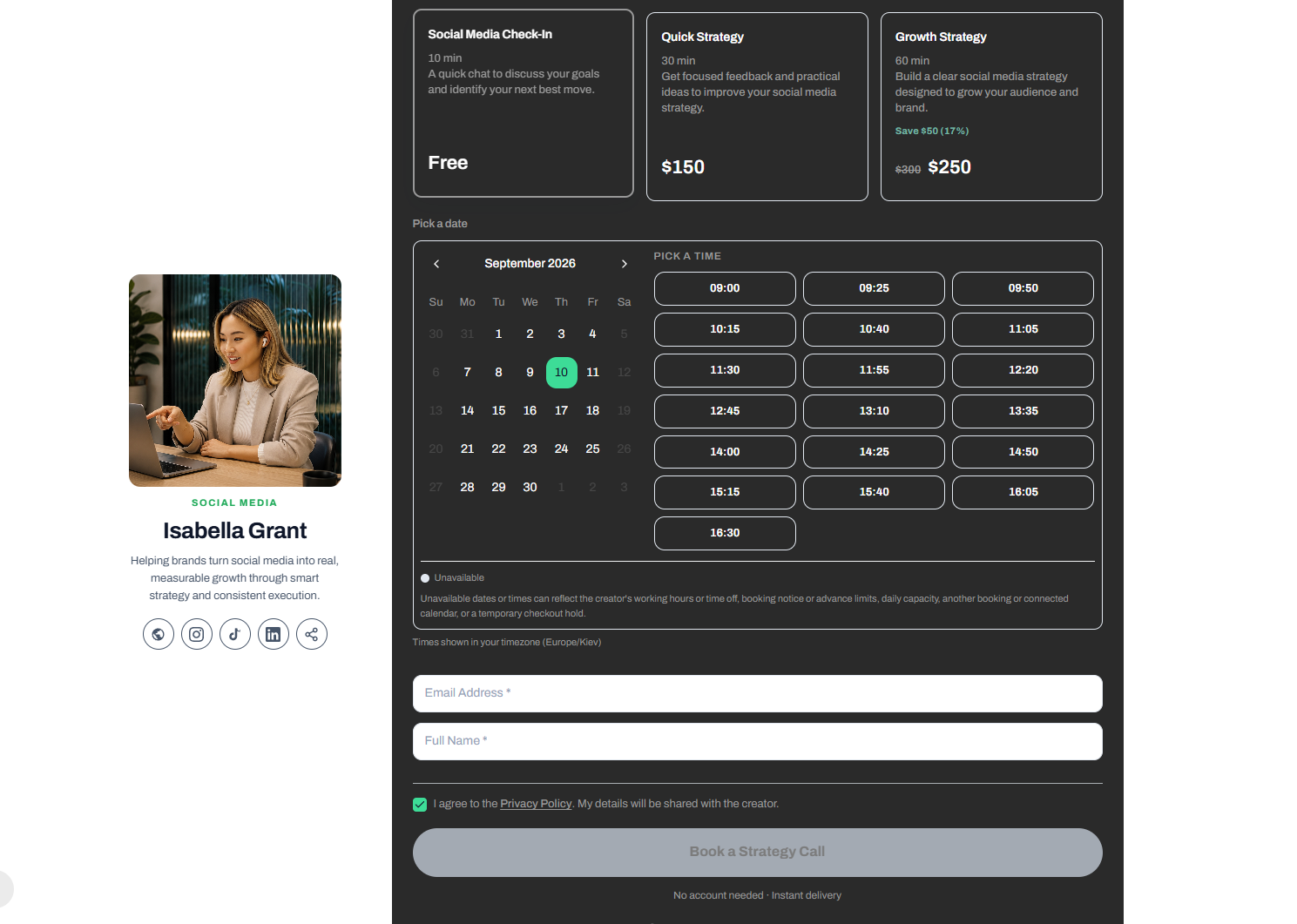
CreatorStore also provides a booking system designed around creators who sell their time and expertise.
CreatorStore supports:
1:1 Coaching Calls
Session Packs
Service Bookings
Calendar synchronization
Google Meet integration
Timezone management
Buffer time between sessions
Maximum advance booking
Maximum bookings per day
Cancellation policies
Rescheduling policies
Booking status management
Creators can manage bookings through a dedicated dashboard.
Clients can see available time slots and book consultations through the creator's storefront.
Depending on the creator's settings, clients can also manage or reschedule their bookings.
This makes the booking system part of the storefront rather than simply sending customers to an external booking link.
Session Packs
For coaches and consultants, selling one session at a time is not always the best business model.
CreatorStore allows creators to sell multiple sessions as a package.
For example:
1 Coaching Call: $50
5 Coaching Sessions: $200
| Feature | Linktree | CreatorStore |
|---|---|---|
| Session Packs | ❌ | ✅ |
Session Packs can be useful for:
Coaching
Consulting
Mentoring
Training
Long-term client work
Instead of selling one appointment at a time, creators can package their services into a higher-value offer.
Service Bookings
CreatorStore also supports Service Bookings.
This is designed for creators and professionals who sell services rather than only digital products.
Examples include:
Photographers
Designers
Consultants
Trainers
Video creators
Marketers
Freelancers
Creators can combine scheduling with flexible payment options, including:
Full payment
Deposits
Custom installments
| Feature | Linktree | CreatorStore |
|---|---|---|
| Service Bookings | ❌ | ✅ |
| Flexible Payments | — | ✅ |
| Deposits | — | ✅ |
| Installments | — | ✅ |
This makes it possible to combine:
Digital Products + Coaching + Services + Bookings
in a single creator storefront.
Webinars and Live Events
Creators can also monetize their expertise through live events.
CreatorStore supports Webinars and group sessions, allowing creators to:
Set a schedule
Limit the number of seats
Sell access
Display a LIVE badge
This can be useful for:
Online workshops
Group coaching
Live training
Educational sessions
Paid webinars
This expands the storefront beyond downloadable products and one-to-one services.
Affiliate Links and Sponsored Links
Affiliate marketing and sponsored links are another way creators can monetize their audience.
Linktree supports Affiliate Links and Sponsored Links.
CreatorStore also allows creators to use affiliate and sponsored links as part of their storefront and link blocks.
| Feature | Linktree | CreatorStore |
|---|---|---|
| Affiliate Links | ✅ | ✅ |
| Sponsored Links | ⚠️ US only | ❌ |
Sponsored Link availability on Linktree may depend on location and eligibility.
Therefore, Affiliate Links are available on both platforms, while sponsored link functionality should be evaluated based on the creator's location and specific use case.
Audience Management and Email Collection
Building an email audience is important because social media followers are controlled by third-party platforms.
Both Linktree and CreatorStore provide tools for collecting audience information.
Linktree offers tools for:
Audience management
Email collection
Forms
Integrations
Subscriber management
CreatorStore provides:
Lead Magnets
Newsletters
Feedback Forms
Email collection
Customer management
CreatorStore also allows creators to build an email list they own and export their audience data.
This can be useful for creators who want to build a direct relationship with their audience rather than relying entirely on Instagram, TikTok, or other social networks.
Analytics
Analytics help creators understand how visitors interact with their storefront.
Linktree provides analytics and insights that help creators understand traffic, clicks, and engagement.
CreatorStore includes a built-in dashboard where creators can monitor:
Views
Sales
Revenue
Product performance
For creators selling multiple digital products, understanding which products generate the most revenue can help improve the storefront and marketing strategy.
Custom Design
A storefront should look like an extension of a creator's brand.
Both platforms provide customization options.
CreatorStore allows creators to customize elements such as:
Blocks
Buttons
Backgrounds
Colors
Fonts
Product pages
Landing pages
This allows creators to build a storefront that looks more like their own brand rather than a generic product catalog.
Example: Selling Digital Products Online
Imagine a creator who sells:
Notion templates
eBooks
Instagram templates
A photography preset pack
Coaching calls
With a link-in-bio platform, the creator can connect their audience to these different offers.
With CreatorStore, these offers can be organized within one storefront:
Digital Products → Bundle → Coaching Call → Session Pack → Booking
This means the creator can build multiple revenue streams without necessarily needing separate storefronts or booking tools for each type of offer.
For example:
Sell a Notion template for $19
Combine three templates into a $49 Bundle
Offer a $50 Coaching Call
Sell five coaching sessions for $200
Offer a custom service with a scheduled booking and deposit
All of these can be part of the same creator storefront.
This is where the difference between a traditional link-in-bio page and a full creator storefront becomes more noticeable.
Who Should Choose Linktree?
Linktree may be a good choice if your main priority is:
Creating a link-in-bio page
Organizing social media links
Growing an audience
Using affiliate links
Working with sponsored links
Selling digital products
Selling online courses
Using Instagram Auto Reply
Scheduling social media content
Generating QR codes
Shortening links
Linktree is particularly strong for creators who see their link-in-bio as a central hub connecting their social media presence, content, audience, and monetization channels.
Who Should Choose CreatorStore?
CreatorStore may be a better fit if you want to build a more complete storefront around your creator business.
It can be particularly useful if you want:
0% platform commission
A custom domain
Product-level SEO
Digital product Bundles
Coaching Calls
Session Packs
Service Bookings
Flexible service payments
Webinars
Landing pages
Booking management
Digital products and services in one storefront
English and Ukrainian storefronts
CreatorStore is especially relevant for creators who don't want their link-in-bio to be just a list of links.
Instead, the storefront can become the central place where they:
Sell products
Book calls
Offer services
Collect emails
Build an audience
Showcase their work
Grow their brand
Linktree vs CreatorStore: Which One Should You Choose?
The answer depends on your business model.
Choose Linktree if:
You primarily need a link-in-bio platform that connects your audience with social profiles, content, affiliate links, sponsored links, digital products, courses, and other online destinations.
Choose CreatorStore if:
You want your link-in-bio to function as a complete storefront where you can sell digital products, create Bundles, offer coaching, sell Session Packs, accept Service Bookings, and build your brand around your own domain.
Both platforms can help creators monetize their audience.
The difference is in the depth of the storefront experience.
Linktree offers a broad ecosystem around links, audience growth, social media, and monetization.
CreatorStore focuses more heavily on products, storefronts, services, bookings, and creator commerce.
What Happens When You Stop Paying?
The subscription model is another factor to consider when choosing a creator platform.
Creators don't always have consistent sales every month.
A creator might:
Launch a digital product
Sell it for several months
Pause their business
Take a break from content
Return to selling later
For this reason, it's useful to understand what happens to your storefront if you stop paying for a premium plan.
CreatorStore
If a CreatorStore user does not continue with a paid plan, the storefront can remain available on the Free Plan.
The creator's page does not simply disappear.
Instead, paid products and features that require a paid subscription become unavailable, while the storefront itself remains accessible with the functionality available on the Free Plan.
This means a creator can keep their online presence even during periods when they are not actively selling.
When they are ready to start selling again, they can upgrade to a paid plan.
For creators who have seasonal businesses or irregular product launches, this can be a useful approach.
Linktree vs CreatorStore: Final Comparison
| Linktree | CreatorStore | |
|---|---|---|
| Best for | Link-in-Bio, audience growth & monetization | Full creator storefront |
| Link-in-Bio Storefront | ✅ | ✅ |
| Sell Digital Products | ✅ | ✅ |
| Digital Product Bundles | ❌ | ✅ |
| Online Courses | ✅ | ❌ |
| Coaching / 1:1 Calls | ✅ | ✅ |
| Bookings | ✅ | ✅ |
| Booking Calendar | — | ✅ |
| Google Calendar Sync | — | ✅ |
| Google Meet | — | ✅ |
| Session Packs | ❌ | ✅ |
| Service Bookings | ❌ | ✅ |
| Flexible Service Payments | — | ✅ |
| Webinars | — | ✅ |
| Custom Domain | ❌ | ✅ |
| Product-Level SEO | ❌ | ✅ |
| Landing Pages | — | ✅ |
| Affiliate Links | ✅ | ✅ |
| Sponsored Links | ⚠️ US only | ❌ |
| Email Collection / Forms | ✅ | ✅ |
| Audience Management | ✅ | ✅ |
| Analytics | ✅ | ✅ |
| Custom Design | ✅ | ✅ |
| Instagram Auto Reply | ✅ | ❌ |
| Social Media Scheduling | ✅ | ❌ |
| Link Shortener | ✅ | ❌ |
| QR Code Generator | ✅ | ❌ |
| Platform Commission | Depends on plan | 0% |
| English Storefront | ✅ | ✅ |
| Ukrainian Storefront | — | ✅ |
| Free Plan | ✅ | ✅ |
| Free Plan Without Credit Card | ⚠️ | ✅ |
The comparison focuses on publicly available platform features and positioning. Feature availability may depend on subscription level, location, or current platform terms.
Linktree vs CreatorStore: The Bottom Line
Linktree and CreatorStore both allow creators to build an online presence and monetize their audience.
However, they approach the problem from different directions.
Linktree is a mature link-in-bio platform with a broad ecosystem around audience growth, social media, digital products, courses, affiliate monetization, sponsored links, and bookings.
CreatorStore takes a more storefront-focused approach.
It combines digital product sales with:
Bundles
Coaching Calls
Session Packs
Service Bookings
Webinars
Landing pages
Product-level SEO
Custom domains
Email collection
Booking management
For a creator who mainly needs a central place to organize links, grow an audience, and add different monetization tools, Linktree can be a strong choice.
For a creator who wants to build a more complete online storefront where digital products, services, coaching, bookings, and content can live together, CreatorStore can be a strong alternative.
The key question is therefore not simply:
Which platform is cheaper?
It is:
Which platform gives me the tools I need to build and monetize my creator business?
If your goal is to create a simple link-in-bio page, Linktree may provide everything you need.
If your goal is to turn your link-in-bio into a full creator storefront, CreatorStore offers a broader set of commerce-focused tools designed to support multiple ways of earning from your audience.
Your link-in-bio can be more than a list of links.
It can be your storefront, product catalog, booking page, service marketplace, and online business — all in one place.
Frequently Asked Questions
Can you sell digital products with Linktree?
Yes. Linktree allows creators to sell digital products directly through their Linktree experience. It can be used to sell downloadable content while also connecting visitors to social profiles, websites, affiliate links, and other destinations.
Is Linktree good for selling digital products?
Linktree can be a good option for creators who want to combine digital product sales with a broader link-in-bio and audience-growth platform. However, creators who need more specialized storefront features, such as product Bundles, Session Packs, Service Bookings, custom domains, and product-level SEO, may want to consider a more commerce-focused platform.
What is the best Linktree alternative for selling digital products?
The best alternative depends on your needs. CreatorStore can be an alternative for creators who want to sell digital products while also offering coaching, services, bookings, Bundles, and other monetization options from one storefront.
Does Linktree charge transaction fees?
Linktree's fees can depend on the subscription plan and the type of transaction. Creators should review the current Linktree pricing and fee structure before choosing a plan.
Does CreatorStore charge transaction fees?
CreatorStore charges 0% platform commission on sales. Standard payment processing fees from the payment provider may still apply.
Can I use a custom domain with Linktree?
CreatorStore supports custom domains for creators who want to use their own branded web address.
Can I use a custom domain with CreatorStore?
Yes. CreatorStore supports custom domains, allowing creators to use an address such as yourname.com for their storefront.
Can I sell digital products and services in the same storefront?
Yes. CreatorStore is designed to support multiple ways of monetizing a creator business, including digital products, Coaching Calls, Session Packs, Service Bookings, and Webinars.
Can I sell coaching calls with Linktree?
Linktree supports bookings and allows creators to offer booking-based experiences.
Can I sell coaching calls with CreatorStore?
Yes. CreatorStore supports 1:1 Coaching Calls with built-in scheduling and calendar integration.
Can I create product bundles with CreatorStore?
Yes. CreatorStore allows creators to combine multiple digital products into Bundles and offer them as a single purchase.