Running an online coaching business often means stitching together several tools.
One for your website. Another for scheduling. Another for payments. Another for video calls. And if you want to sell coaching packages, webinars, consulting services, or digital resources, the stack gets even bigger.
CreatorStore takes a different approach.
It gives coaches and consultants one place to sell 1:1 calls, session packs, services, webinars, and digital products — while handling payments, scheduling, and client bookings from the same store.
You can build your coaching page, connect your calendar, set your availability, accept payments, and give clients a direct way to book you.
This guide walks through how CreatorStore works for coaches, what you can sell with it, and how the different parts fit together.
Explore CreatorStore for coaches →
What Is CreatorStore for Coaches?
CreatorStore is a business platform for coaches, consultants, mentors, and other experts who sell their knowledge online.
Instead of building a traditional website and connecting a collection of separate tools, you can create a store around the things you actually sell.
For a coach, that might include:
- a paid 1:1 strategy session;
- a free discovery call;
- a multi-session coaching package;
- a paid webinar or workshop;
- a consulting or custom service;
- an ebook, guide, template, or other digital product;
- a free resource for collecting email leads.
Everything can live under the same storefront.
That distinction matters.
A coach usually doesn't just need a calendar. You need a place where someone can understand what you offer, decide whether it's right for them, pay when required, choose an available time, and receive the details for the session.
CreatorStore brings those steps into the same customer flow.
Sell Different Types of 1:1 Coaching Calls
You don't have to create a separate booking system for every type of call you offer.
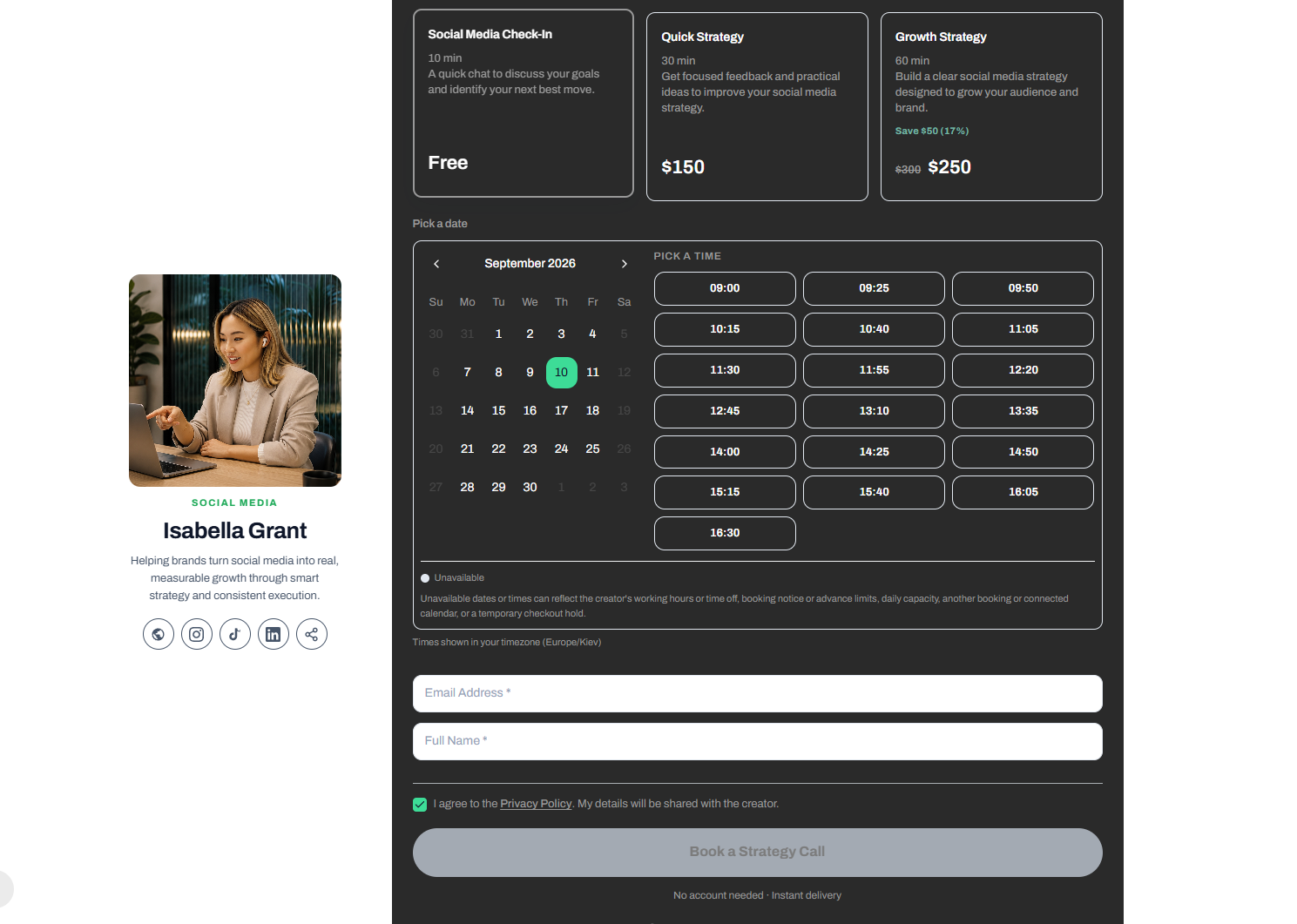
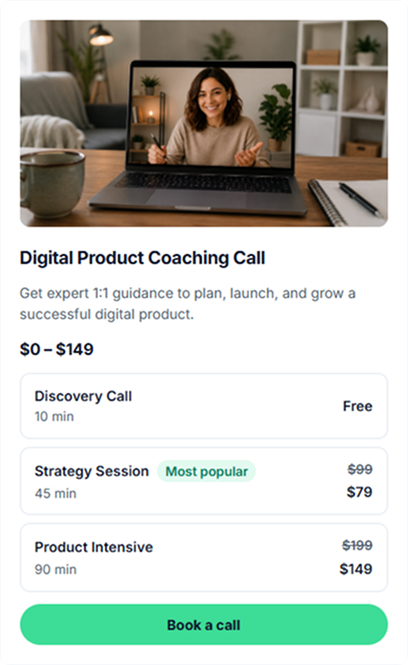
With CreatorStore's 1:1 coaching calls, one coaching offer can include multiple call options, each with its own name, duration, and price.
For example:
- Discovery Call — a free introductory conversation;
- Strategy Session — a focused paid consultation;
- Product Intensive — a longer session for deeper work;
- Mentorship Call — ongoing 1:1 guidance;
- Portfolio Audit — review and feedback;
- Q&A / AMA — a paid or free expert session.
This is useful when clients need different levels of access to you.
Instead of creating several disconnected booking links, they can compare the options in one place and choose the format that fits what they need.
Build a Sales Page for Your Coaching Offer
A coaching offer needs more than a date picker.
Before someone books, they may want to understand what the session covers, who it's for, what they'll get, and why they should work with you.
CreatorStore lets you build a dedicated page around the call.
You can add:
- a cover image;
- title and description;
- supporting media;
- testimonials;
- FAQ;
- guarantee or additional information;
- custom fields for information you need before the session.
This means the page can work as both a sales page and the beginning of the booking process.
Each published coaching offer can also have its own URL, meta title, meta description, and social preview, giving you a page you can link to directly from your website, social profiles, newsletter, or content.
Set Call Types, Prices, and Availability
Different coaching calls don't always need the same duration or price.
CreatorStore lets you add multiple call types to the same offer and configure each one separately.
For each option, you can define details such as:
- call name;
- duration;
- price;
- optional label;
- meeting method;
- weekly availability.
You can also add date-specific availability overrides when your normal schedule changes.
For online meetings, you can connect Google Meet or provide another meeting link.
How the Coaching Booking Flow Works
Once a client decides to book, the process is straightforward.
1. Choose a Call Option
The client chooses the type of session that fits their needs.
For example, they might choose between a free Discovery Call, a paid Strategy Session, or a longer intensive.
2. Choose a Date and Time
They open the built-in calendar and select an available date and time.
Available slots are shown in the client's local timezone, which is particularly useful if you work with people in different countries.
3. Enter Booking Information
The booking flow can collect the client's name, email, consent, and any additional information you've configured.
4. Pay When Required
For paid sessions, payment is part of the booking flow.
That means you don't have to book the call first and then manually send an invoice or separate payment link.
Connect Google Calendar and Google Meet
CreatorStore supports Google Calendar sync, so your coaching availability and bookings can work with the calendar you already use.
Google Meet can also be connected for online sessions.
Instead of:
Payment → Email client → Agree on time → Create calendar event → Create meeting → Send link
much more of the process can happen automatically as part of the booking flow.
This becomes especially useful once you have several coaching sessions each week and don't want scheduling administration to take over your day.
Manage Your Coaching Calendar and Bookings
Once bookings start coming in, you need a clear view of what's happening.
CreatorStore includes calendar and booking views where you can review upcoming sessions, client information, payment status, meeting details, and individual bookings.
You can also configure booking rules such as:
- timezone;
- buffer between calls;
- advance-booking window;
- maximum bookings per day;
- cancellation rules;
- rescheduling rules.
Instead of managing those rules separately for every client, you can set up the booking system around the way you want to work.
Offer Free Discovery Calls and Paid Coaching
Not every first conversation needs to be paid.
For many coaching and consulting businesses, a free discovery call is part of the sales process.
A simple client journey might look like this:
Free Discovery Call → Paid Strategy Session → Coaching Package
The discovery call gives you and the potential client a chance to understand the problem and decide whether working together makes sense.
If they need deeper support, they can move into a paid session or a longer coaching program.
Because CreatorStore supports both free and paid call options, you don't need separate booking systems for the two.
Sell Coaching Packages and Session Packs
A single call isn't always enough.
If you work with clients over several weeks or months, you can sell coaching packages with Session Packs instead of asking clients to purchase every meeting separately.
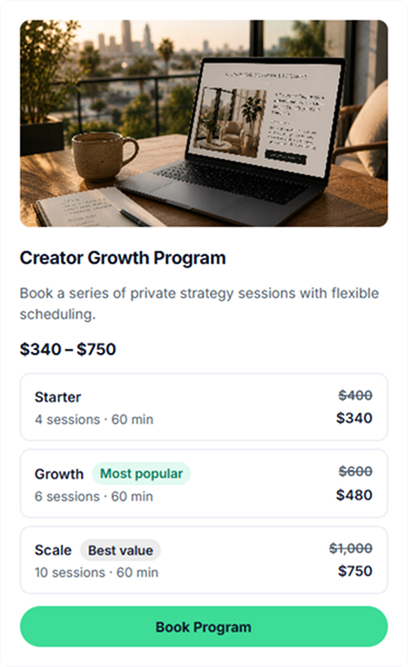
For example:
Starter — 4 sessions
Growth — 6 sessions
Scale — 10 sessions
Each tier can have its own number of sessions, duration, price, validity period, and availability.
The client buys the package once and receives a session balance. They can then book individual sessions from your live availability as they need them.
CreatorStore tracks the remaining credits automatically as sessions are used.
That means you don't need a separate spreadsheet to remember whether a client has two, four, or seven sessions left.
Session Packs can work for:
- business coaching;
- career coaching;
- mentorship;
- executive coaching;
- consulting retainers;
- fitness and wellness coaching;
- tutoring;
- recurring strategy sessions.
They also let you create different levels of commitment. A smaller pack can work as an introduction, while a larger package can support a longer coaching relationship.
See how coaching packages work →
Sell Webinars and Group Coaching Sessions
Your coaching business doesn't have to depend entirely on 1:1 calls.
CreatorStore also lets you create free or paid webinars, workshops, and group coaching sessions.
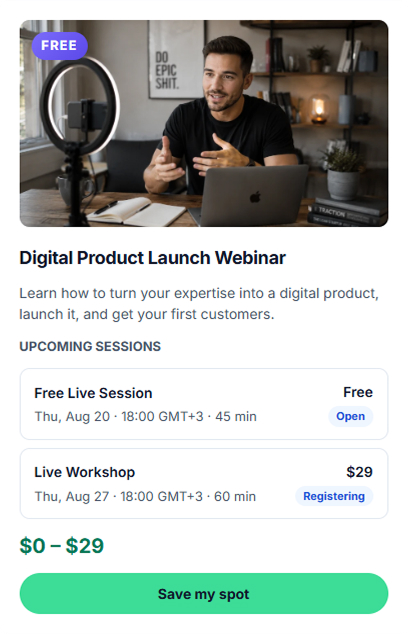
For each webinar session, you can configure details such as:
- session name;
- price;
- date;
- start time;
- duration;
- timezone;
- registration status;
- meeting link;
- what's included.
For example, a marketing coach could offer:
90-Minute LinkedIn Growth Workshop
A career coach could run:
How to Prepare for a Senior-Level Interview
A business consultant could host:
How to Price Your Consulting Services
You can offer free sessions, paid sessions, or several options under the same webinar.
Google Meet can be connected so registered attendees receive the meeting information after signup. You can also use your own meeting link.
Group sessions give people another way to learn from you without immediately committing to private coaching.
They can also create a natural path from a lower-commitment workshop to a higher-value 1:1 offer.
Explore webinar registration →
Sell Consulting and Custom Services
Coaching and consulting often sit next to each other.
A coaching call is usually based around your time.
A consulting service may be based around a specific deliverable, project, or result.
CreatorStore's Service Booking gives you a way to sell this kind of work alongside coaching.
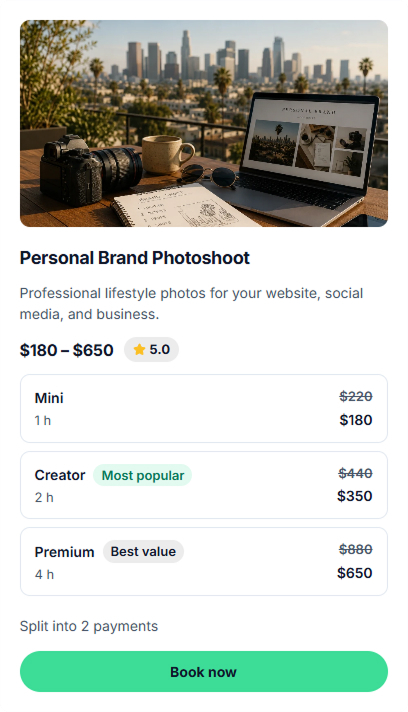
That could include:
- marketing audits;
- business strategy;
- personal brand audits;
- content strategy;
- social media reviews;
- research;
- advisory work;
- custom projects.
For straightforward services, you can use a fixed scope and price.
For larger projects, the client can submit a brief, you can review the request and send a quote, and payment can be split into stages such as a deposit and final payment.
This is useful when a relationship grows beyond a single coaching session into a larger consulting engagement.
Sell Digital Products Alongside Coaching
Your expertise doesn't have to be sold only through your time.
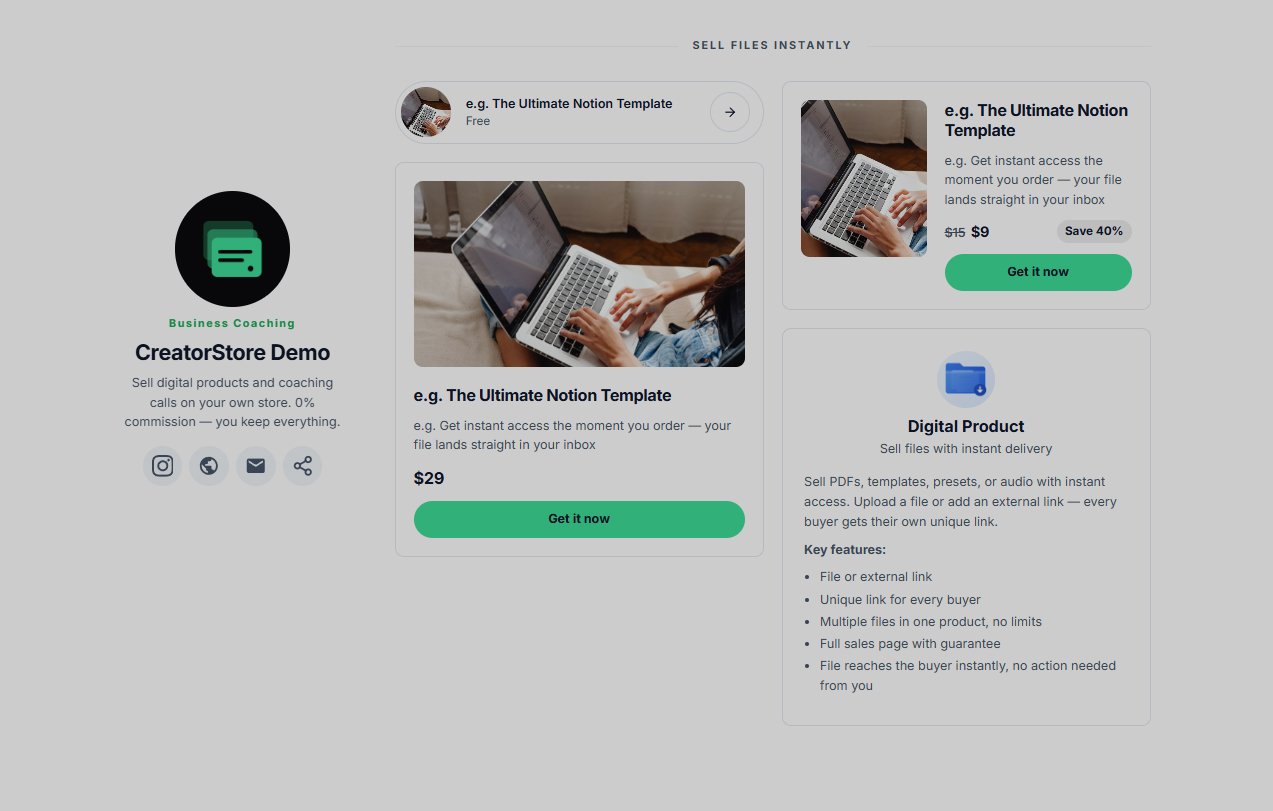
You can also sell digital products with instant delivery from the same CreatorStore.
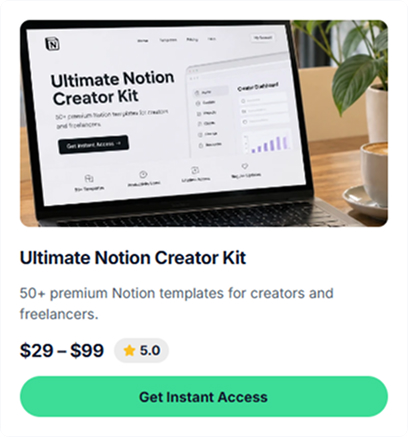
For coaches and consultants, that might include:
- ebooks;
- workbooks;
- checklists;
- templates;
- frameworks;
- guides;
- Notion templates;
- worksheets;
- recorded resources.
You upload the files, set the price, and publish the product.
After payment, buyers receive access to their files automatically, so you don't have to manually send every purchase.
You can also create multiple pricing tiers for a digital product, with different prices and files.
This gives you a way to build different levels of offers around the same expertise.
For example:
Free checklist
↓
$29 workbook
↓
Live workshop
↓
1:1 Strategy Session
↓
Coaching Package
↓
Custom Consulting Engagement
The specific products and prices will depend on your business.
The important part is that a visitor doesn't have only one way to work with you.
Explore digital product delivery →
Collect Leads From People Who Aren't Ready to Book
Not every visitor will be ready to purchase coaching immediately.
A free resource gives those people another next step.
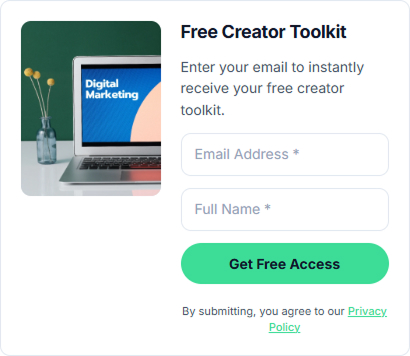
CreatorStore's Collect Emails feature lets you create lead magnets, newsletter signups, waitlists, applications, promo-code forms, and other email capture forms.
For example:
- Free Personal Brand Scorecard;
- Career Change Checklist;
- Business Audit Checklist;
- 7-Day LinkedIn Content Plan;
- Free Creator Toolkit.
A visitor enters their email and receives the resource or next step you've configured.
Their information is added to your customer base, where you can keep track of where the lead came from and export your list when needed.
For a coaching business, this can create a simple funnel:
Content → Free resource → Email → Webinar → Coaching session
That gives people who aren't ready to pay yet a reason to stay connected with you.
Explore lead magnets and email collection →
Build a Coaching Business Under Your Own Brand
For many coaches, social media is where people first discover them.
But your Instagram, LinkedIn, TikTok, or YouTube profile doesn't have to become your entire business infrastructure.
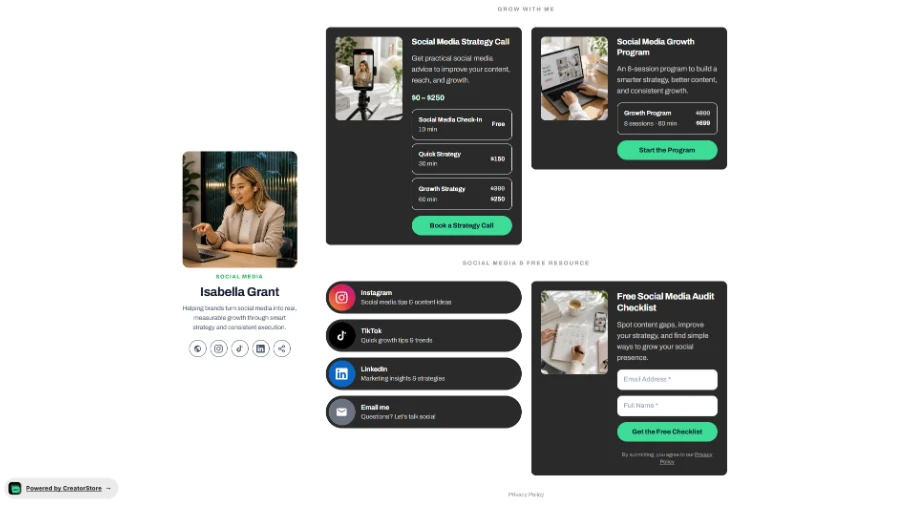
CreatorStore gives you a storefront where visitors can see the different ways they can work with you.
Your store can bring together:
1:1 Coaching → Coaching Packages → Webinars → Consulting → Digital Products → Free Resources
As your business grows, CreatorStore's Pro plan also supports a custom domain, so your store can live under a domain you already own.
Instead of sending your audience to several unrelated tools, you can give them one place to explore your offers.
CreatorStore vs a Basic Scheduling Tool
Scheduling is only one part of selling coaching online.
A basic scheduler mainly answers:
When can we meet?
A coaching business platform needs to handle more of the journey:
What are you selling? → Why should someone buy it? → How much does it cost? → When can they book? → How do they pay? → What happens after booking?
| Capability | Basic Scheduling Tool | CreatorStore |
|---|---|---|
| Book appointments | Yes | Yes |
| Set availability | Yes | Yes |
| Calendar integration | Yes | Yes |
| Free discovery calls | Varies | Yes |
| Paid 1:1 calls | Varies | Yes |
| Multiple call options | Varies | Yes |
| Session packs | Varies | Yes |
| Digital products | Usually no | Yes |
| Webinars | Usually no | Yes |
| Custom services | Usually no | Yes |
| Storefront | Usually no | Yes |
| Custom domain | Varies | Yes, on Pro |
| Lead collection | Usually separate | Yes |
CreatorStore isn't designed only to put meetings on your calendar.
The broader idea is to connect your offers, sales pages, payments, bookings, digital products, and lead generation inside the same business.
Who Is CreatorStore For?
CreatorStore is designed for independent experts who sell knowledge and expertise directly to clients.
Business Coaches
Sell strategy sessions, discovery calls, coaching packages, workshops, and digital resources.
Marketing Coaches
Combine audits, 1:1 calls, templates, webinars, and ongoing coaching.
Career Coaches
Sell career consultations, interview preparation, LinkedIn reviews, and multi-session programs.
Personal Brand Coaches
Combine profile audits, strategy calls, content resources, and longer coaching packages.
Consultants
Sell paid calls alongside defined consulting services and larger projects.
Creators Who Also Coach
If you've already built an audience around your expertise, you can add coaching without creating a completely separate business setup.
Your digital products, calls, workshops, and services can live in the same store.
How to Start Selling Coaching With CreatorStore
You don't need to launch every type of offer at once.
Start with one.
Step 1: Create Your Store
Set up your CreatorStore and add your basic profile, branding, and store information.
Step 2: Create Your First Coaching Offer
Add a 1:1 call and define its title, description, duration, price, and what the client should expect.
You can also add several call options if you want to offer different formats.
Step 3: Connect Payments
Connect the payment provider you want to use for paid sessions.
Step 4: Set Your Availability
Choose your working hours and configure the booking rules that fit your schedule.
Step 5: Connect Google Calendar
Connect your calendar so your availability and coaching bookings can work together.
Step 6: Configure the Meeting
Connect Google Meet or provide another meeting link.
Step 7: Publish Your Coaching Page
Once published, you can link directly to the coaching offer from your social profiles, website, newsletter, articles, or outreach.
Step 8: Expand Your Offers
Once you're ready, you can add:
- Session Packs for longer coaching relationships;
- webinars for group sessions;
- consulting and custom services;
- digital products;
- lead magnets and email capture.
You don't need all of them to start.
How Much Does CreatorStore Cost for Coaches?
CreatorStore has a Free plan at $0/month. It includes a public store page, lead magnets, content blocks, and other free tools, but paid products aren't available on the Free plan.
The Starter plan is $19/month on monthly billing and includes paid products, 1:1 calls and bookings, digital products, custom services, webinars, Google Meet sync, and 0% platform commission.
If you want to sell Session Packs, use your own custom domain, or offer deposits and installments, those features are available on the Pro plan.
Paid plans include a 14-day free trial with no card required.
CreatorStore charges 0% platform commission. Stripe and PayPal may still charge their normal payment-processing fees.
See current CreatorStore pricing →
Do You Need a Separate Website?
Not necessarily.
For some independent coaches, CreatorStore can be the main destination where people learn about and purchase their offers.
For others, it can work alongside an existing website.
For example, your main website could handle company information and long-form content while CreatorStore handles the commercial flow:
Offer → Payment → Booking → Meeting
The right setup depends on the complexity of your business.
You don't need to build a large custom website before you can start selling coaching online.
Build a Business Around What You Know
A coaching business doesn't have to be just a calendar full of calls.
You can sell your time through 1:1 sessions.
You can package those sessions into longer coaching engagements.
You can teach several people at once through webinars.
You can turn repeatable knowledge into digital products.
You can offer larger consulting projects.
And you can give people who aren't ready to buy a free way to join your audience.
CreatorStore brings those offers together in one store, so you can start with a simple coaching call and expand as your business grows.
Start building your coaching store →
Frequently Asked Questions
Can I sell 1:1 coaching calls with CreatorStore?
Yes. You can create free or paid 1:1 coaching calls, set your availability, and let clients choose an available time through your CreatorStore.
Can I offer a free discovery call?
Yes. CreatorStore supports free call options as well as paid coaching sessions.
Can I create different coaching call options?
Yes. One coaching offer can contain multiple call types with different names, durations, prices, and availability.
Does CreatorStore integrate with Google Calendar?
Yes. CreatorStore supports Google Calendar sync for coaching availability and bookings.
Can CreatorStore create Google Meet links?
Yes. You can connect Google Meet for coaching calls and other supported booking products.
Does CreatorStore handle different timezones?
Yes. Available booking times can be shown in the client's local timezone.
Can clients reschedule or cancel?
CreatorStore includes settings for cancellation and rescheduling rules.
Can I sell coaching packages?
Yes. CreatorStore's Session Packs let you sell multiple coaching sessions in one purchase. Session Packs are available on the Pro plan.
Can I run paid webinars?
Yes. CreatorStore supports free and paid webinars, workshops, and group coaching sessions with multiple session options.
Can I sell consulting services?
Yes. You can sell fixed-scope services as well as larger custom projects through Service Booking. Pro also includes deposits and installments for higher-ticket work.
Can I sell digital products and coaching from the same store?
Yes. You can sell digital products, coaching calls, webinars, custom services, and — on Pro — Session Packs from the same CreatorStore.
Does CreatorStore charge commission on coaching sales?
CreatorStore charges 0% platform commission. Stripe and PayPal may still charge their standard payment-processing fees.
Can my coaching offer have its own URL?
Yes. Published coaching offers can have their own page, URL, meta title, meta description, and social preview.
Do I need my own website?
No. You can use CreatorStore as the main destination for your offers or use it alongside an existing website.